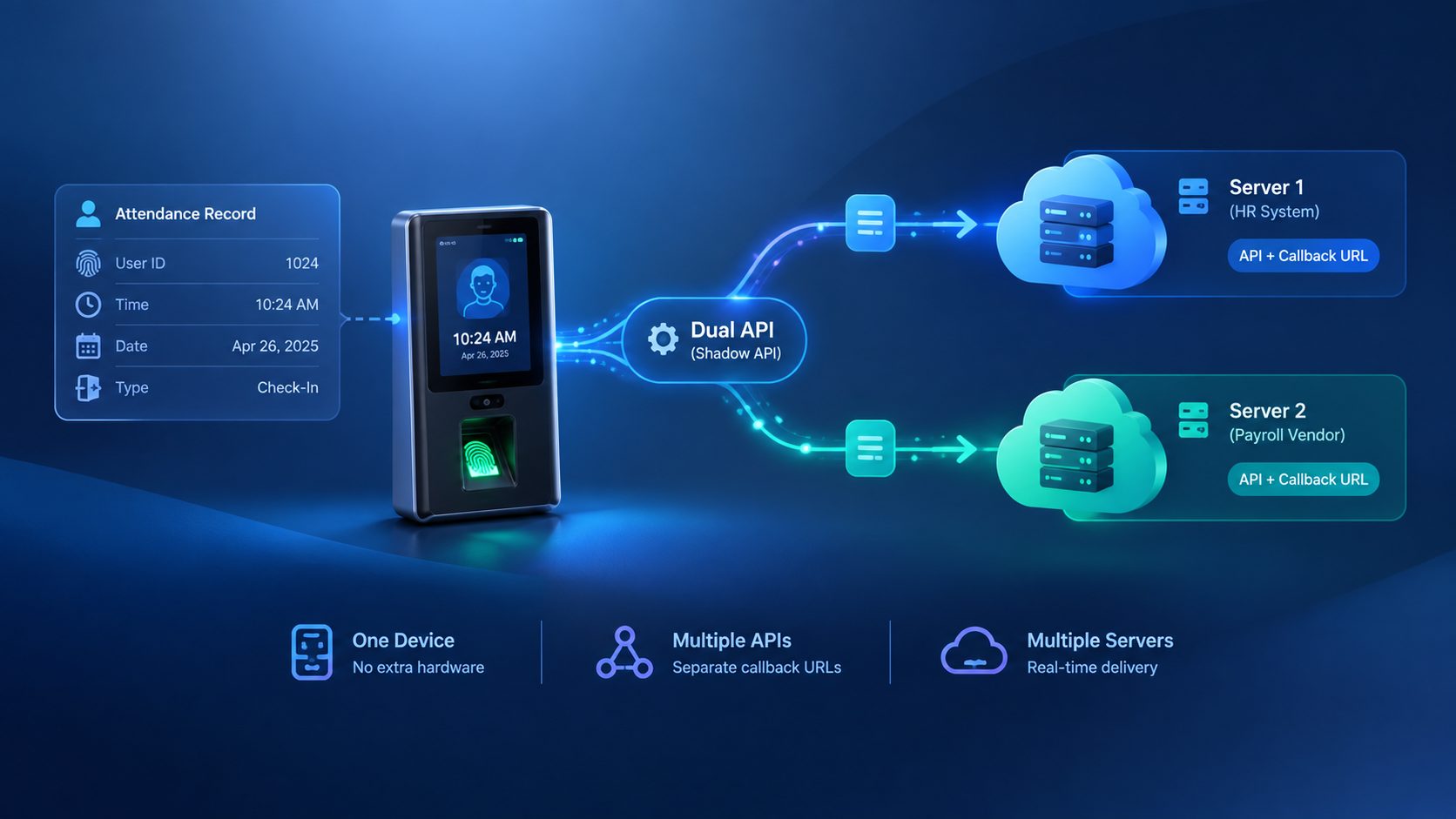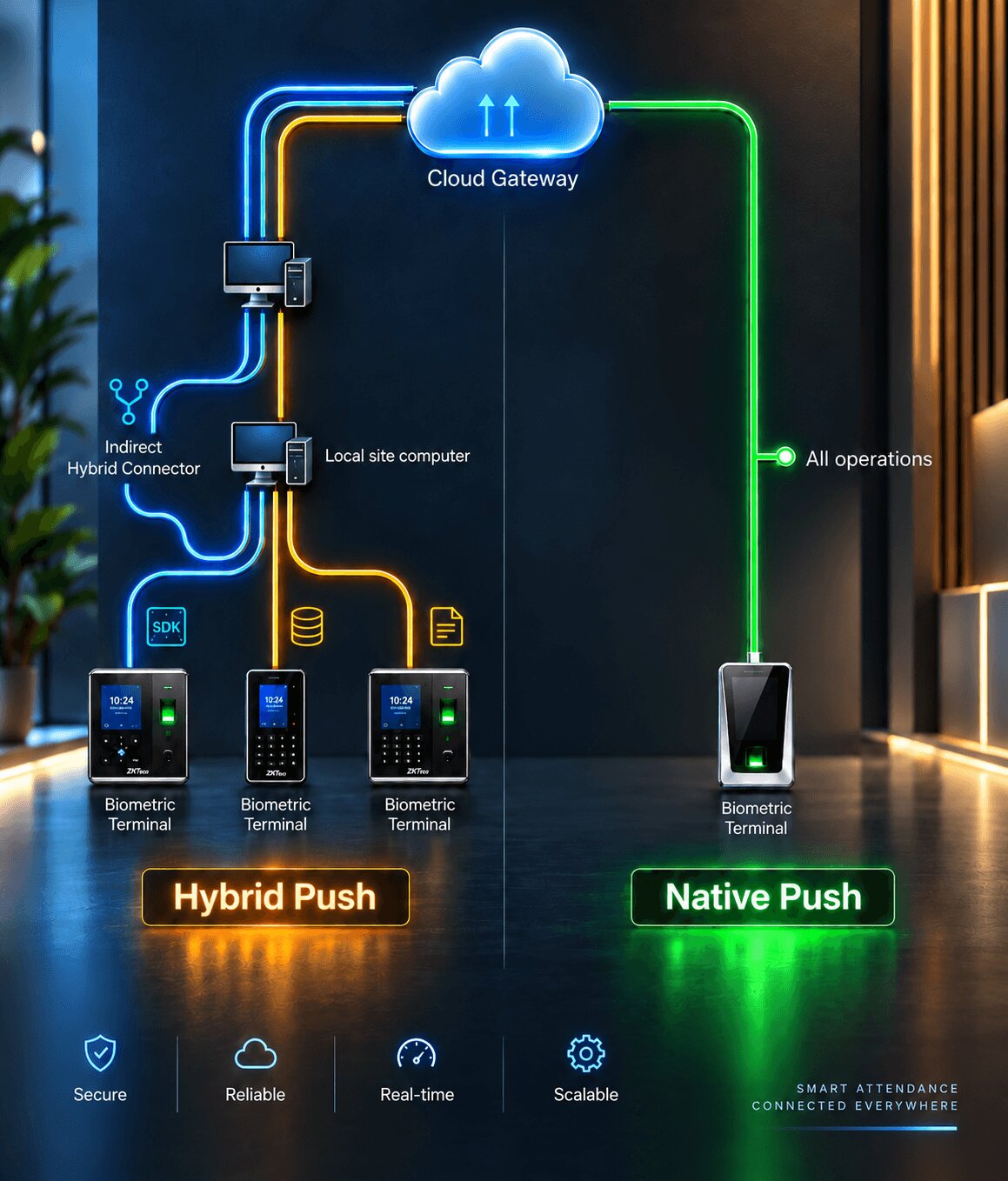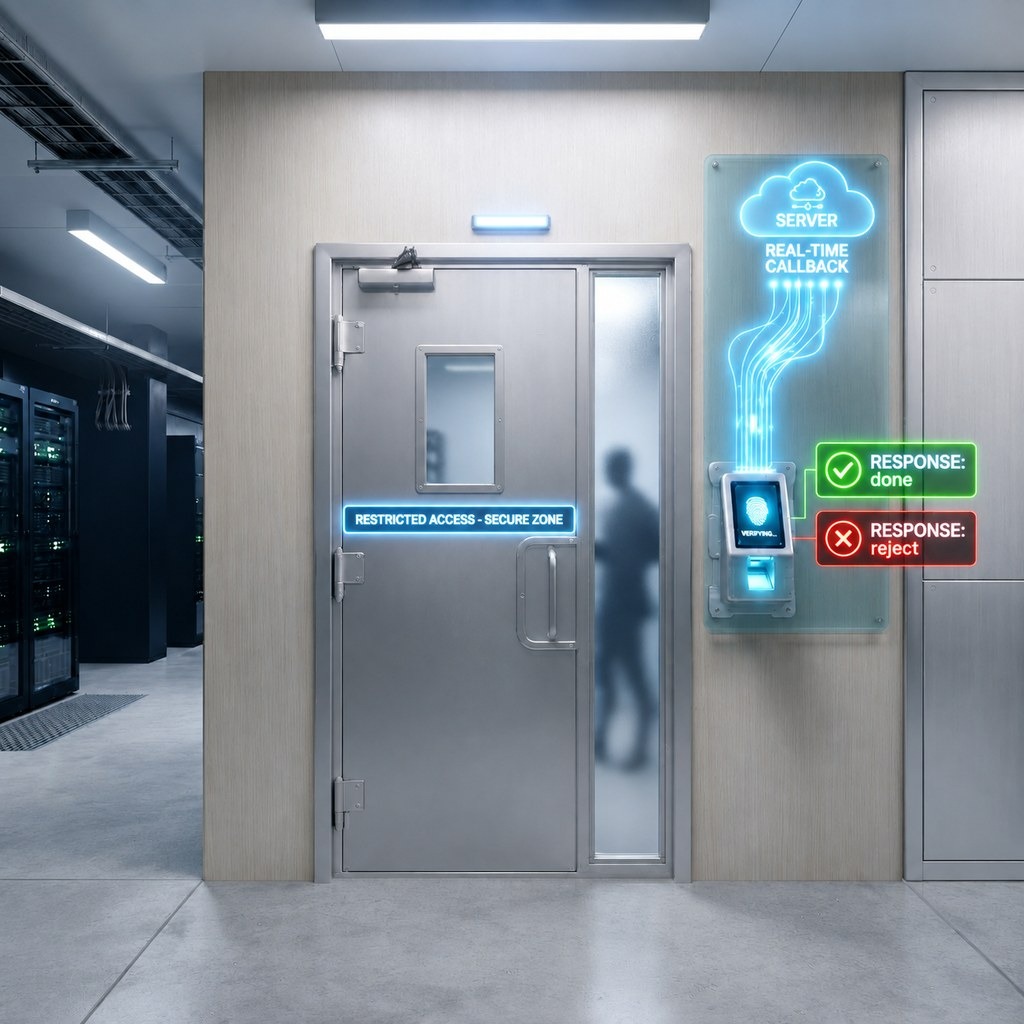





Overview: Understanding Biometric Device Connectivity Challenges
Biometric attendance systems and access control devices operate across diverse environments with varying network infrastructures, connectivity capabilities, and security requirements. Organizations face a critical challenge: how to integrate biometric devices—whether fingerprint scanners, face recognition terminals, iris scanners, or palm vein readers—into their existing HRMS (Human Resource Management Systems), ERP (Enterprise Resource Planning) platforms, or attendance management software when these devices come from different manufacturers with incompatible communication protocols.
The Biometric Gateway addresses this fundamental integration challenge through adaptive deployment architecture. This architecture automatically selects the optimal communication method based on device capabilities, network topology, and infrastructure constraints, ensuring that every biometric device—regardless of manufacturer, model, age, or connectivity capability—can integrate with any attendance management system or workforce management platform.
The Device Compatibility Challenge: Why Universal Support Matters
Manufacturer Fragmentation in Biometric Hardware
The global biometric device market includes hundreds of manufacturers producing thousands of device models:
- ZKTeco devices: Including F18, K40, InBio access controllers, SpeedFace series
- Suprema BioStar: BioEntry, BioLite, FaceStation facial recognition terminals
- Anviz biometric terminals: FacePass, CrossChex, VF30 Pro face and fingerprint devices
- eSSL (Matrix Comsec): X990, K21 Pro, MB360 multi-biometric readers
- Realtime (Startek): T502, T9, T52 fingerprint and RFID attendance machines
- Virdi: AC-2100, AC-5000 access control and time attendance systems
- Nitgen: eNBioAccess, Fingkey Hamster fingerprint scanners
- Morpho (IDEMIA): MSO 1300, Sigma series fingerprint authentication devices
- Mantra: MFS100, MFS110 fingerprint sensors and MADT50 tablets
- Secugen: Hamster Plus, OptiMouse fingerprint readers
- Hikvision: DS-K1T series facial recognition terminals
- Time Watch: SG-100, SG-300 attendance terminals
- Biomax: N-BM180, Bio5000 palm vein and fingerprint devices
Each manufacturer develops proprietary communication protocols, data formats, and integration methods. Traditional integration approaches require separate development efforts for each device manufacturer, creating vendor lock-in and limiting customer choice in hardware selection.
Network Infrastructure Variations
Organizations deploy biometric systems across fundamentally different network architectures:
- Cloud-connected environments: Devices have direct internet access via WiFi, Ethernet, or cellular connectivity
- Air-gapped networks: Manufacturing facilities, defense installations, or secure government offices where biometric devices operate on isolated networks without internet access
- DMZ (Demilitarized Zone) deployments: Enterprise security architectures where biometric access control devices sit in network segments separated from both internal networks and public internet
- VPN-only access: Remote locations, branch offices, or retail stores where devices connect through Virtual Private Networks
- Proxy-restricted networks: Corporate environments where all outbound connections must route through proxy servers with authentication
- Firewall-protected environments: Organizations with strict firewall policies that block inbound connections or limit outbound traffic to specific ports and protocols
Traditional biometric integration solutions assume specific network configurations, forcing organizations to modify their infrastructure to accommodate device connectivity requirements. This creates security risks, compliance violations, and implementation delays.
Device Compatibility Verification: The First Step
Cams Biometrics Native Devices
All biometric devices manufactured by Cams Biometrics include built-in native push capability. These devices—including fingerprint attendance terminals, face recognition systems, and multi-modal biometric readers—ship with pre-configured cloud connectivity and support the complete Biometric Web API without requiring additional software installation or protocol updates.
Native capabilities include:
- Real-time transaction push via HTTPS webhooks
- Bidirectional REST API communication for device management
- Automatic offline data queuing and synchronization
- Remote user enrollment with biometric template transfer
- Cloud-based device configuration and firmware updates
Third-Party Device Verification Process
For biometric devices from other manufacturers (non-Cams hardware), compatibility verification happens through the developer.camsbiometrics.com platform. This verification portal tests communication compatibility with officially partnered manufacturers’ devices.
The verification process:
- Device Registration: Enter device model number, serial number, and manufacturer details
- Protocol Testing: Automated tests verify the device’s ability to communicate using standardized biometric data exchange protocols
- Communication Validation: System confirms the device can send attendance transactions, accept user enrollment data, and respond to configuration commands according to mutual protocol agreements
- Compatibility Determination: Based on test results, the system determines whether the device qualifies for Native Push deployment or requires Hybrid deployment
Verification Outcomes:
- Verification Successful: Device demonstrates full protocol compliance → Native Push deployment enabled
- Verification Failed or Issues Detected: Device cannot meet protocol requirements, has incompatible firmware, or exhibits communication errors → Hybrid deployment recommended
This verification ensures deployment mode selection is based on actual tested technical capability rather than assumptions about device specifications or manufacturer claims.
Why Some Devices Require Hybrid Deployment
Devices fail compatibility verification for several technical reasons:
- Proprietary protocols: Device uses manufacturer-specific communication methods incompatible with standardized push protocols
- Firmware limitations: Older firmware versions lack cloud connectivity features or webhook support
- Hardware constraints: Device processor or memory insufficient to maintain persistent cloud connections
- Certificate validation issues: Device SSL/TLS implementation incompatible with modern certificate requirements
- Data format incompatibilities: Device transmits attendance data in non-standard formats requiring translation
- Connectivity limitations: Device network stack doesn’t support required protocols (HTTP/2, WebSocket, etc.)
When devices cannot pass verification, Hybrid Push Service provides alternative communication pathways that work within the device’s actual capabilities and limitations.
Deployment Architecture Option 1: Native Push (Full-Featured Web API)
What is Native Push Deployment?
Native Push is the direct cloud integration method where biometric devices communicate directly with the Biometric Gateway cloud platform using the Biometric Web API. This deployment method provides the complete feature set with maximum performance and minimum latency.
Native Push means the device itself:
- Establishes HTTPS connections directly to cloud API endpoints
- Pushes attendance transactions immediately upon occurrence
- Receives REST API commands for user management and device configuration
- Maintains bidirectional communication for real-time control
- Handles its own offline data queuing and automatic synchronization
Technical Architecture of Native Push
Communication Flow:
Biometric Device (Fingerprint/Face Terminal)
    ↓ [HTTPS/TLS 1.2+]
    ↓ [Real-time webhook POST requests]
    ↓
Cloud API Gateway (api.camsbiometrics.com)
    ↓ [Webhook delivery to partner endpoint]
    ↓
Partner Application (HRMS/ERP/Attendance System)
Protocol Details:
- Transport: HTTPS over TCP/IP with TLS 1.2 or higher encryption
- Authentication: API key-based authentication with request signing
- Data Format: JSON payloads for transaction data and API requests
- Webhook Delivery: POST requests to partner-configured callback URLs
- API Methods: RESTful HTTP interface for device operations
Native Push Capabilities: Complete Feature Set
Real-Time Attendance Transaction Delivery
When device is online (connected to internet):
- Attendance event occurs (fingerprint scan, face recognition, RFID card tap)
- Device generates transaction record with timestamp, user ID, biometric match score
- Device immediately sends HTTPS POST request to cloud API (< 1 second latency)
- Cloud API validates transaction, processes data, triggers webhook to partner application
- Partner application receives attendance record in real-time for instant processing
When device is offline (no internet connection):
- Device stores attendance transactions in local memory (internal storage capacity varies by model, typically 50,000-100,000 records)
- Device continues operating normally, capturing biometric attendance without interruption
- When internet connection restores (WiFi reconnects, Ethernet cable reconnected, cellular signal returns)
- Device automatically detects connectivity restoration
- Device queues all stored offline transactions and pushes to cloud API in chronological order
- No manual intervention required, no data loss, complete automatic synchronization
Bidirectional REST API Communication
The Native Push deployment provides complete REST API access for programmatic device management. Based on the Biometric Web API documentation, the following operations are available:
Real-Time Data Delivery Operations:
- Attendance transaction webhooks: Automatic push of biometric verification events (check-in, check-out, break start, break end) with employee identification, timestamp, verification method, device location, and match quality score
- Event notifications: Real-time alerts for device events including tampering detection, low battery warnings, door forced open alerts, invalid access attempts, and system errors
- Status updates: Continuous device health monitoring including online/offline state changes, memory utilization, network connectivity status, and operational alerts
User Enrollment and Management Operations:
- Add new users to devices: Register employees with biographical information including employee ID, full name, department assignment, role classification, and access permissions
- Enroll biometric templates remotely: Upload fingerprint patterns, facial recognition data, iris scans, or palm vein templates from centralized enrollment stations to distributed devices
- Retrieve user databases: Query complete employee lists from devices including enrollment status, assigned access levels, active/inactive states, and last verification timestamps
- Update user information: Modify employee details, change department assignments, adjust access permissions, update validity periods, and revise authentication requirements
- Delete user enrollments: Remove employees from devices, purge biometric templates, revoke access permissions, and clear authentication records
- Bulk user operations: Upload multiple employee records simultaneously, mass-update access permissions across device fleets, batch-delete terminated employees, and synchronize user databases across locations
- Access level configuration: Define time-based access rules, set authentication modes (fingerprint only, face+fingerprint combination, card+biometric verification), configure verification thresholds, and establish override permissions
Device Configuration and Control Operations:
- Query device status: Retrieve real-time information including firmware version, serial number, model identification, memory capacity, current user count, template storage utilization, network configuration, and last communication timestamp
- Configure operational parameters: Adjust verification sensitivity thresholds, set authentication timeout periods, configure multi-factor authentication requirements, define lockout policies after failed attempts, and establish security parameters
- Manage attendance rules: Set work schedules, define shift timings, configure overtime calculations, establish break period rules, and specify holiday calendars
- Control access permissions: Define door unlock durations, set re-lock timing, configure anti-passback rules, establish temporal access zones (time-based permissions), and manage visitor access protocols
- Schedule automated actions: Configure bell/alarm schedules for shift changes, set voice announcement timing, define automatic door lock/unlock schedules, and establish periodic status reporting
- Customize display settings: Adjust screen brightness, set timeout periods, configure language preferences, upload custom logos, and define welcome messages
- Manage communication settings: Configure network parameters (IP address, subnet mask, gateway, DNS servers), set WiFi credentials, adjust connectivity modes, and establish failover protocols
Attendance Data Retrieval Operations:
- Query historical records: Retrieve attendance transactions by date range, filter by employee ID, search by department, query specific devices, and extract records by verification type
- Download transaction logs: Export complete punch records with timestamps, employee identifiers, in/out status, verification modes, device locations, and match scores
- Access audit trails: Review system events, track configuration changes, monitor user enrollment activities, and examine access control decisions
- Generate attendance summaries: Calculate work hours, aggregate department attendance, compute overtime, track late arrivals, and identify early departures
System Administration Operations:
- Firmware management: Check current versions, initiate remote updates, schedule maintenance windows, and verify update completion
- Diagnostic operations: Retrieve system logs, access error messages, review network connectivity history, examine authentication failures, and analyze performance metrics
- Backup and restore: Export device configurations, save user databases, backup system settings, and restore from previous states
- Multi-device coordination: Synchronize time across device fleets, distribute configurations to device groups, coordinate user database updates, and manage centralized access policies
Complete Biometric Enrollment Workflow
Remote Enrollment (Cloud-to-Device):
- Partner application captures biometric data (fingerprint scan, face photo) at any location (HR office, remote enrollment station, mobile app)
- Application uploads biometric template to cloud API with employee identification and template quality metrics
- Cloud API validates template quality, checks for duplicate enrollments across entire database to prevent identity conflicts
- Cloud API pushes validated template to target biometric device(s) based on employee’s assigned locations
- Device receives template, stores in local memory, indexes for fast verification, and makes user immediately verifiable
- Employee can authenticate at device without prior physical presence, enabling same-day access provisioning
Local Enrollment (Device-Direct):
- Administrator adds user to device through local device interface (keypad, touchscreen, or connected enrollment terminal)
- User scans fingerprint multiple times (typically 3 captures) or enrolls face directly at biometric terminal
- Device captures biometric template, performs quality assessment, verifies template uniqueness
- Device stores template in local non-volatile memory and immediately pushes user enrollment data to cloud
- Cloud API synchronizes user enrollment across multiple devices if configured (automatic template distribution)
- Partner application receives user enrollment notification via webhook including employee ID, enrollment timestamp, device location, and template quality score
Device Control and Configuration
Remote Operations:
- Firmware updates: Push updated firmware from cloud to devices during scheduled maintenance windows, verify version compatibility, monitor update progress, and confirm successful installation
- Access control rules: Update allowed time windows for employee groups, set department-specific restrictions, configure holiday access policies, and establish visitor authentication procedures
- Bell/alarm schedules: Configure shift change signals for manufacturing environments, set break period alarms, define school bell schedules, and customize audio announcements
- Voice announcements: Select language preferences, upload custom audio messages, configure announcement triggers (successful authentication, denied access, system alerts), and adjust volume levels
- Display customization: Set screen brightness based on time of day, configure timeout periods for power saving, adjust language and date formats, upload company logos, and define welcome messages
- Verification modes: Switch between 1:1 verification (card + biometric) and 1:N identification (biometric only), adjust matching thresholds for security vs. convenience balance, enable multi-factor authentication, and configure backup verification methods
Multi-Device Management:
- Centralized fleet control: Manage hundreds or thousands of devices from single API interface without individual device access
- Bulk user enrollment: Add new employee to all relevant locations simultaneously, ensuring immediate access across entire facility or organization
- Synchronized configuration: Push identical settings to device groups (all lobby terminals, all manufacturing floor devices, all executive access points) maintaining consistency
- Remote diagnostics: Troubleshoot connectivity issues, review error logs, check memory utilization, and identify malfunctioning devices without physical site visits
- Automated monitoring: Receive proactive alerts for device offline events, low battery conditions, memory full warnings, and authentication anomalies
Network Requirements for Native Push
Internet Connectivity:
- Devices require internet access (WiFi, Ethernet, 4G/5G cellular, or other IP connectivity)
- Connection can be intermittent – devices handle temporary disconnections gracefully through automatic queuing
- Minimum bandwidth: 10-50 Kbps per device (typical attendance transaction is 1-2 KB)
- Latency tolerance: Works with satellite connections, 3G/4G cellular, typical office WiFi (up to 5000ms acceptable)
Firewall Configuration:
- Outbound HTTPS (port 443) must be permitted from device subnet to api.camsbiometrics.com
- Inbound connections not required (devices initiate all connections as clients)
- No port forwarding needed (outbound-only communication model)
- Compatible with NAT (Network Address Translation) – devices behind NAT routers work normally
- Works behind corporate firewalls with standard outbound web access policies
DNS Resolution:
- Devices must resolve api.camsbiometrics.com domain name to IP address
- Standard DNS servers acceptable (Google DNS 8.8.8.8, organization DNS, ISP DNS, etc.)
- Fallback to secondary DNS recommended for reliability
When to Use Native Push Deployment
Ideal scenarios for Native Push:
- New biometric system installations with modern cloud-capable devices
- Organizations with standard internet connectivity at device locations
- Cloud-first IT strategies preferring SaaS (Software-as-a-Service) architecture
- Multi-location deployments (retail chains, distributed offices, branch networks)
- Mobile workforce applications requiring real-time attendance visibility
- Environments where devices can reach internet (directly or through corporate network)
- Situations requiring full API functionality (remote user management, device configuration)
Organizations using Native Push:
- Retail chains with fingerprint attendance terminals at each store location
- Corporate offices with face recognition access control at building entrances
- Educational institutions with biometric attendance systems in classrooms
- Healthcare facilities with palm vein authentication for controlled medication access
- Logistics companies with fingerprint terminals at warehouse loading docks
- BPO (Business Process Outsourcing) centers with multi-modal attendance systems
- Hotel chains with biometric time tracking for housekeeping and front desk staff
Deployment Architecture Option 2: Hybrid Push Service
What is Hybrid Push Deployment?
Hybrid Push Service is the alternative integration architecture used when biometric devices cannot support Native Push deployment. This occurs when devices fail compatibility verification at developer.camsbiometrics.com, or when network infrastructure prevents devices from maintaining direct cloud connectivity.
Hybrid Push introduces an intermediary component:
- A computer, server, or edge device (Windows PC, Linux server, Raspberry Pi, etc.) sits between biometric devices and the cloud
- This intermediary runs software (SDK, local service, or database connector) that communicates with devices using protocols they support
- The intermediary has internet connectivity and communicates with the cloud API
- Biometric devices themselves may or may not have internet access
Key architectural difference:
- Native Push: Device talks directly to cloud
- Hybrid Push: Device talks to intermediary computer, intermediary talks to cloud
Why Hybrid Push Exists: Solving Incompatibility Problems
Device-Level Incompatibilities:
- Legacy biometric terminals (5-10+ years old) without cloud connectivity firmware
- Devices using RS232, RS485, Wiegand, or other legacy communication protocols
- Fingerprint scanners designed for local PC connection only (USB-connected desktop readers)
- Access control panels with proprietary network protocols
- Devices from manufacturers without standardized API support
Network Infrastructure Constraints:
- Air-gapped manufacturing networks where devices cannot access internet for security reasons
- Government or defense installations prohibiting device internet connectivity
- Healthcare environments with HIPAA network isolation requirements
- Financial institutions with PCI-DSS network segmentation mandates
- Industrial facilities with OT (Operational Technology) networks separated from IT networks
Security Policy Restrictions:
- Organizations prohibiting IoT device internet access as security policy
- Compliance requirements mandating on-premises data processing
- Data sovereignty regulations preventing cloud data transmission
- Zero-trust network architectures blocking device-to-internet communications
Hybrid Push Architecture: Four Connection Modes
Hybrid Push deployment adapts to different infrastructure configurations through four distinct modes. The mode selection depends on what your network topology permits and where integration is possible.
Mode A: Hardware Connection via Port Forwarding (SDK-Based)
What this mode means:
This deployment uses the Cams Biometrics SDK (Software Development Kit) running on an intermediary computer that has internet connectivity. The SDK communicates directly with biometric device hardware using the device’s native protocol. Port forwarding in your network router allows the SDK to reach devices even if they’re on different network segments.
Technical Architecture:
Biometric Device (on local network 192.168.1.x)
    ↓ [Device native protocol: TCP/IP, RS485, etc.]
    ↓ [Direct hardware communication]
    ↓
Intermediary Computer with SDK (has internet access)
    ↑ [Port forwarding: router forwards port 4370 to device IP]
    ↓ [HTTPS to cloud every 30 seconds]
    ↓
Cloud API Gateway (api.camsbiometrics.com)
    ↓ [Webhook to partner]
    ↓
Partner Application (HRMS/ERP)
How data flows:
- Employee scans fingerprint at biometric device
- Device stores transaction locally (no immediate cloud push – device not cloud-capable)
- SDK running on intermediary computer polls device every 30 seconds: “Any new transactions?”
- Device responds with transactions collected since last poll
- SDK receives transaction data, formats it, sends HTTPS request to cloud API
- Cloud API validates data, triggers webhook POST to partner application endpoint
- Partner receives attendance record with 30-second maximum delay from actual scan time
Online behavior (intermediary computer has internet):
- SDK polls devices every 30 seconds
- New transactions collected and pushed to cloud with 30-second latency
- Webhooks delivered to partner application every 30 seconds (if new data exists)
Offline behavior (intermediary computer loses internet):
- SDK continues polling devices every 30 seconds, collecting transactions
- SDK stores collected transactions in local queue on intermediary computer
- When internet connection restores to computer, SDK automatically pushes queued transactions to cloud
- All queued data delivered via webhooks with 30-second intervals between batches
- No data loss, complete automatic recovery
Data availability dependencies:
- Computer-to-device connectivity: SDK must reach devices to collect transactions (LAN, WiFi, or port forwarding)
- Device-to-computer connectivity: If device loses network connection to computer (Ethernet unplugged, WiFi down), SDK cannot collect transactions until connectivity restores
- Computer-to-cloud connectivity: Internet required on intermediary computer for cloud delivery
Use cases for Mode A:
- Branch offices with local server and port forwarding capability
- Retail stores with back-office PC connecting to attendance terminal
- Small businesses with devices on same LAN as office computer
- Distributed locations where router configuration permits port forwarding
Mode B: Database Connection via Port Forwarding
What this mode means:
This deployment integrates at the database level rather than directly with biometric hardware. Many biometric devices store attendance transactions in a local database (Microsoft SQL Server, MySQL, SQLite, Access, etc.). The intermediary computer connects to this database through port forwarding, reads transaction records, and pushes them to the cloud.
Technical Architecture:
Biometric Device (writes to database)
    ↓ [Device-to-DB: whatever protocol device uses]
    ↓
Database Server (SQL Server, MySQL, etc.)
    ↑ [Port forwarding: allows intermediary to reach DB]
    ↓ [SQL queries every 30 seconds]
    ↓
Intermediary Computer with DB Connector (has internet)
    ↓ [HTTPS to cloud every 30 seconds]
    ↓
Cloud API Gateway (api.camsbiometrics.com)
    ↓ [Webhook to partner]
    ↓
Partner Application (HRMS/ERP)
How data flows:
- Employee scans fingerprint at biometric device
- Device writes attendance record to database table (using device’s own database connection)
- Intermediary computer runs database connector software polling database every 30 seconds
- Connector executes SQL query to retrieve new unsynced attendance records from database
- Connector retrieves new records, formats data, sends to cloud API via HTTPS
- Connector updates database marking records as synchronized to prevent duplicate transmission
- Cloud API receives data, triggers webhook to partner application
Online behavior (intermediary computer has internet):
- Database connector polls every 30 seconds
- New database records pushed to cloud with 30-second latency
- Webhooks delivered to partner application with polling interval delay
Offline behavior (intermediary computer loses internet):
- Connector continues polling database every 30 seconds
- Connector marks records as “pending sync” in database
- When internet restores, connector pushes all pending records to cloud
- Queued data delivered via webhooks automatically
Data availability dependencies:
- Device-to-database connectivity: Device must successfully write to database (if device loses DB connection, transactions not stored)
- Computer-to-database connectivity: Connector must reach database server via network (port forwarding or local network)
- Database-to-computer connectivity: If database server unreachable (network issue, server down), connector cannot read new records
- Computer-to-cloud connectivity: Internet required on intermediary computer for webhook delivery
Limitation: No REST API support
Mode B provides transaction data flow only. Since integration happens at database level, the system cannot send commands back to biometric devices. REST API operations (add user, configure device, delete enrollment) are not available in this mode.
Why this limitation exists:
Sending commands to devices requires hardware-level communication protocols. Database integration only reads transaction records; it cannot control device behavior or write user enrollment data back to devices through the database.
Use cases for Mode B:
- Legacy systems where device manufacturer provides SQL database output
- Environments where database access is permitted but device access is restricted
- Integration with existing database-centric attendance software
- Organizations with DBA (Database Administrator) control over data access
Mode C: Hardware Connection via Local Service
What this mode means:
This deployment installs a local service (Windows service or Linux daemon) on an intermediary computer within the same network as biometric devices. The service communicates directly with device hardware without requiring port forwarding. This works in fully isolated networks where external access isn’t permitted.
Technical Architecture:
Biometric Device (on isolated network, no internet)
    ↓ [LAN/WiFi: 192.168.1.x local network]
    ↓ [Device native protocol communication]
    ↓
Intermediary Computer with Local Service
    ↑ [Same local network, no port forwarding needed]
    ↓ [HTTPS to cloud every 30 seconds]
    ↓
Cloud API Gateway (api.camsbiometrics.com)
    ↓ [Webhook to partner]
    ↓
Partner Application (HRMS/ERP)
How data flows:
- Manufacturing floor employee scans fingerprint at attendance terminal
- Device stores transaction in local memory (device on isolated production network)
- Local service running on intermediary computer (also on production network) polls device every 30 seconds
- Service collects new transactions using device’s communication protocol
- Service sends collected data to cloud API via internet connection on intermediary computer
- Cloud API triggers webhook to partner’s cloud-based HRMS
Online behavior (intermediary computer has internet):
- Local service polls devices every 30 seconds
- Transactions collected and pushed to cloud with 30-second latency
- Webhooks delivered to partner application at polling intervals
Offline behavior (intermediary computer loses internet):
- Service continues polling devices and collecting transactions locally
- Service queues data on intermediary computer storage
- When internet restores, service automatically syncs queued data to cloud
- All attendance records delivered via webhooks, no manual intervention
Data availability dependencies:
- Computer-to-device connectivity: Service must reach devices on local network (if switch fails, WiFi down, or cable unplugged, collection stops)
- Device operation: Devices continue capturing attendance locally during any network issues
- Computer-to-cloud connectivity: Internet on intermediary computer required for cloud delivery (devices themselves need no internet)
Use cases for Mode C:
- Manufacturing facilities with air-gapped production networks
- Government installations prohibiting device internet access
- Healthcare facilities with isolated medical device networks
- Financial institutions with separated secure zones
- Industrial environments with OT network isolation from IT networks
Mode D: Database Connection via Local Service
What this mode means:
The local service connects to a database server on the local network, reading attendance transactions that biometric devices write to the database. This combines database integration with on-premises deployment, suitable for highly restricted environments.
Technical Architecture:
Biometric Device (writes to local database server)
    ↓ [Device database connection protocol]
    ↓
Database Server (on isolated network, no internet)
    ↓ [SQL queries every 30 seconds]
    ↓
Intermediary Computer with Local Service
    ↑ [Same local network, reads from database]
    ↓ [HTTPS to cloud every 30 seconds]
    ↓
Cloud API Gateway (api.camsbiometrics.com)
    ↓ [Webhook to partner]
    ↓
Partner Application (HRMS/ERP)
How data flows:
- Employee authenticates via face recognition at access control terminal
- Device writes access event to local SQL Server database
- Local service polls database every 30 seconds with SQL query
- Service retrieves new records, formats data
- Service sends data to cloud API via intermediary computer’s internet connection
- Cloud API delivers webhook to partner’s cloud application
Online behavior (intermediary computer has internet):
- Service polls database every 30 seconds
- New database records pushed to cloud with 30-second latency
- Webhooks delivered at polling intervals
Offline behavior (intermediary computer loses internet):
- Service continues polling database, marking records as pending
- Data queues for cloud sync when internet restores
- Automatic recovery, no data loss
Data availability dependencies:
- Device-to-database connectivity: Device must write successfully to database (if device loses DB connection, no transaction storage)
- Database-to-service connectivity: Service must reach database server on local network (if database server down, cannot read records)
- Computer-to-cloud connectivity: Internet on intermediary computer for webhook delivery (database and devices need no internet)
Limitation: No REST API support
Like Mode B, Mode D provides transaction data flow only. No device control, user management, or configuration API available due to database-level integration constraints.
Use cases for Mode D:
- Highly regulated industries with data sovereignty requirements
- On-premises-only data processing mandates
- Legacy database-centric systems with network isolation
- Organizations prohibiting any device internet connectivity
Hybrid Push Capability Comparison
| Capability | Mode A: Hardware Port Fwd | Mode B: Database Port Fwd | Mode C: Hardware Local Svc | Mode D: Database Local Svc |
|---|---|---|---|---|
| Transaction Delivery | ✅ 30-sec polling | ✅ 30-sec polling | ✅ 30-sec polling | ✅ 30-sec polling |
| Offline Queuing | ✅ On computer | ✅ On computer | ✅ On computer | ✅ On computer |
| Add Users | ✅ Without biometric* | ❌ Not supported | ✅ Without biometric* | ❌ Not supported |
| Retrieve User Data | ❌ Not supported | ❌ Not supported | ❌ Not supported | ❌ Not supported |
| Device Configuration | ⚠️ Limited | ❌ Not supported | ⚠️ Limited | ❌ Not supported |
| Biometric Enrollment | ⚠️ Local device only | ⚠️ Local device only | ⚠️ Local device only | ⚠️ Local device only |
| Port Forwarding Required | ✅ Yes | ✅ Yes | ❌ No | ❌ No |
| Device Internet Required | ❌ No | ❌ No | ❌ No | ❌ No |
| Computer Internet Required | ✅ Yes | ✅ Yes | ✅ Yes | ✅ Yes |
*Important clarification on “Add Users Without Biometric”:
In Hybrid Modes A and C, the system can create user records on the biometric device (name, employee ID, card number, department, access permissions), but cannot upload biometric templates remotely. Employees must physically visit the device to enroll their fingerprint, face, or iris. This limitation exists because hybrid-deployed devices lack the cloud connectivity required for remote biometric template transfer.
Understanding the 30-Second Latency
Why 30 seconds instead of real-time?
Hybrid deployment uses polling architecture instead of push architecture:
- Native Push (real-time): Device proactively sends data to cloud immediately when event occurs
- Hybrid Push (30-sec): Intermediary computer repeatedly asks devices “any new data?” every 30 seconds
Polling mechanism:
Second 0: Service checks devices - finds 3 new transactions - sends to cloud
Second 30: Service checks devices - finds 1 new transaction - sends to cloud
Second 60: Service checks devices - finds 0 new transactions - no webhook sent
Second 90: Service checks devices - finds 5 new transactions - sends to cloud
Why not poll every 1 second?
Faster polling consumes more network bandwidth, increases device processor load, and provides minimal benefit for typical attendance use cases. Attendance systems generally don’t require sub-second precision—30-second latency is sufficient for payroll processing, shift tracking, and access logging.
Can polling interval be customized?
Polling frequency can be adjusted (10 seconds, 60 seconds, etc.) based on specific requirements, though 30 seconds represents the optimal balance between near-real-time performance and system resource efficiency.
Understanding Biometric Enrollment Limitations in Hybrid Mode
Why can’t biometrics be enrolled remotely in Hybrid modes?
Biometric template capture requires:
- High-quality sensor hardware (optical fingerprint reader, IR face camera, iris scanner)
- Physical presence for proper finger placement, face positioning, or eye alignment
- Multiple captures for template quality verification (typically 3-5 scans per finger)
- Live detection to prevent spoofing (checking for real vs fake biometric)
Hybrid-deployed devices operate offline or with limited connectivity. They cannot receive biometric templates from cloud because:
- Security: Biometric templates transmitted over network create interception risk
- Quality: Remote template uploads cannot verify biometric capture quality
- Device capability: Hybrid-deployed devices often lack firmware for remote template reception
- Protocol limitation: Legacy devices don’t support standardized template formats
Workflow for user enrollment in Hybrid deployment:
- Administrator creates user record (Modes A/C only): System adds employee name, ID, department to device without biometric data
- API creates user record on biometric device without biometric template
- Employee physically visits biometric terminal
- Local enrollment: Employee scans fingerprint 3 times at device or enrolls face
- Device captures biometric template, stores locally
- Device verifies template quality, saves to non-volatile memory
- Employee can now authenticate at device for attendance tracking
Database modes (B/D) enrollment:
Since database modes have no user management API, user enrollment happens entirely at device local interface:
- Administrator uses device keypad/touchscreen to add user
- Employee enrolls biometric directly at device
- Device writes enrollment record to database
- Intermediary service reads user enrollment from database, optionally syncs to partner application
Complete Capability Comparison: Native Push vs. Hybrid Push
Detailed Feature Matrix
| Feature Category | Native Push (Web API) | Hybrid Mode A/C (Hardware) | Hybrid Mode B/D (Database) |
|---|---|---|---|
| Attendance Transaction Delivery | |||
| Device online, internet available | Instant (< 1 second) | 30-second polling interval | 30-second polling interval |
| Device online, internet unavailable | Queued on device, auto-push on reconnect | Queued on computer, auto-push on computer reconnect | Queued on computer, auto-push on computer reconnect |
| Device offline (powered off) | Queued on device when powered on | Cannot collect until device powers on | Cannot collect until device writes to DB |
| Webhook/Callback Delivery | |||
| Delivery method | Real-time HTTPS POST | Polling-based HTTPS POST | Polling-based HTTPS POST |
| Webhook URL | Partner-configured endpoint | Partner-configured endpoint | Partner-configured endpoint |
| Data format | JSON with full transaction details | JSON with full transaction details | JSON with full transaction details |
| Retry mechanism | Automatic retry on failure | Automatic retry on failure | Automatic retry on failure |
| User Management Operations | |||
| Add user with biographical data | ✅ Full support | ✅ Basic support | ❌ Not available |
| Enroll biometric templates remotely | ✅ Upload from cloud | ❌ Local enrollment only | ❌ Local enrollment only |
| Retrieve user database from device | ✅ Complete list | ❌ Not available | ❌ Not available |
| Update user information | ✅ Full modification | ⚠️ Limited via device | ❌ Not available |
| Delete user enrollments | ✅ Remove from cloud | ⚠️ Limited via device | ❌ Not available |
| Bulk user upload | ✅ Mass operations | ❌ Not available | ❌ Not available |
| Synchronize across devices | ✅ Automatic sync | ❌ Not available | ❌ Not available |
| Device Management Operations | |||
| Query device status and health | ✅ Full diagnostics | ⚠️ Limited data | ❌ Not available |
| Configure device parameters | ✅ Complete control | ⚠️ Basic settings only | ❌ Not available |
| Remote firmware updates | ✅ Supported | ❌ Not available | ❌ Not available |
| Retrieve device system logs | ✅ Full access | ❌ Not available | ❌ Not available |
| Send device commands | ✅ All commands | ⚠️ Limited commands | ❌ Not available |
| Manage access schedules | ✅ Full scheduling | ⚠️ Basic support | ❌ Not available |
| Attendance Data Operations | |||
| Real-time transaction webhooks | ✅ Instant push | ✅ 30-sec delivery | ✅ 30-sec delivery |
| Query historical attendance | ✅ Full range queries | ⚠️ Via webhooks only | ⚠️ Via webhooks only |
| Manual attendance entry | ✅ API support | ❌ Not available | ❌ Not available |
| Delete/modify records | ✅ Supported | ❌ Not available | ❌ Not available |
| Network Requirements | |||
| Device internet access required | ✅ Yes (intermittent OK) | ❌ No | ❌ No |
| Intermediary computer required | ❌ No | ✅ Yes | ✅ Yes |
| Intermediary internet required | ❌ N/A | ✅ Yes | ✅ Yes |
| Port forwarding required | ❌ No | ✅ Modes A/B only | ❌ Modes C/D |
| Firewall configuration | Outbound 443 only | Outbound 443 from computer | Outbound 443 from computer |
| Offline Resilience | |||
| Where data queues during offline | Device internal memory | Intermediary computer storage | Intermediary computer storage |
| Automatic sync on reconnect | ✅ Yes | ✅ Yes | ✅ Yes |
| Maximum offline storage | 50,000-100,000 records (device dependent) | Limited by computer disk space | Limited by computer disk space |
| Performance Characteristics | |||
| Average latency (online) | < 1 second | ~30 seconds | ~30 seconds |
| Bandwidth per device | 10-50 Kbps | Minimal (computer-to-cloud only) | Minimal (computer-to-cloud only) |
| Scalability | Thousands of devices | Limited by computer capacity | Limited by computer capacity |
Use Case Recommendations
Choose Native Push When:
- ✅ Deploying new biometric system with modern devices
- ✅ Devices pass compatibility verification at developer.camsbiometrics.com
- ✅ Devices can access internet (directly or through corporate network)
- ✅ Real-time attendance visibility is important
- ✅ Remote user management capability needed
- ✅ Cloud-first IT strategy
- ✅ Multi-location deployment (retail, branch offices)
- ✅ SaaS (Software-as-a-Service) preference
- ✅ Minimal IT infrastructure investment desired
Choose Hybrid Mode A (Hardware Port Forwarding) When:
- ⚠️ Devices failed compatibility verification
- ⚠️ Legacy devices without cloud firmware
- ⚠️ Network allows port forwarding configuration
- ⚠️ Device-level integration possible
- ⚠️ Basic user management needed
- ⚠️ 30-second latency acceptable
- ⚠️ Intermediary computer available
Choose Hybrid Mode B (Database Port Forwarding) When:
- ⚠️ Devices write to database (SQL Server, MySQL, etc.)
- ⚠️ Database access granted but device access restricted
- ⚠️ Port forwarding to database server feasible
- ⚠️ Transaction data flow only required (no device control needed)
- ⚠️ Existing database-centric attendance software
- ⚠️ DBA controls all data access
Choose Hybrid Mode C (Hardware Local Service) When:
- ⚠️ Air-gapped network or isolated devices
- ⚠️ Security policy prohibits device internet access
- ⚠️ Port forwarding not permitted or possible
- ⚠️ On-premises server/PC available with internet access
- ⚠️ Device-level integration possible
- ⚠️ Manufacturing, government, healthcare with network isolation
- ⚠️ Basic device control needed
Choose Hybrid Mode D (Database Local Service) When:
- ⚠️ Database-only integration required
- ⚠️ Fully isolated network (devices and database)
- ⚠️ Data sovereignty or compliance mandates
- ⚠️ On-premises processing requirement
- ⚠️ Transaction flow only (no API control needed)
- ⚠️ Legacy systems with no modernization path
Infrastructure Requirements and Network Dependencies
Native Push Infrastructure Requirements
At Device Location:
- Internet connectivity (WiFi, Ethernet, 4G/5G cellular, or satellite)
- Network connection can be intermittent (devices queue data during disconnections)
- Minimum bandwidth: 10-50 Kbps per device
- Network latency: < 5000ms acceptable (works with satellite)
Firewall Rules:
- Allow outbound HTTPS (TCP port 443) from device subnet to api.camsbiometrics.com
- No inbound rules required (devices initiate all connections)
- Compatible with NAT/PAT (Network/Port Address Translation)
DNS Requirements:
- Devices must resolve api.camsbiometrics.com domain
- Standard corporate DNS servers acceptable
- Alternative: Configure static DNS (8.8.8.8 Google DNS, etc.)
Network Topology Compatibility:
- ✅ Direct internet access
- ✅ Corporate proxy servers (with authentication)
- ✅ NAT/Firewall with outbound HTTPS permitted
- ✅ VPN tunnels
- ✅ Cloud VPC (Virtual Private Cloud) with internet gateway
- ❌ Air-gapped networks (use Hybrid mode)
- ❌ Networks blocking all outbound connections (use Hybrid mode)
Hybrid Mode A Infrastructure Requirements
Intermediary Computer Specifications:
- OS: Windows 10/11, Windows Server 2016+, Ubuntu 20.04+, CentOS 8+, or Debian 11+
- CPU: Dual-core 2.0 GHz minimum (quad-core recommended for 50+ devices)
- RAM: 4 GB minimum (8 GB recommended)
- Storage: 20 GB available (for SDK and data queuing)
- Network: Ethernet or WiFi with stable connectivity
Network Topology:
Internet (Cloud API)
    ↑
    | [HTTPS outbound]
    |
Intermediary Computer (has internet access)
    ↑
    | [Port forwarding through router/firewall]
    |
Router/Firewall (forwards port 4370 to device)
    ↑
    | [Local network or cross-subnet routing]
    |
Biometric Device(s) (no internet required)
Port Forwarding Configuration:
- Configure router to forward TCP port (typically 4370, device-dependent) to device IP address
- Static IP or DHCP reservation for biometric devices recommended
- Port forwarding from WAN (wide area network) interface not required – internal forwarding only
Computer-to-Device Connectivity:
- Devices on same LAN subnet as intermediary: Direct communication
- Devices on different subnet: Port forwarding or routing required
- Supported protocols: TCP/IP, RS485 (with converter), USB (local connection)
Computer-to-Cloud Connectivity:
- Stable internet connection on intermediary computer
- Outbound HTTPS (port 443) to api.camsbiometrics.com
- Minimum bandwidth: 100 Kbps (increases with device count)
Hybrid Mode B Infrastructure Requirements
Intermediary Computer Specifications:
- OS: Windows 10/11, Windows Server 2016+, Ubuntu 20.04+, CentOS 8+
- CPU: Dual-core 2.0 GHz minimum
- RAM: 4 GB minimum (8 GB for large databases)
- Storage: 10 GB available
- Database client: SQL Server tools, MySQL Connector, PostgreSQL client (depending on database type)
Network Topology:
Internet (Cloud API)
    ↑
    | [HTTPS outbound]
    |
Intermediary Computer (has internet access)
    ↑
    | [SQL connection via port forwarding]
    |
Router/Firewall (forwards SQL port to database server)
    ↑
    | [Database network]
    |
Database Server (SQL Server: 1433, MySQL: 3306, etc.)
    ↑
    | [Device-specific database protocol]
    |
Biometric Device(s) (write to database)
Database Access Requirements:
- Database credentials: Username, password with SELECT and UPDATE permissions
- Database connection string: Server IP, port, database name
- Port forwarding: Router forwards database port (1433, 3306, etc.) to database server
- Supported databases: SQL Server, MySQL, PostgreSQL, Oracle, SQLite, MS Access
Computer-to-Database Connectivity:
- Network path from intermediary computer to database server
- Database port accessible (directly or via port forwarding)
- Database firewall rules permit computer IP address
Computer-to-Cloud Connectivity:
- Internet access on intermediary computer
- Outbound HTTPS (port 443) permitted
Important: Device-to-Database Dependency
Data availability depends on devices successfully writing to database:
- If device loses network connection to database server, transactions not stored
- If database server crashes, transactions lost until recovery
- Database must be accessible to devices for transaction logging
- Backup/redundancy for database server recommended
Hybrid Mode C Infrastructure Requirements
Intermediary Computer Specifications:
- OS: Windows 10/11, Windows Server 2016+, Ubuntu 20.04+, CentOS 8+
- CPU: Dual-core 2.0 GHz minimum (quad-core for 100+ devices)
- RAM: 4 GB minimum (8 GB recommended)
- Storage: 20 GB available
- Network: Dual network interfaces recommended (one for local devices, one for internet)
Network Topology:
Internet (Cloud API)
    ↑
    | [HTTPS outbound via internet-connected interface]
    |
Intermediary Computer (dual-homed: local network + internet)
    |
    | [Local network interface - no port forwarding required]
    ↓
Local Network Switch/WiFi (isolated from internet)
    ↓
Biometric Device(s) (on isolated network, no internet)
Dual-Homed Computer Configuration:
Option 1: Two physical network interfaces
- NIC 1: Connected to isolated local network with biometric devices (192.168.1.x)
- NIC 2: Connected to corporate network with internet access (10.0.0.x)
- Local service communicates with devices on NIC 1
- Local service sends data to cloud via NIC 2
Option 2: WiFi + Ethernet
- Ethernet: Connected to isolated device network
- WiFi: Connected to internet-enabled wireless network
- Service binds to appropriate interface for each communication
Computer-to-Device Connectivity:
- Same local network subnet (no routing required)
- Devices reachable via LAN (ping test:
ping 192.168.1.100) - No port forwarding needed (direct local access)
- Supported protocols: TCP/IP, RS485 (with USB converter), Wiegand (with controller)
Computer-to-Cloud Connectivity:
- Internet access via separate network interface
- Outbound HTTPS (port 443) to api.camsbiometrics.com
- Corporate network or direct internet connection
Air-Gapped Network Considerations:
- Biometric devices on completely isolated network (no internet access)
- Intermediary computer bridges isolated network and internet
- Ensures compliance with security policies prohibiting IoT internet access
- Data flows: Devices → Local Network → Computer → Internet → Cloud
Hybrid Mode D Infrastructure Requirements
Intermediary Computer Specifications:
- OS: Windows 10/11, Windows Server 2016+, Ubuntu 20.04+
- CPU: Dual-core 2.0 GHz minimum
- RAM: 4 GB minimum (8 GB for large databases)
- Storage: 10 GB available
- Database client: Appropriate tools for database type
Network Topology:
Internet (Cloud API)
    ↑
    | [HTTPS outbound via internet-connected interface]
    |
Intermediary Computer (dual-homed: local network + internet)
    |
    | [Local network interface - direct database access]
    ↓
Local Network (isolated from internet)
    ↓
Database Server (no internet access)
    ↑
    | [Device database protocol]
    |
Biometric Device(s) (isolated network, no internet)
Database Access:
- Database server on isolated local network
- Intermediary computer on same network (direct SQL access)
- No port forwarding required (same subnet)
- Database credentials with SELECT and UPDATE permissions
Computer-to-Database Connectivity:
- Local network access to database server
- Database port reachable (1433, 3306, etc.)
- Database firewall permits local computer IP
Computer-to-Cloud Connectivity:
- Internet via separate network interface
- Outbound HTTPS (port 443) permitted
Device-to-Database Dependency:
- Devices write transactions to local database server
- Database must be accessible to devices on local network
- If device loses database connection, transactions not stored
- Database server uptime critical for data availability
Connectivity Dependencies and Data Flow
Understanding Critical Dependencies
Each deployment mode has specific connectivity dependencies that determine data availability:
Native Push Connectivity Dependencies
Single dependency point:
Biometric Device ←→ Internet ←→ Cloud API
What must work for data flow:
- Device must have internet connectivity
- Device must reach api.camsbiometrics.com (DNS resolution, firewall permits HTTPS)
Failure scenarios:
- Device offline (powered off, network cable unplugged): Device queues transactions internally, auto-pushes when powered on and connected
- Internet down (ISP outage, router failure): Device queues transactions, auto-pushes when internet restores
- Cloud API unavailable (extremely rare, scheduled maintenance): Device retries connection, queues data until API accessible
Data loss prevention:
- Devices store 50,000-100,000 transactions in internal memory
- Automatic retry mechanism with exponential backoff
- Data persists through power cycles (non-volatile storage)
Hybrid Mode A/C Connectivity Dependencies
Two dependency points:
Device ←→ Intermediary Computer ←→ Internet ←→ Cloud API
What must work for data flow:
- Device-to-Computer: Computer must reach device (LAN connectivity, port forwarding, or local network access)
- Computer-to-Cloud: Computer must have internet access to deliver webhooks
Failure scenarios:
Device loses power:
- Device stops capturing transactions
- Computer cannot poll device
- When device powers on, computer resumes polling and collects queued transactions
Computer loses connection to device:
- Computer cannot collect new transactions
- Devices continue capturing and storing locally
- When connectivity restores, computer polls and retrieves accumulated transactions
Computer loses internet:
- Computer continues polling devices and collecting transactions
- Computer queues collected transactions locally
- When internet restores, computer automatically pushes queued data to cloud
Both device and computer offline:
- No data collection or transmission
- Devices queue transactions internally
- When both restore, computer collects device data and pushes to cloud
Data availability limitation: If a device is offline or unreachable by the computer, the computer cannot collect transactions from that device until connectivity between them restores. The computer can only push to cloud what it successfully collects from devices.
Hybrid Mode B/D Connectivity Dependencies
Three dependency points:
Device ←→ Database ←→ Intermediary Computer ←→ Internet ←→ Cloud API
What must work for data flow:
- Device-to-Database: Device must successfully write transactions to database
- Database-to-Computer: Computer must read from database (query access)
- Computer-to-Cloud: Computer must have internet to deliver webhooks
Failure scenarios:
Device loses connection to database:
- Device cannot store transactions in database
- Transactions lost or queued on device (device-dependent behavior)
- Computer cannot retrieve data that was never written to database
Database server crashes:
- Devices cannot write new transactions
- Computer cannot read existing transactions
- Data in database before crash may be available when database restores
Computer loses access to database:
- Computer cannot read new transactions
- Devices continue writing to database (if database accessible to devices)
- When computer-to-database connectivity restores, computer reads accumulated records
Computer loses internet:
- Computer continues reading from database
- Computer queues database records locally
- When internet restores, computer pushes queued data to cloud
Critical understanding for Mode B/D:
The database serves as the intermediary storage between devices and the computer. Data flow depends on:
- Devices successfully writing to database
- Database remaining accessible to computer
- Computer reading from database and pushing to cloud
If devices cannot write to database (network issue, database down), transactions are not stored and cannot be retrieved later. This is the critical limitation of database-dependent modes.
Offline Data Handling and Automatic Recovery
Native Push Offline Handling:
Example scenario – Retail store internet outage:
9:00 AM - Internet outage begins
9:05 AM - Employee scans fingerprint → Device stores locally (queue: 1 transaction)
9:15 AM - Employee scans fingerprint → Device stores locally (queue: 2 transactions)
9:30 AM - Employee scans fingerprint → Device stores locally (queue: 3 transactions)
11:00 AM - Internet restored
11:00:05 AM - Device detects connectivity, automatically pushes all 3 queued transactions
11:00:06 AM - Cloud API receives transactions, triggers webhooks
11:00:07 AM - Partner application receives all 3 attendance records
No manual intervention required. Device handles queuing, detection of connectivity restoration, and automatic synchronization.
Hybrid Mode A/C Offline Handling:
Example scenario – Manufacturing facility with intermittent server connectivity:
2:00 PM - Intermediary computer loses internet (local network still operational)
2:05 PM - Service polls devices, collects 5 new transactions, queues locally
2:35 PM - Service polls devices, collects 3 new transactions, queues locally (total: 8)
3:05 PM - Service polls devices, collects 2 new transactions, queues locally (total: 10)
4:00 PM - Internet restored to computer
4:00:10 PM - Service detects connectivity, pushes first batch of queued transactions
4:00:40 PM - Service pushes second batch
4:01:10 PM - Service pushes third batch
4:01:40 PM - All queued data delivered, service resumes normal 30-second polling
Automatic queuing on computer storage, automatic detection of internet restoration, automatic batch delivery of queued data.
Hybrid Mode B/D Offline Handling:
Example scenario – Healthcare facility with database server maintenance:
10:00 PM - Database server taken offline for maintenance
10:30 PM - Devices cannot write to database (transactions lost if not stored on device)
11:00 PM - Database server brought back online
11:00:05 PM - Devices resume writing to database
11:30 PM - Computer polls database, retrieves transactions written since 11:00 PM
11:30:05 PM - Computer pushes retrieved transactions to cloud via webhooks
Critical difference: Transactions occurring when database is unavailable (10:00 PM – 11:00 PM) depend on device behavior:
- Devices with internal queuing: Store transactions, write to DB when accessible (no loss)
- Devices without internal queuing: Transactions lost during database downtime
This is why Mode B/D requires careful evaluation of device capabilities and database reliability.
Real-World Deployment Scenarios and Examples
Scenario 1: National Retail Chain – Native Push
Organization Profile:
- 500+ retail stores across country
- ZKTeco MultiBio 800 face + fingerprint terminals at each location
- Corporate cloud-based HRMS (SAP SuccessFactors)
- Requirement: Real-time attendance visibility for shift management
Infrastructure:
- Each store has WiFi network with internet access
- Corporate firewall allows outbound HTTPS
- Devices verified compatible at developer.camsbiometrics.com
Deployment:
- Mode: Native Push with full Web API
- Device Configuration: Devices configured with cloud API endpoint, unique API keys per location
- Network: Devices connect via store WiFi, communicate directly with cloud
- User Management: HR team uploads employee data via API, employees enroll biometrics at store devices
Data Flow:
Employee scans face at 9:00:00 AM
    ↓ [< 1 second]
Device pushes to cloud at 9:00:00.5 AM
    ↓ [< 0.5 seconds]
Cloud triggers webhook at 9:00:01 AM
    ↓ [< 1 second]
SAP SuccessFactors receives attendance at 9:00:02 AM
Total latency: 2 seconds from scan to HRMS
Benefits Realized:
- Store managers see real-time attendance for shift scheduling
- Instant alerts for late arrivals or no-shows
- Centralized control of 500+ devices from headquarters
- Remote troubleshooting and configuration updates
- Zero manual data synchronization
Handling Store Internet Outages:
- Store internet goes down at 10 AM
- Devices continue capturing attendance locally (stored in device memory)
- Internet restores at 2 PM
- Devices automatically push 4 hours of queued attendance data within seconds
- No data loss, no manual intervention
Scenario 2: Manufacturing Facility – Hybrid Mode C (Air-Gapped)
Organization Profile:
- Automotive parts manufacturing plant
- 200 employees across 3 shifts
- Production floor on isolated network (air-gapped for security)
- Legacy Suprema BioEntry Plus devices (10+ years old, no cloud capability)
- Corporate ERP (Oracle) requires attendance integration
Infrastructure:
- Production network: 192.168.10.x (completely isolated, no internet)
- Corporate network: 10.0.5.x (internet-enabled)
- Gateway server with dual network interfaces bridges both networks
- Security policy prohibits any production device internet access
Deployment:
- Mode: Hybrid Mode C (Local Service to Hardware)
- Intermediary: Windows Server 2019 with dual NICs (one per network)
- Local Service: Cams Local Service installed, polls devices every 30 seconds
- Device Access: Direct TCP/IP communication on production network (no port forwarding needed)
Network Topology:
Production Floor (Air-Gapped: 192.168.10.x)
    |
    |- Biometric Device 1: 192.168.10.101
    |- Biometric Device 2: 192.168.10.102
    |- Biometric Device 3: 192.168.10.103
    |- Gateway Server NIC 1: 192.168.10.200
          |
          |- (Same physical server)
          |
    Gateway Server NIC 2: 10.0.5.50
    |
Corporate Network (Internet-Enabled: 10.0.5.x)
    |
Internet → Cloud API → Oracle ERP
Data Flow:
9:00:00 AM - Employee scans fingerprint at Device 1 (192.168.10.101)
9:00:00 AM - Device stores transaction locally
9:00:15 AM - Local Service polls Device 1: "Any new transactions?"
9:00:15.5 AM - Device responds with transaction data
9:00:16 AM - Service sends transaction to cloud via NIC 2 (10.0.5.50)
9:00:17 AM - Cloud triggers webhook to Oracle ERP
9:00:18 AM - ERP receives attendance record
Total latency: ~18 seconds (within 30-second polling window)
Benefits Realized:
- Maintains air-gapped security policy (devices never touch internet)
- Works with legacy devices that couldn’t be upgraded
- Centralized attendance data despite network isolation
- Gateway server handles security boundary crossing
- IT security team approved deployment (no policy violations)
Handling Gateway Server Offline:
- Gateway server loses internet at 2 PM (production network still operational)
- Devices continue capturing attendance on isolated network
- Local Service continues polling devices and collecting transactions
- Service queues collected data on gateway server storage
- Internet restores at 4 PM
- Service automatically pushes 2 hours of queued data to cloud
- ERP receives all attendance records, no data loss
Scenario 3: Multi-Location Corporate Office – Hybrid Mode A (Port Forwarding)
Organization Profile:
- Professional services firm with 50 branch offices
- Mix of devices: eSSL K21 Pro, Anviz FacePass, older ZKTeco F18 models
- Some devices verified compatible, others failed verification
- Company policy: all devices must use same integration method (consistency)
- Cloud-based HR platform (Workday)
Infrastructure:
- Each branch has local server (Windows Server or Linux)
- Corporate VPN connects all locations
- Devices on local network at each branch (192.168.x.x)
- Local servers have internet access
- Port forwarding configured on branch routers
Deployment:
- Mode: Hybrid Mode A (Hardware via Port Forwarding with SDK)
- Intermediary: Server at each branch location running Cams SDK
- SDK Configuration: Connects to devices via port forwarding
- Reason for Hybrid: Mix of compatible and incompatible devices; standardized deployment across all locations
Network Configuration Example – Branch Office:
Branch Office Network (192.168.1.x)
    |
    |- Device 1: 192.168.1.50 (eSSL K21 Pro - compatible but using hybrid for consistency)
    |- Device 2: 192.168.1.51 (Anviz FacePass - failed verification, requires hybrid)
    |- Branch Server: 192.168.1.100 (runs SDK, has internet)
    |
Branch Router (port forwarding)
    |- Forwards port 4370 → 192.168.1.50
    |- Forwards port 4371 → 192.168.1.51
    |
Internet → Cloud API → Workday
SDK Polling Configuration:
SDK polls Device 1 every 30 seconds at 192.168.1.50:4370
SDK polls Device 2 every 30 seconds at 192.168.1.51:4371
Data Flow:
10:30:00 AM - Employee scans at Device 2 (Anviz FacePass)
10:30:00 AM - Device stores transaction
10:30:15 AM - SDK polls Device 2, retrieves transaction
10:30:16 AM - SDK sends to cloud API
10:30:17 AM - Cloud triggers webhook to Workday
10:30:18 AM - Workday receives attendance
Latency: ~18 seconds
User Management Workflow:
HR adds new employee in Workday
Workday triggers system to create user
    ↓
System adds user on Device 2 (without biometric)
    ↓
Employee visits branch office, enrolls fingerprint locally at Device 2
    ↓
Device stores template, employee can now authenticate
Benefits Realized:
- Standardized integration across all 50 branches despite mixed device compatibility
- Worked with devices that failed cloud verification
- Centralized management from headquarters
- Consistent user experience for HR team
- Single integration maintained across device types and ages
Scenario 4: Healthcare Campus – Hybrid Mode D (Database, Compliance)
Organization Profile:
- Hospital with 5 buildings, 1,000+ staff
- Realtime T502 fingerprint terminals (15 devices total)
- Devices write to local SQL Server database
- HIPAA compliance requires on-premises data processing
- No biometric device permitted to access internet (security policy)
- Integration needed with hospital workforce management system
Infrastructure:
- All devices on hospital internal network (172.16.x.x)
- SQL Server 2019 database on hospital data center (172.16.10.50)
- Devices write attendance to database table
- Application server with internet access for cloud integration (172.16.20.100)
- Data sovereignty requirement: biometric data never leaves premises
Deployment:
- Mode: Hybrid Mode D (Local Service to Database)
- Intermediary: Application server running Cams Local Service
- Database Access: Service reads from SQL Server every 30 seconds
- No Device Control: Service reads only, cannot manage devices
Network Topology:
Hospital Internal Network (172.16.x.x)
    |
    |- Biometric Devices (15 devices, various buildings)
    |    ↓ [Write attendance to SQL Server]
    |
    |- SQL Server: 172.16.10.50
    |    ↑ [Service reads attendance table]
    |
    |- Application Server: 172.16.20.100 (has internet)
         ↓ [HTTPS to cloud]
         |
Internet → Cloud API → Workforce Management System
Database Polling:
-- Service executes every 30 seconds
SELECT
    PunchID, EmployeeID, PunchTime, DeviceID, VerifyMode
FROM AttendanceDB.dbo.PunchLog
WHERE SyncStatus = 'Pending'
ORDER BY PunchTime ASC;

-- After successful cloud push
UPDATE AttendanceDB.dbo.PunchLog
SET SyncStatus = 'Synced', SyncTime = GETDATE()
WHERE PunchID IN (...);
Data Flow:
7:00:00 AM - Nurse scans fingerprint at Building A device
7:00:00.5 AM - Device writes to SQL Server attendance table
7:00:15 AM - Local Service polls database, finds new record
7:00:16 AM - Service sends transaction to cloud
7:00:17 AM - Cloud triggers webhook to workforce system
7:00:18 AM - Workforce system receives attendance
Latency: ~18 seconds from scan to system
HIPAA Compliance Maintained:
- Biometric templates never leave hospital network (stored only on devices)
- Only attendance transactions (timestamp, employee ID) transmitted to cloud
- No PHI (Protected Health Information) in attendance data
- Devices isolated from internet (cannot be remotely accessed)
- Database access logs maintained for audit trail
Limitation Accepted:
- No user management capabilities (users managed at device local interface)
- No remote device configuration
- Transaction data flow only (acceptable for hospital requirements)
Benefits Realized:
- Full compliance with healthcare data security policies
- Integration with cloud workforce system without policy violations
- Works with existing database infrastructure
- No changes to device deployment or user workflows
- Audit trail of all data synchronization events
Scenario 5: Government Installation – Hybrid Mode C (Maximum Security)
Organization Profile:
- Defense contractor facility with classified areas
- 50 employees with security clearances
- Morpho MSO 1300 fingerprint readers at access control points
- Facility on isolated network (SCIF – Sensitive Compartmented Information Facility requirements)
- No internet-connected devices permitted in secure areas
- Integration needed with contractor management system
Infrastructure:
- Secure area network: 10.20.30.x (completely isolated, no external connectivity)
- Administrative network: 10.50.60.x (limited internet access for approved systems)
- Air gap between networks enforced by security policy
- One-way data diode from secure to admin network (considered, rejected – requires bi-directional for this use case)
- Dual-homed server: Only authorized system bridging networks
Deployment:
- Mode: Hybrid Mode C (Local Service to Hardware)
- Intermediary: Hardened Windows Server with dual network cards (certified for cross-domain operation)
- Security Clearance: Server physically located in controlled access room
- Audit Logging: All data transfers logged for security compliance
Network Architecture:
Secure Area Network (10.20.30.x - NO INTERNET)
    |
    |- Access Control Point 1: 10.20.30.101
    |- Access Control Point 2: 10.20.30.102
    |- Access Control Point 3: 10.20.30.103
    |- Dual-Homed Server NIC 1: 10.20.30.200
          |
          |- (Physical server in secure control room)
          |
    Dual-Homed Server NIC 2: 10.50.60.50
    |
Administrative Network (10.50.60.x - LIMITED INTERNET)
    |
Internet (through security gateway) → Cloud API → Contractor Management System
Security Controls:
- Local Service runs with restricted permissions (cannot access secure area beyond defined devices)
- All data transfers logged to SIEM (Security Information and Event Management)
- Biometric templates never transmitted (stay on secure network devices)
- Only non-classified attendance data (timestamp, badge number) crosses network boundary
- Monthly security audits of data transfer logs
- Service account password rotated quarterly
Data Flow with Security Logging:
8:00:00 AM - Employee badges in at Access Point 1 (fingerprint verification)
8:00:00.5 AM - Device stores transaction on secure network
8:00:15 AM - Service polls device on secure NIC (10.20.30.200)
              [AUDIT LOG: Service accessed device 10.20.30.101]
8:00:15.5 AM - Service receives transaction data
              [AUDIT LOG: Data retrieved: Badge 1234, Time 08:00:00]
8:00:16 AM - Service sanitizes data (removes any potentially sensitive fields)
8:00:16.5 AM - Service sends to cloud via admin NIC (10.50.60.50)
              [AUDIT LOG: Data transmitted to cloud API]
8:00:17 AM - Cloud API receives, triggers webhook
8:00:18 AM - Contractor management system receives attendance
              [AUDIT LOG: Webhook delivery confirmed]
Benefits Realized:
- Full compliance with SCIF security requirements
- Biometric data remains on isolated secure network
- Only approved dual-homed server bridges networks
- Complete audit trail for security compliance
- Access control system integrated with contractor management without compromising security posture
Security Incident Response: If security team detects anomaly:
- Service can be immediately disabled via admin network
- Audit logs reviewed to identify data accessed/transmitted
- Secure area devices continue operating independently (local authentication)
- Investigation completed before service re-enabled
SEO-Optimized Keywords and Concepts
This article addresses solutions for:
Biometric Device Integration: Fingerprint attendance system API, face recognition integration, iris scanner connectivity, palm vein reader cloud integration, multi-modal biometric API, access control system integration, time attendance device API, biometric device cloud connectivity, attendance machine API integration, biometric time clock API
Device Manufacturers: ZKTeco API integration, Suprema BioStar cloud integration, Anviz device connectivity, eSSL Matrix attendance API, Realtime Startek integration, Virdi access control API, Nitgen fingerprint API, Morpho IDEMIA integration, Mantra device connectivity, Secugen API, Hikvision attendance integration, Biomax integration, biometric hardware integration
Integration Challenges: Vendor lock-in solution, proprietary protocol compatibility, legacy device cloud connectivity, air-gapped network biometric integration, firewall-restricted device integration, isolated network attendance system, biometric device interoperability, multi-vendor biometric integration
Deployment Methods: Cloud biometric API, on-premises biometric integration, hybrid cloud deployment, edge computing for biometrics, local service biometric connector, database-level attendance integration, webhook-based biometric integration, real-time attendance API
Network Architectures: Air-gapped biometric systems, DMZ biometric deployment, VPN attendance integration, proxy-restricted device connectivity, NAT firewall biometric integration, dual-homed server deployment, isolated network biometric solution
Compliance and Security: HIPAA compliant biometric integration, PCI-DSS attendance system, data sovereignty biometric solution, SCIF-compliant access control, audit logging attendance integration, zero-trust biometric architecture, secure biometric data transmission
Business Applications: HRMS biometric integration, ERP attendance connector, Workday biometric API, SAP SuccessFactors attendance, Oracle HCM biometric integration, payroll system connector, workforce management integration, time tracking API integration
Industry Solutions: Manufacturing floor attendance, retail chain biometric integration, healthcare access control, government facility biometrics, educational institution attendance, BPO attendance management, logistics warehouse integration, hospitality time tracking
Technical Capabilities: Real-time attendance webhooks, biometric template synchronization, remote user enrollment, device configuration API, multi-device management, offline data queuing, automatic synchronization, attendance data retrieval
Frequently Asked Questions (FAQ)
Q: How do I know if my devices support Native Push or require Hybrid deployment?
A: For Cams Biometrics manufactured devices, Native Push is built-in and ready to use. For third-party devices (ZKTeco, Suprema, Anviz, etc.), visit developer.camsbiometrics.com to run compatibility verification. Enter your device model and serial number, and the system will test communication protocols. If verification succeeds, your device supports Native Push. If verification fails or shows errors, Hybrid deployment is required.
Q: Can I mix Native Push and Hybrid deployment in the same organization?
A: Yes. Organizations commonly use Native Push for modern compatible devices and Hybrid deployment for legacy or incompatible devices. The Biometric Gateway supports mixed deployments, delivering webhooks in consistent format regardless of underlying deployment mode. Your HRMS or ERP integration code doesn’t need to know which deployment mode each device uses.
Q: What happens to attendance data if internet connectivity is lost?
A:
- Native Push: Devices queue transactions in internal memory (typically 50,000-100,000 records). When internet restores, devices automatically push all queued data to the cloud.
- Hybrid Mode: Intermediary computer queues transactions locally. When computer’s internet connection restores, it automatically pushes queued data to cloud. Note: In Hybrid modes, the computer must be able to reach devices to collect transactions during the offline period.
Q: Can employees enroll biometrics remotely without visiting the device?
A:
- Native Push: Yes. Biometric templates can be captured at any location and uploaded via API. The cloud pushes templates to target devices, enabling remote enrollment.
- Hybrid Mode: No. Employees must physically visit the biometric device to enroll fingerprints, faces, or irises locally. The system can create user records, but biometric capture must happen at the device.
Q: Why is there a 30-second delay in Hybrid deployment?
A: Hybrid deployment uses polling architecture. The intermediary computer or service checks devices every 30 seconds asking “any new transactions?” This interval balances near-real-time performance with network efficiency. Polling faster (e.g., every 5 seconds) consumes more bandwidth and device resources with minimal benefit for typical attendance use cases. The 30-second interval can be customized if specific requirements demand it.
Q: What’s the difference between Mode A and Mode C in Hybrid deployment?
A: Both connect to device hardware, but differ in network requirements:
- Mode A (Port Forwarding): Requires configuring router/firewall to forward ports. Used when intermediary computer and devices are on different network segments or subnets.
- Mode C (Local Service): No port forwarding needed. Used when intermediary computer and devices are on the same local network or when port forwarding isn’t permitted by network policy.
Choose Mode A when port forwarding is available and devices are on different networks. Choose Mode C when everything is on the same local network or network policy prohibits port forwarding.
Q: Can Hybrid Mode B or D be used for user management and device configuration?
A: No. Modes B and D integrate at the database level, providing transaction data flow only. They cannot send commands to devices or manage users. User enrollment and device configuration must be performed at the device’s local interface or through the device manufacturer’s software. These modes are suitable when only attendance transaction data is needed and device control isn’t required.
Q: What bandwidth is required for biometric device connectivity?
A:
- Native Push: 10-50 Kbps per device. A typical attendance transaction is 1-2 KB. Even large deployments (100 devices) require minimal bandwidth (< 5 Mbps total).
- Hybrid Mode: Computer-to-cloud connection needs 100 Kbps to 1 Mbps depending on device count. Device-to-computer bandwidth depends on communication protocol (usually minimal).
Standard office internet connections easily support hundreds of devices.
Q: How does the system handle clock synchronization and time zones?
A:
- All attendance transactions include timestamps from device local time
- Cloud API accepts timestamps and converts to UTC for storage
- Webhooks delivered to partner applications include both UTC and device local time
- Time zone configuration managed via API for multi-location deployments
- NTP (Network Time Protocol) synchronization recommended for device accuracy
Q: What happens if the intermediary computer fails in Hybrid deployment?
A:
- Biometric devices continue operating normally, capturing attendance locally
- Devices store transactions in local memory
- When new intermediary computer deployed (or failed computer repaired):
- Computer polls devices
- Devices provide all stored transactions
- Computer pushes accumulated data to cloud
- No data loss (within device storage capacity limits)
Recommendation: Monitor intermediary computer uptime and have backup/redundancy for critical deployments.
Q: Can the same biometric template be used across multiple devices?
A:
- Native Push: Yes. Upload biometric template once via API, cloud distributes to all designated devices. Single enrollment, multi-device authentication.
- Hybrid Mode: No automatic distribution. Employee must enroll at each device separately, or organization must manually copy templates between devices using device manufacturer’s tools.
Q: How is data security handled during transmission?
A: All modes use HTTPS (TLS 1.2+) encryption for cloud communication:
- Native Push: Device-to-cloud encrypted
- Hybrid Mode: Computer-to-cloud encrypted
- Webhook delivery to partner applications: HTTPS recommended (configurable)
- API authentication: Key-based signing with request validation
- Biometric templates: Encrypted at rest on devices, encrypted in transit if transmitted
Q: Can I access historical attendance data?
A:
- Native Push: Yes, historical attendance records can be queried via API with date range filtering, employee filtering, and device filtering capabilities
- Hybrid Mode: Historical data accessed via webhooks only (real-time delivery as transactions occur). Partner applications should store webhook-delivered data for historical access.
Q: What device monitoring and diagnostics are available?
A:
- Native Push: Complete device status available (online/offline, memory usage, firmware version, error logs, last communication time, device health metrics)
- Hybrid Mode A/C: Limited device status (last poll time, transaction count, basic connectivity state)
- Hybrid Mode B/D: No device diagnostics (database integration only)
Native Push provides comprehensive remote monitoring and troubleshooting capabilities.
Technical Support and Implementation Assistance
Questions about deployment architecture, device compatibility, or integration planning? Post your specific scenario details in this forum thread:
Include in your question:
- Device manufacturer and model numbers
- Current network topology (internet access, firewall rules, isolated networks)
- Integration requirements (real-time vs. 30-second latency acceptable, device control needed vs. transaction flow only)
- Compliance or security constraints (air-gapped requirements, data sovereignty, etc.)
- Number of devices and locations
The Cams Biometrics technical team monitors this forum daily and provides specific recommendations based on your infrastructure and requirements.
For device compatibility verification, visit developer.camsbiometrics.com to test your devices.
For detailed API documentation, visit Biometric Web API documentation.
The Biometric Gateway | One API. Any Device. Any Network. Any ERP.
Adaptive architecture. Universal compatibility. Zero vendor lock-in.