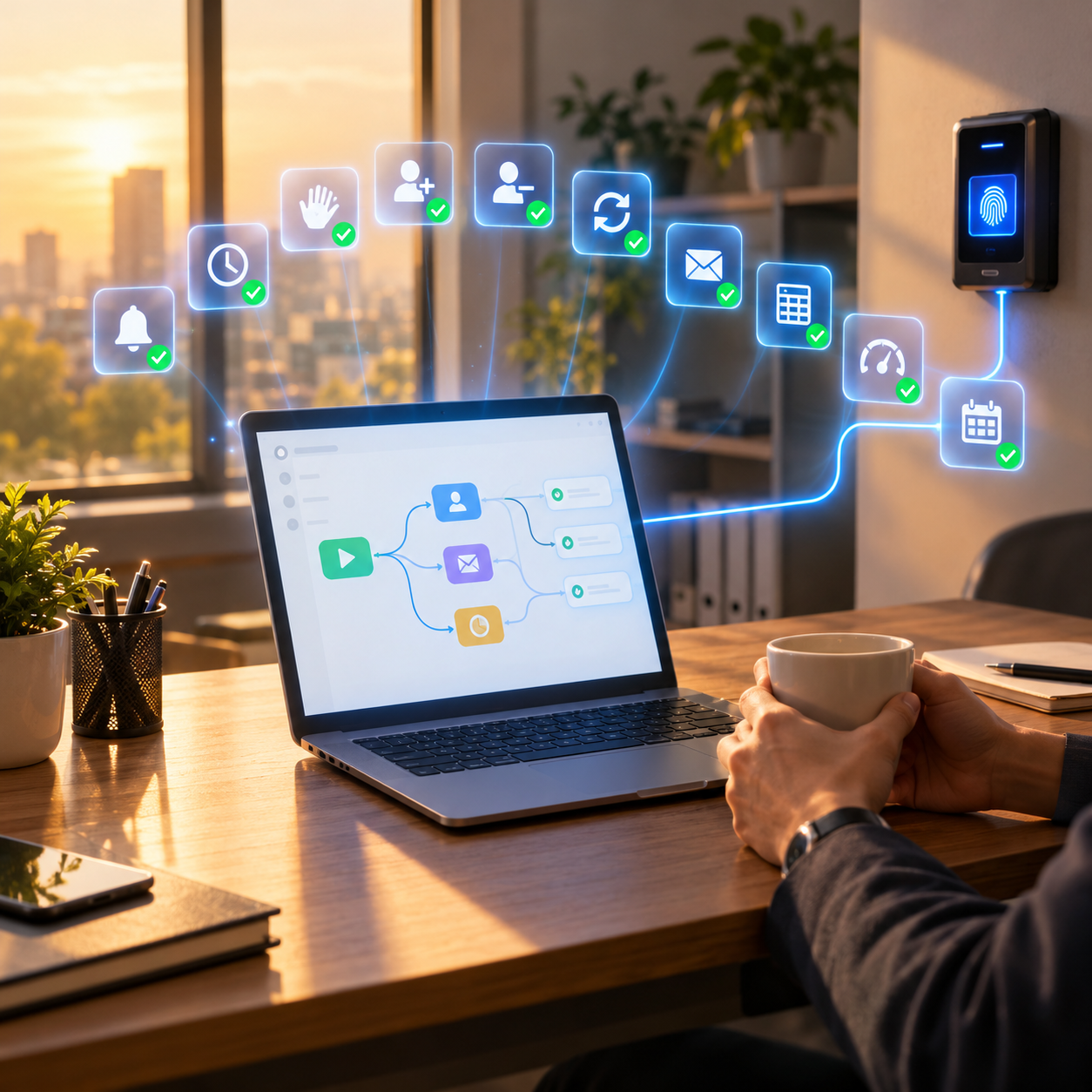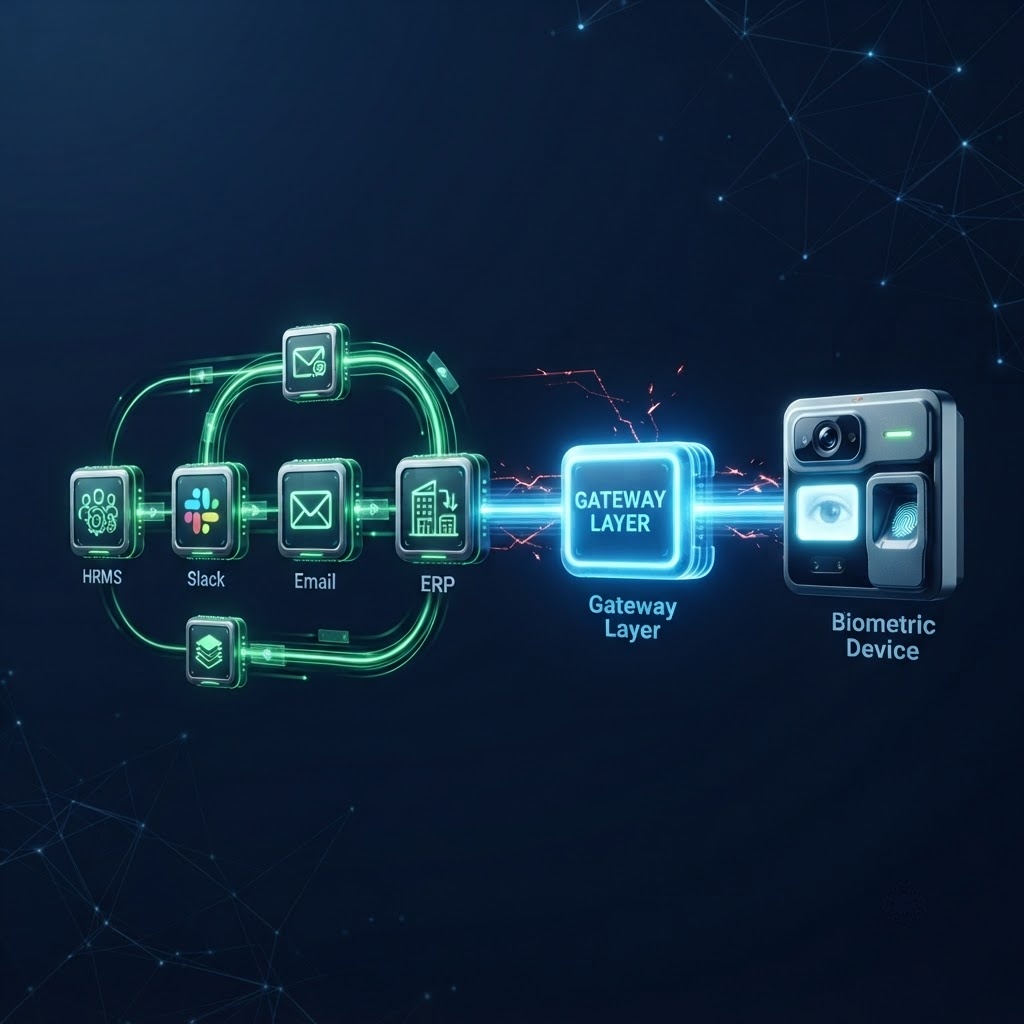
Automation engineers building n8n workflows hit the same wall eventually. Everything connects. The HRMS fires a webhook, Slack gets notified, the ERP updates, the IT ticket is raised. Then someone asks if the biometric access system can be included. And everything stops. This is not a configuration problem. It is an architectural one, and understanding it properly is the only way to solve it.
Start Here: How n8n Actually Moves Data Between Systems
Before understanding why biometric devices break the chain, it helps to understand exactly how n8n builds that chain in the first place. n8n is fundamentally an event processor. Something happens in one system, that event travels as structured data through a series of nodes, each node transforms or routes the data, and eventually something happens in another system.
The mechanism that starts most n8n workflows is the webhook. A webhook is an HTTP POST request that one system sends to another when an event occurs. When an employee record is created in your HRMS, the HRMS sends a JSON payload to a URL. That URL is your n8n Webhook node. From that moment, n8n has the data and the workflow begins.
This model works because every system involved was designed to communicate over HTTP. They have URLs. They send and receive JSON. They can be reached from anywhere with an internet connection. The entire modern software ecosystem, SaaS platforms, cloud databases, communication tools, ERP systems, was built on this foundation.
Biometric devices were not built on this foundation. They were built on something completely different, and that difference is the source of everything that follows.
A webhook is often described as a “reverse API.” In a standard API, your system asks another system for data. In a webhook, the other system pushes data to your system automatically when something happens. You give it a URL, it calls that URL when an event occurs. n8n is built to receive webhooks from any system that can send an HTTP POST request with a JSON body. Most modern software can do this. Most biometric hardware cannot.
The Silent Assumption Built Into Every n8n Workflow
Every node in an n8n workflow makes an assumption so fundamental that it is never stated explicitly: the system on the other end speaks HTTP. It has an address. You can reach it from the internet. It understands JSON. It responds in a predictable, structured format.
This assumption is so universally true across modern software that n8n engineers stop thinking about it. It becomes invisible, like assuming the lights will come on when you flip the switch. Until one day, the lights do not come on.
A fingerprint reader mounted on a wall does not have a URL. It does not accept HTTP requests. It does not know what JSON is. It has no mechanism to push an event notification to an external system when a scan occurs. It was designed to maintain a persistent binary connection with a single piece of locally installed software running on a machine in the same building.
“The fingerprint reader is not broken. It is doing exactly what it was designed to do. The problem is that it was designed for a world that no longer matches the world your automation workflow lives in.”
Two Completely Different Communication Models, Side by Side
To make this concrete, compare how a modern SaaS application communicates with how a biometric terminal communicates. These are not minor implementation differences. They are fundamentally different models of how software talks to hardware.
When you look at this comparison, the incompatibility is not a missing feature you can add with a plugin. It is a mismatch at the level of how data moves, how connections are formed, and what format information takes. These are different worlds.
The Three Technical Barriers in Detail
Let us go one level deeper on the specific mechanisms that make a biometric terminal unreachable from an n8n workflow. Each barrier is distinct, and each one alone would be enough to break the integration. All three together make it architecturally impossible without an intermediary layer.
Barrier 1: The Persistent Socket Connection
Most biometric devices communicate through a persistent TCP socket connection. This means the device and its management software maintain an open, continuous connection. Data flows back and forth over this connection in real time, but neither side can be reached independently without establishing that connection first.
n8n, like all modern automation platforms, operates on a stateless request-response model. It sends a request and receives a response. It does not maintain persistent connections to external systems between workflow executions. This is not a limitation of n8n. It is a deliberate design choice that makes cloud-hosted automation scalable. But it means n8n fundamentally cannot participate in the persistent socket model that biometric devices use.
Imagine two people trying to have a conversation. n8n is like sending a letter. You write the letter, send it, and wait for a reply. Each exchange is independent. A biometric device is like a phone call that must stay connected. You dial in, maintain the line, and communicate continuously. A letter cannot participate in a phone call. They are different communication models entirely.
Barrier 2: The Binary Protocol Layer
When data moves between a biometric device and its management software, it moves as binary packets. Binary data is raw bytes encoded in a format that is specific to that manufacturer. There is no human-readable structure. There are no key-value pairs. There is no standard you can look up.
To read or write these binary packets, you need the manufacturer’s decoder, which is distributed as an SDK, a software library you install on a machine. Without the SDK, the data coming from the device is meaningless. You cannot write an n8n HTTP Request node that understands binary packets. You cannot parse them in a Set node. They are not JSON. They are not XML. They are not any format n8n knows how to work with.
This creates a hard dependency: to do anything with a biometric device, something must decode its binary output first. That something must be a machine running the SDK, which must be on the same local network as the device, which cannot be a cloud-hosted n8n instance.
Barrier 3: The Missing Event Model
This is the most overlooked barrier, and arguably the most important one for workflow automation. An n8n workflow needs to know when something happens. It needs an event. Something changes in the world, and that change triggers the workflow.
Biometric devices have no native event model that an external system can subscribe to. When an employee scans their fingerprint, the device records the event internally and waits for its connected management software to retrieve it. It does not fire a webhook. It does not push a notification. It does not call a URL. It sits and holds the data until something comes to collect it.
This is the difference between a system that talks and a system that waits to be asked. n8n workflows are triggered by events. A biometric device generates events that it never announces. Without a bridge between these two models, no amount of n8n configuration will make the workflow aware that a scan occurred.
Polling is the workaround engineers reach for when there is no event model. You write a workflow that runs on a schedule, queries the device every 30 seconds, and checks for new records. This has three problems. First, most biometric devices do not expose a query endpoint that n8n can call directly without the SDK. Second, even if they did, polling is not real-time, and a 30-second delay in an access control or attendance workflow has real operational consequences. Third, polling that fails silently, which it will when the device is temporarily unreachable, leaves gaps in your data with no notification that anything went wrong.
Why This Gap Persists Even in Well-Resourced Engineering Teams?
One question that comes up often is: why does this problem still exist? Biometric devices have been around for decades. Workflow automation platforms have been mainstream for years. Why has no one solved the connection between them?
The answer has three parts.
First, biometric device manufacturers serve a different market than software developers. Their customers are facilities managers, HR teams, and security administrators. They build their software for those users, not for engineers who want to integrate with automation platforms. The result is software that works well for its intended audience but was never designed with an API-first philosophy.
Second, the problem is not immediately visible. Organizations add biometric access control and workflow automation separately, often years apart. The gap between them only becomes obvious when someone tries to connect them, which requires a level of technical ambition that many organizations have not yet reached.
Third, the available workarounds, custom SDK integrations, polling scripts, on-premises middleware, all require significant engineering investment. They are expensive to build and fragile to maintain. Most teams that attempt them end up with something that works for one device brand but breaks under any change in firmware, network topology, or team composition.
An engineer builds a custom integration using the ZKTeco SDK. It works. It decodes the binary output, normalizes the data, and pushes JSON to the n8n webhook. Six months later, the client adds Hikvision devices at a new site. A completely different SDK, a completely different binary format, a different connection model. The engineer builds a second integration. A year later, a firmware update to the ZKTeco devices changes the packet structure. The first integration breaks. The engineer who built it has left the company. This is not a hypothetical. It is the standard history of biometric integration projects.
What Changes When Biometric Gateway Closes the Gap?
Biometric Gateway is a category of software with one job: translate between systems that cannot communicate directly. In the context of biometric devices and n8n, good Biometric Gateway does three things simultaneously.
It connects downward to the biometric device using whatever proprietary protocol that device requires. It handles the persistent socket connection, the binary decoding, the SDK dependency, and the manufacturer-specific quirks. The device does not change. The Biometric Gateway speaks its language.
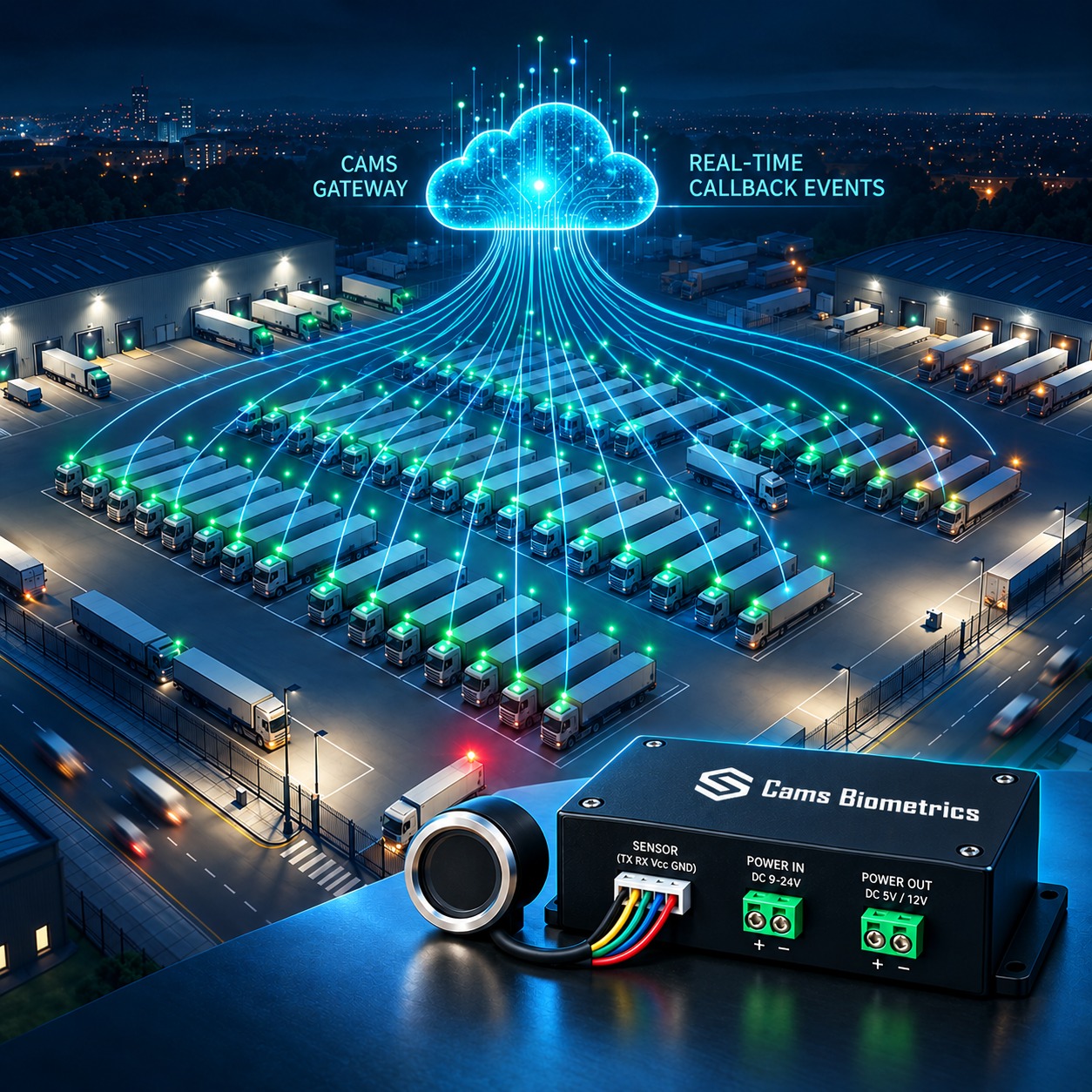
It connects upward to your automation platform using standard HTTP, JSON, and webhooks. It translates every biometric event into a structured JSON payload and pushes it to your n8n Webhook node in real time. It exposes every device operation as a REST API endpoint that your n8n HTTP Request node can call. Your workflow does not know or care that a binary device is involved. It just sees JSON.
And it handles this translation across every device brand simultaneously, through a single, consistent API surface. You do not write one integration for ZKTeco and another for Hikvision. You write one integration, and the “Biometric Gateway” speaks whichever device language is needed on the other side.
What the Biometric Gateway Layer Does That Your n8n Workflow Cannot
It is worth being specific about the work the Biometric Gateway layer performs, because it is invisible once it is working. Understanding what happens inside it helps explain why building it yourself is rarely worth attempting.
What the n8n Side of This Integration Actually Looks Like
Once the Biometric Gateway exists, the n8n integration is surprisingly straightforward. There are two directions: receiving events from devices, and sending instructions to devices.
Receiving biometric events in n8n
You create a Webhook node in n8n and configure the Biometric Gateway to send JSON callbacks to that endpoint. Every biometric event, every fingerprint scan, every access grant or denial, every enrolment completion, arrives at your n8n Webhook node as a structured JSON payload. The workflow fires automatically, with the full event data available to every subsequent node.
{
  "Add": {
    "User": {
      "UserID": "1",
      "FirstName": "Manu",
      "LastName": "Mona",
      "UserType": "User"
    }
  },
  "OperationID": "1jxpjeoasu8wl",
  "AuthToken": "COJ J7eiPBGUfmIQPvh2PJWWDLX7OuKs",
  "Time": "2020-09-17 11:09:09 GMT +0530"
}
{
  "Status": "done",
  "OperationID": "1jxpjeoasu8wl",
  "StatusCode": 0
}
Sending instructions to devices from n8n
An HTTP Request node in n8n sends a JSON payload to the Biometric Gateway REST API endpoint. The Biometric Gateway receives it, translates it into the device’s binary command format, executes the instruction on the physical terminal, and returns a JSON response. The n8n workflow reads the response and continues. A conditional node can branch the workflow based on whether the operation succeeded or failed.
From the workflow engineer’s perspective, adding a biometric operation to an n8n workflow is no different from adding any other HTTP Request node. The complexity of the device communication is entirely hidden behind the Biometric Gateway API.
An employee termination is processed in the HRMS. The HRMS fires a webhook to n8n. The workflow deactivates the Slack account, revokes software licences, raises an IT asset recovery ticket, and makes an HTTP Request to the Biometric Gateway API to revoke biometric access across every connected device simultaneously. The entire process, including physical access revocation, completes within seconds of the HR action, with no human involvement and a full audit trail on every step.
Three Questions to Ask Before Building Your Own Biometric Integration
If your team is considering building a custom integration between your biometric devices and n8n rather than using a Biometric Gateway, these three questions will help you assess what you are actually committing to.
- How many device brands are in your environment now, and how many will there be in three years? Each brand requires a separate SDK integration. If you have three brands today and expect to add two more after a site expansion, you are committing to building and maintaining five separate protocol integrations, each of which will change when firmware updates.
- Who will maintain this integration when the engineer who built it leaves? Custom SDK integrations depend on deep knowledge of both the SDK and the internal data structures. This knowledge does not transfer easily. An integration that is well understood by its author is often effectively unmaintainable by anyone else.
- What is your plan when a firmware update changes the binary packet structure? This happens. Manufacturers update firmware, sometimes without documentation of what changed. An integration that worked on firmware 6.2 may silently produce incorrect data on firmware 6.4. Detecting this requires ongoing monitoring of the binary output against expected structures.
Compliance When Biometric Data Flows Through an Automated Workflow
Automating biometric data processing creates compliance obligations that manual workflows often sidestep simply by being manual. When data flows through an automated pipeline, every step in that pipeline is a processing activity under data protection law, and each one must have a documented lawful basis and purpose.
- GDPR, EU: Biometric data falls under Article 9 as a special category. Automated processing must have an explicit legal basis. Every system that touches the data must be documented in your Records of Processing Activities. Data minimization applies: your workflow must not collect or pass more biometric data than the specific operation requires.
- CCPA and CPRA, California: Biometric identifiers are sensitive personal information. Automated systems processing them must not sell, share, or use them for profiling purposes. Data flows into and out of your n8n workflow must be mapped and documented.
- LGPD, Brazil: Processing must have a lawful basis and must be transparent to the data subject. Automated biometric processing must be disclosed in your privacy documentation.
- PDPA, Singapore, Malaysia, Thailand: Consent-based processing applies. Biometric data collected through automated workflows must have a clear consented purpose that aligns with how it is subsequently used by the workflow.
A significant compliance advantage of automated biometric workflows is the automatic creation of precise audit trails. Every operation that passes through a well-designed Biometric Gateway generates a structured log entry with a timestamp, the identity of the requesting system, the operation performed, the device on which it was performed, and the outcome. This level of detail is rarely achievable in manual workflows where a person logs into a device management interface and performs operations without a complete record of what changed and when.
Frequently Asked Questions
Conclusion: The Missing Layer Is Already Built
The incompatibility between n8n workflows and biometric devices is not a bug, a missing plugin, or a configuration gap. It is the result of two technologies built in different eras for different purposes, with fundamentally different assumptions about how software communicates.
Understanding this properly changes how you approach the problem. You stop looking for a way to make n8n reach the device directly, because that path does not exist. You stop building fragile SDK integrations that will break with the next firmware update. You start looking for Biometric Gateway that sits between the two worlds and speaks both languages fluently.
That’s Cams Biometrics Gateway. It connects to your existing biometric terminals using their native protocols, translates every device event into a real-time JSON callback, and exposes 38 biometric operations as a clean REST API that any n8n HTTP Request node can call. It supports 15 or more device brands through a single unified API surface. No SDK installation. No on-premises dependency. No polling scripts. No custom integration to maintain when firmware updates change the binary packet structure.
When an employee joins, your HRMS fires a webhook, your n8n workflow runs, and Cams Gateway enrolls them on every relevant terminal automatically. When they leave, the same workflow revokes their access across every connected device in seconds. The biometric layer stops being the exception and becomes a node, just like every other node in your workflow.
Your n8n workflow was never the problem. The missing translation layer was. Cams Biometrics Gateway is that layer. Explore the API at CamsBiometrics.com or talk to our team to connect your first biometric device to n8n.