



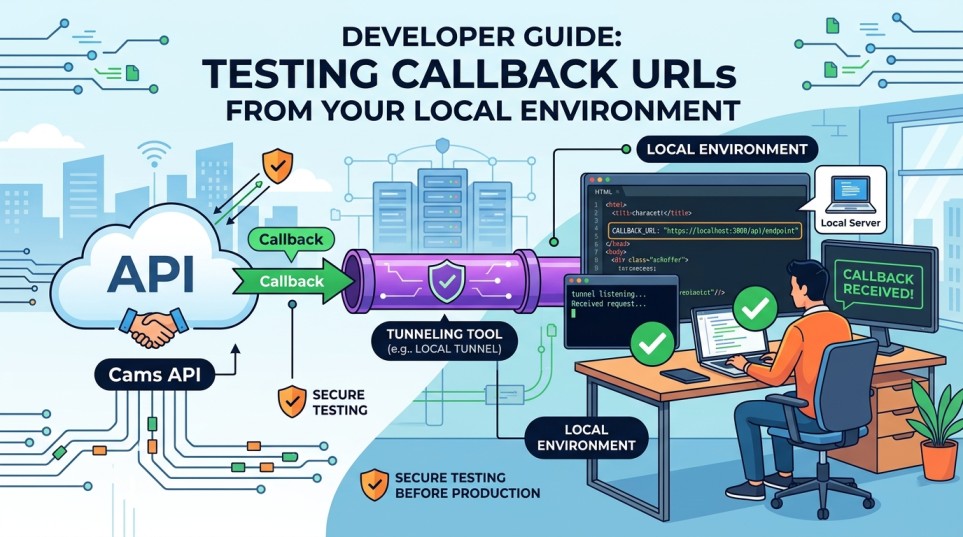
Before pushing your integration to production, you can test Cams API callbacks directly on your development machine using a tunneling tool. This guide walks you through a step-by-step setup.
Why you need a tunnel
Callback and webhook requests originate from the Cams platform over the internet. A local application running on your machine cannot receive these requests directly because it is behind a firewall or NAT network.
A tunneling service creates a secure public endpoint that forwards incoming requests to your local application.
Benefits
- Test callbacks before deployment
- Debug webhook payloads in real time
- Validate request handling locally
- Reduce development and deployment time
Recommended Tunneling Tools

Setting up ngrok (recommended)
Installation
- Visit https://ngrok.com
- Download the appropriate version for your operating system.
- Extract and install the executable.
- Create a free account (optional but recommended).
- Generate AuthToken.
- Configure your AuthToken.
ngrok config add-authtoken YOUR_AUTHTOKEN
Start a Tunnel
If ngrok is already configured:
ngrok http 3000
Replace 3000 with your application’s port.
Example Output
Forwarding https://abc123.ngrok-free.app -> http://localhost:3000
Your application is now accessible through the public HTTPS URL.
Alternative: Use the Cams Callback Testing Tool
You may also use the callback testing utility provided by Cams.
- Install and unzip the tool using the following link.
https://developer.camsbiometrics.com/setup/ngrok-helper-kit.rar - Edit the
app.propertiesfile. - Configure:
ngrok.auth.token=
ngrok.tunnel.url= - Run:
check_ngrok.bat
The utility will automatically establish the tunnel and simplify local callback testing.
Callback Integration Setup
Step 1: Start Your Local Application
Step 2: Start the Tunnel
Step 3: Test the Callback
Trigger a sample test event and Verify the following:
- Your application receives the callback request.
- Request payloads are processed successfully.
- No errors appear in application logs.
- Requests are visible in the tunnel dashboard.
Best Practices
- Use HTTPS callback URLs whenever possible.
- Keep the tunnel active during testing.
- Review application logs for request validation.
- Verify that your endpoint returns the expected HTTP response codes.
- Test error-handling scenarios before moving to production.
Important Notes
- Free ngrok URLs change whenever the tunnel restarts.
- Paid ngrok plans support reserved domains and custom subdomains.
- Temporary tunnels should only be used for development and testing purposes.
Conclusion
Exposing your local server through a tunneling service is the quickest way to test your callback URL before deploying your application. Whether you use ngrok, Cloudflare Tunnel, or localhost.run, the process allows you to receive real-time callback requests and validate your integration in a local development environment.
Following the steps above will help ensure a smooth transition from development to production deployment.