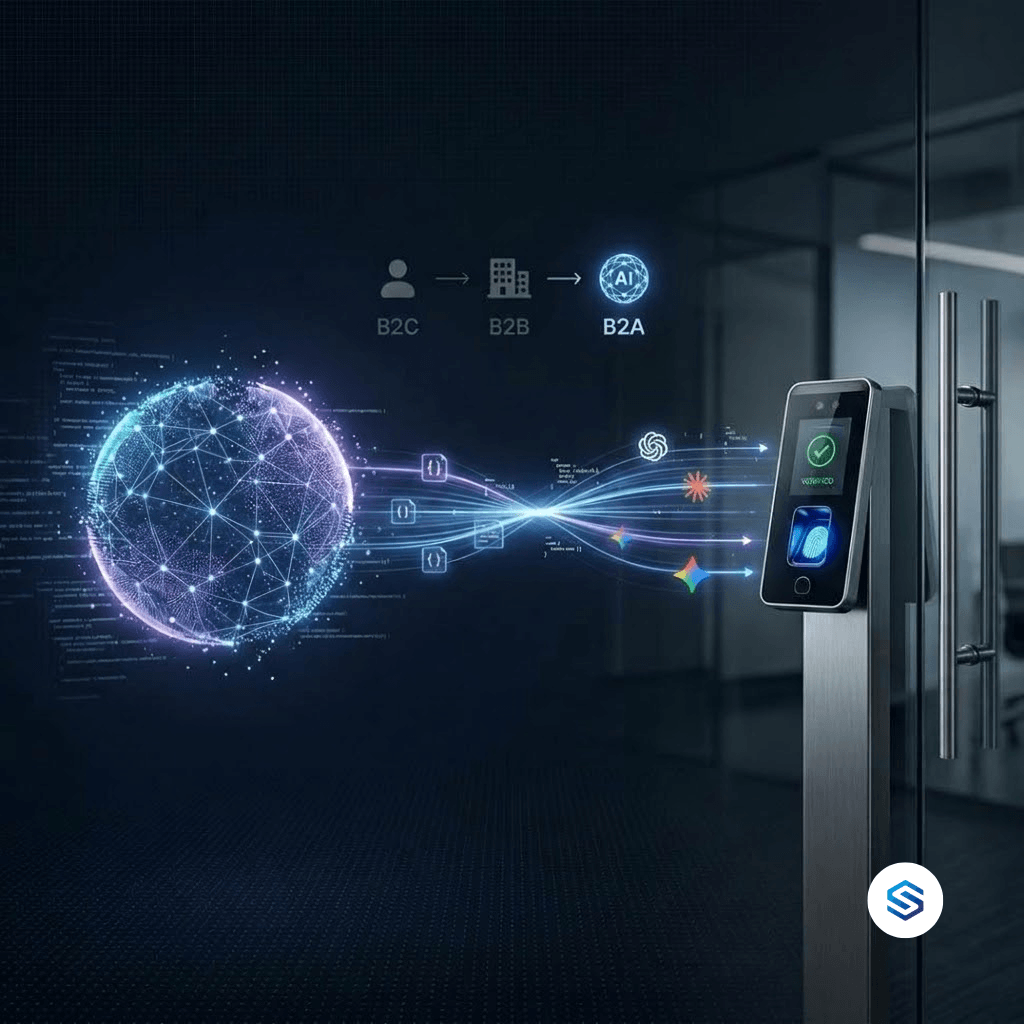
Your ERP is the system of record for your business. It holds the shift schedules, the payroll rules, the project budgets, the production costing, and the contractor agreements. But there is one thing an ERP cannot do on its own: prove that a person was physically present. Every number in your ERP that depends on human presence rests on data someone typed, imported, or approved. Biometric infrastructure changes that. It turns the presence data in your ERP from claimed to verified, and it delivers that verified data in real time. This article explains why ERP biometric integration has become essential, which ERP modules depend on it, and how Cams Biometrics connects any biometric device to any ERP through one API.
01 · System of Record vs System of Proof
The ERP Knows the Plan, Not the Reality
An ERP is extraordinarily good at recording what a business intended and what it was told. It knows the roster says a machine operator starts at 06:00. It knows a site engineer logged eight hours against Project A. It knows a contractor invoiced for 22 working days this month. What it does not know, and cannot know without help, is whether any of that matched what physically happened.
This is the difference between a system of record and a system of proof. Your ERP is the system of record. Biometric attendance is the system of proof. When the two are disconnected, the ERP faithfully records whatever it receives, including late arrivals entered as on-time, hours booked to the wrong project, and days billed that were never worked. When they are connected, every presence-based number in the ERP is backed by a verified biometric event.
| What your ERP records | What may actually have happened | Who can verify it today |
|---|---|---|
| Shift scheduled 06:00 to 14:00, marked present | Worker arrived at 06:40 | Nobody, unless a biometric event exists |
| 8 hours booked to Project A | 5 hours on Project A, 3 on Project B | The employee’s own memory |
| Contractor invoiced for 22 days | Contractor was on site for 18 days | The contractor’s own timesheet |
| Employee terminated in ERP on Friday | Still enrolled on the gate device on Monday | Whoever remembers to update the device |
| Overtime approved for 12 hours | Overtime worked was 7 hours | The supervisor who approved it |
|
Your ERP will never be more accurate than the presence data you feed it. Biometric infrastructure is how that data stops being an opinion and becomes a fact. |
02 · Where the Gap Shows Up
Every ERP Module That Depends on Presence Data
When people think about biometric attendance in an ERP, they usually think about one module: HR. In practice, verified presence data flows into almost every part of an ERP that deals with people, time, or cost. The table below shows where biometric data for ERP systems creates value, and what each module falls back on when that data is missing.
| ERP module | What it needs from biometric data | Without verified biometric data |
|---|---|---|
| HR and Attendance | Verified check-in and check-out per employee | Manual registers and spreadsheet imports |
| Payroll | Exact worked hours, late arrivals, overtime | Hours estimated, rounded, or disputed |
| Manufacturing and Production | Who was on which line, and for how long | Labour cost per unit is an assumption |
| Project and Job Costing | Time on site per project location | Projects absorb hours they did not use |
| Contractor Management | Verified days on site per contractor | Invoices accepted on trust |
| Access and Security | Who is enrolled on which device | Ex-employees keep access until noticed |
| Compliance and Audit | Timestamped, tamper-resistant records | Self-reported entries under scrutiny |
Notice that most of these are not HR problems. They are finance, operations, and risk problems. That is why ERP biometric integration is not a feature request from the HR team. It is a data quality requirement for the entire ERP.
|
A useful test for your own ERP Pick any report in your ERP that involves people and time: labour cost per product, project margin, contractor spend, or overtime by department. Ask where the time data in that report originally came from. If the answer is a spreadsheet, a manual entry, or a batch file someone uploads, that report is only as accurate as the person who prepared the data. |
03 · The Missing Layer
Why ERP Attendance Modules Do Not Solve This Alone
Almost every modern ERP, including Odoo, ERPNext, SAP Business One, Microsoft Dynamics, and Zoho, has an attendance or time-tracking capability. So why is biometric attendance in ERP still so often a manual process? Because an ERP attendance module is designed to store and process attendance data. It is not designed to collect it from physical devices.
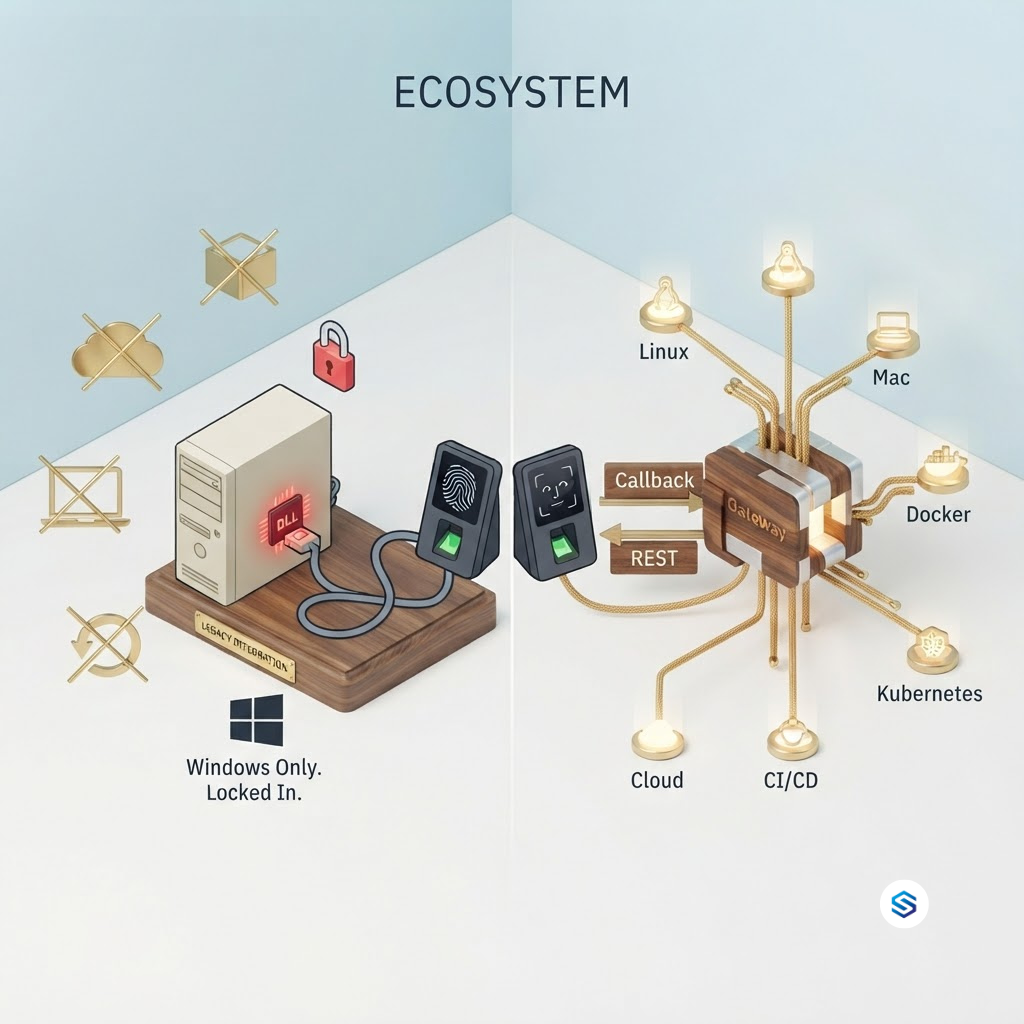
Biometric devices from different manufacturers speak different proprietary protocols. Many require a vendor SDK installed on a dedicated Windows machine. Each brand behaves differently, and firmware updates can change how a device communicates. ERP vendors, quite reasonably, do not try to maintain connectors for every biometric device on the market. That leaves organisations with three common workarounds, each with a predictable weakness.
| Common workaround | How it works | Where it breaks |
|---|---|---|
| Manual entry | Supervisors type attendance into the ERP | Slow, error-prone, and easy to manipulate |
| CSV or batch import | Export from device software, upload daily or weekly | Data is always late; one missed upload creates gaps |
| Single-brand connector | A plugin or script built for one device brand | Breaks on firmware updates; useless for other brands |
| Custom SDK integration | An engineer writes code around the vendor SDK | Tied to one machine and one engineer’s knowledge |
The pattern is clear. The ERP has the business logic. The device has the biometric capability. What is missing is the layer in between: something that speaks every device’s native protocol on one side and clean, standard JSON on the other, so the ERP never has to know which device brand is installed at which site.
|
The right division of responsibility Your ERP should own the business rules: shifts, pay rates, overtime thresholds, project allocations, and approval workflows. The biometric layer should own identity verification and reliable data delivery. When each system does its own job, the ERP stays clean and the biometric data stays accurate. Problems start when one system is forced to do the other’s job. |
04 · Device vs Infrastructure
A Biometric Device Is Not Biometric Infrastructure
Many organisations already own biometric devices. Fewer have biometric infrastructure. The difference is not the hardware. It is whether the hardware is connected to the business through a reliable, standard, two-way channel. A device captures a fingerprint. Infrastructure makes sure that fingerprint becomes a verified record in your ERP, and that your ERP can manage the device in return.
| Capability | Biometric device on its own | Biometric infrastructure with Cams Gateway |
|---|---|---|
| Data delivery | Stored on the device or in local software | Pushed to your ERP in real time via the Callback API |
| Device management | Users added manually at each device | Your ERP adds and removes users via the RESTful API |
| Multiple brands | Separate software per brand | 15+ brands through one API surface |
| Connectivity drops | Data may wait for a manual export | Offline cache and queue, then automatic delivery |
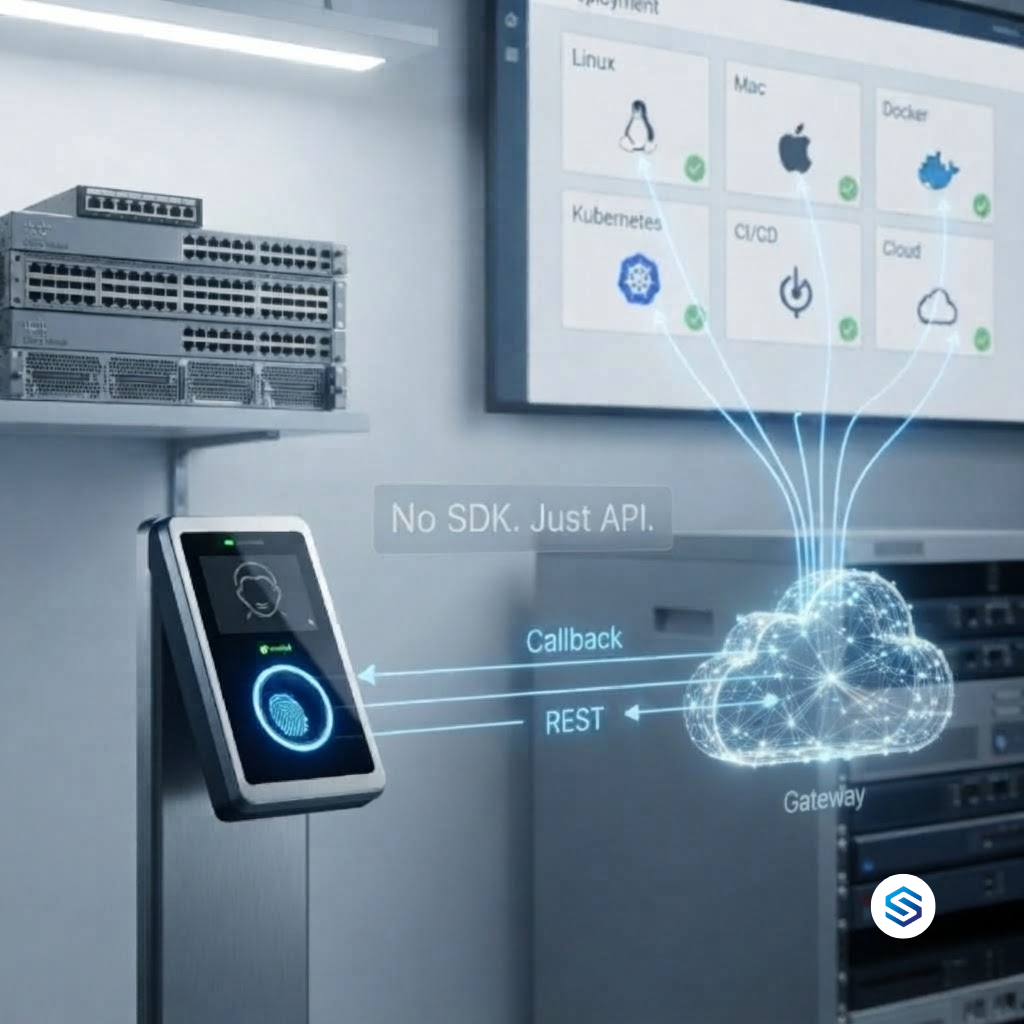
| Deployment | Often a Windows machine running an SDK | No SDK installation; JSON over HTTP/HTTPS |
| AI access | None | MCP integration for Claude, Gemini, and ChatGPT |
| Security | Varies by vendor | Auth token validation with optional AES-256 encryption |
Two directions, two API types
Biometric infrastructure works in both directions. The Callback API carries events from the device to your ERP the moment they happen, with zero latency. The RESTful API carries instructions from your ERP to the device, such as adding a new employee or removing a departing one, typically executing in around 15 seconds. Both use JSON over HTTP/HTTPS, so any ERP that can receive a webhook or make an HTTP request can use them.
|
Callback API, request sent to your ERP endpoint by the Gateway {
"RealTime": {
"OperationID": "9nu1wak5616p",
"LabelName": "Burj Khalifa",
"SerialNumber": "ZHM11xxxxxxxx",
"PunchLog": {
"Type": "CheckOut",
"Temperature": "36.8",
"FaceMask": false,
"InputType": "Fingerprint",
"UserId": "2",
"LogTime": "2020-09-17 07:48:22 GMT +0530"
},
"AuthToken": "COJJ7eiIPBGUfmIQPvh2PJWWDLX7OuKs",
"Time": "2020-09-17 04:19:03 GMT +0000"
}
}
|
|
Callback API, response your ERP endpoint must return { "status": "done" }
|
Your ERP reads UserId to match the event to an employee record, Type to know whether it is a check-in or check-out, LogTime for the verified timestamp, and LabelName and SerialNumber to know which site and device recorded it. The same structure arrives whether the scan came from a fingerprint, face recognition, palm vein, RFID card, PIN, or QR code, and regardless of the device brand.
05 · ERP Integration in Practice
How Biometric Infrastructure Connects to Your ERP
Because the Gateway speaks standard JSON over HTTP/HTTPS, it does not need a special plugin for each ERP. If your ERP can expose an endpoint to receive data and can make an outbound API call, it can be connected. The table below shows the general approach for the ERPs Cams Biometrics most commonly integrates with. Your ERP developer maps the payload fields once, and the integration then runs for every scan, every device, and every site.
| ERP | How biometric events arrive | How the ERP manages devices |
|---|---|---|
| Odoo | A custom controller or integration module receives the Callback and writes attendance records | Odoo calls the RESTful API when employees are created or archived |
| ERPNext | An API endpoint or server script receives the Callback and creates Employee Checkin entries | ERPNext calls the RESTful API from employee lifecycle events |
| SAP Business One | A middleware endpoint receives the Callback and posts data through the Service Layer | SAP-triggered workflows call the RESTful API |
| Microsoft Dynamics | An endpoint or automation flow receives the Callback and writes to Dynamics | Dynamics workflows call the RESTful API |
| Zoho | A webhook receiver writes attendance into Zoho through its API | Zoho workflows call the RESTful API |
| Any other ERP or HRMS | Any HTTPS endpoint that accepts JSON | Any system that can make an HTTP request |
The five-step ERP biometric integration path
|
Connect your devices to Cams Gateway Cams devices and verified devices connect via Native Push with full API support. Other brands connect via Hybrid Push, using the device SDK, database pull, or file processing, with a Hybrid Connector if your site has no public IP. |
|
|
Set your ERP endpoint as the Callback URL Configure the HTTPS endpoint in your ERP that should receive biometric events. From this point, every verified scan is pushed to that endpoint in real time. |
|
|
Map UserId to your ERP employee ID Use the ERP employee ID as the device user ID at enrolment. This creates a direct one-to-one match, so every event lands on the right employee record without a lookup table. |
|
|
Drive device users from your ERP When HR creates an employee, the ERP calls the RESTful API to add them to the right devices. When someone leaves, the ERP removes them. The device is never edited by hand. |
|
|
Acknowledge and test end to end Your endpoint returns the done status to the Gateway. Create a test employee, scan in, confirm the attendance record in the ERP, then remove the employee and confirm their device access is gone. |
|
Where alerts and rules belong Cams Gateway pushes verified attendance data to your ERP. Your ERP applies its own rules to that data: shift windows, late thresholds, overtime limits, project allocation, and approval workflows. Any notification, alert, or escalation is triggered by your ERP based on those rules. This keeps your business logic in one place, inside the system your teams already use, while ensuring that logic is now running on verified data instead of manual entries. |
Frequently Asked Questions
|
Do we need to replace our existing biometric devices? Usually not. Cams Gateway supports devices from more than 15 brands, including ZKTeco, Hikvision, Suprema, Anviz, eSSL, Morpho/IDEMIA, Virdi, Mantra, Nitgen, Realtime, Biomax, Secugen, and Matrix. Non-Cams devices that are verified at developer.camsbiometrics.com connect via Native Push, while non-verified devices connect through a Hybrid Push mode that you choose to suit your environment. API features can vary by device model and firmware, so it is worth confirming your specific models with the Cams team before you start. |
|
Does this replace our ERP’s attendance module? No. It feeds it. Your ERP’s attendance, payroll, and costing modules keep doing what they do. The difference is that the data reaching them is verified and arrives in real time, instead of being typed in or uploaded in batches. |
|
What happens if a site loses internet connectivity? Devices store attendance records locally, and the Gateway’s offline cache and queue handles interruptions. When connectivity returns, records are delivered to your ERP with their original timestamps, so the attendance timeline stays accurate. |
|
Can we connect devices at multiple sites to one ERP? Yes. All devices, across all sites and brands, can sit under one Gateway account and deliver events to the same ERP endpoint. The LabelName and SerialNumber in each payload tell your ERP exactly which site and device recorded the scan. |
|
How is the biometric data protected? All communication is JSON over HTTP/HTTPS with auth token validation, and optional AES-256 encryption. Cams operations are aligned with GDPR, CCPA/CPRA, LGPD, and PDPA, and with ISO 27001 practices. Full details are in the terms at camsbiometrics.com. |
Conclusion: Your ERP Deserves Verified Data
Organisations invest heavily in their ERP because they want one trusted source of truth for the business. But for every number that depends on people being present, that truth is only as good as the data entering the system. Manual registers, batch imports, and single-brand scripts all leave the same gap: the ERP records what it is told, not what actually happened.
Biometric infrastructure closes that gap. It gives your ERP a system of proof to sit alongside its system of record, so payroll, production costing, project margins, contractor spend, and compliance reports are all built on verified presence data.
Cams Biometrics Gateway is that infrastructure. It connects biometric devices from more than 15 brands to Odoo, ERPNext, SAP, Microsoft Dynamics, Zoho, and any other ERP that accepts JSON. The Callback API pushes verified attendance events to your ERP in real time. The RESTful API lets your ERP manage users across every device and site. Offline cache and queue protects your data when connectivity drops, AES-256 encryption is available on every event, and native MCP integration lets Claude, Gemini, and ChatGPT work with biometric data directly. No SDK installation, no dedicated Windows machine, and no custom integration that breaks with the next firmware update. Explore the API at CamsBiometrics.com about connecting your ERP.