



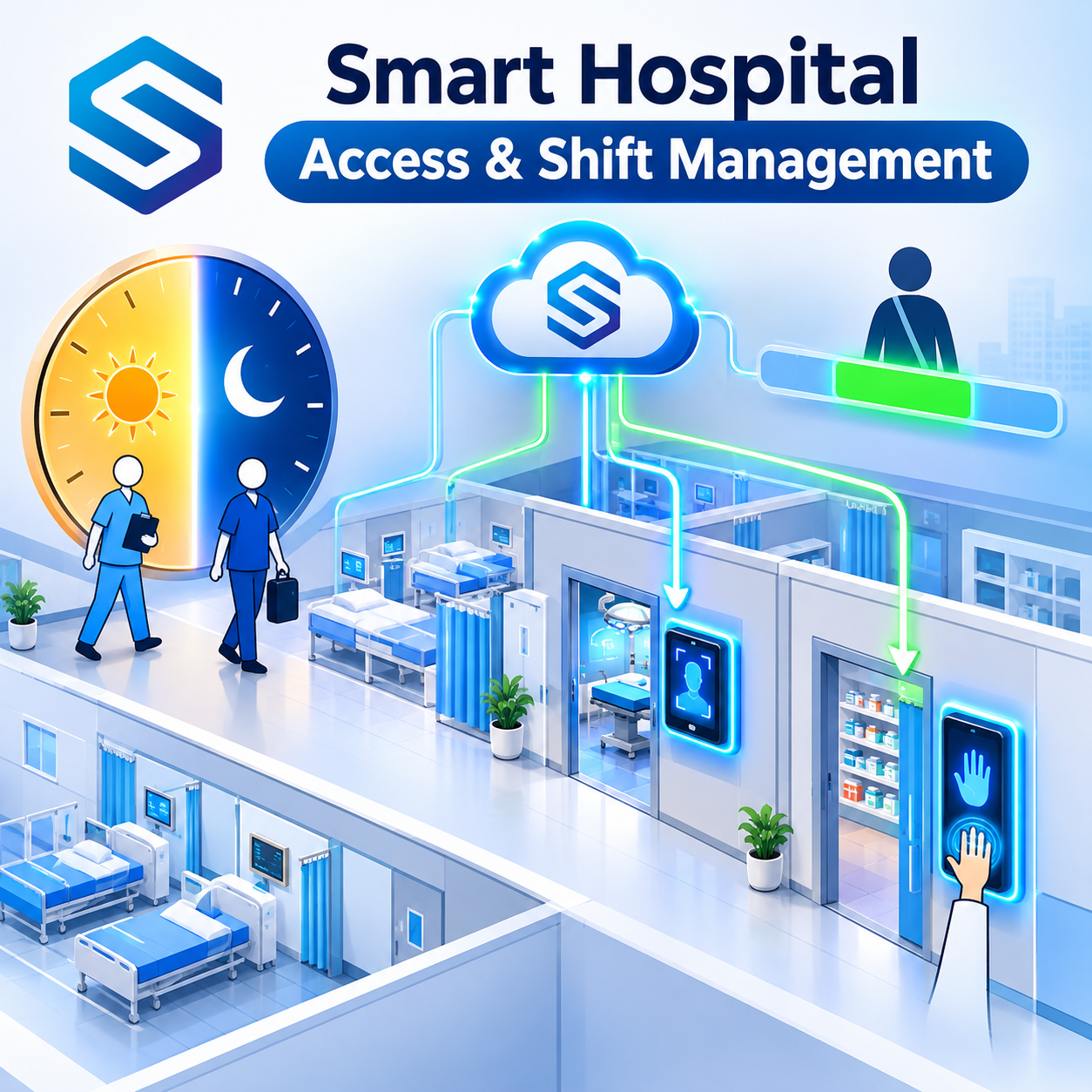
A hospital never closes. Nurses hand over at seven in the morning and seven at night, a locum anaesthetist covers a single weekend, and the pharmacy store must open only for the people who are allowed inside. Hospital biometric attendance has to handle all three at once, around the clock, without slowing down clinical work. This guide explains how verified attendance data, time-bound access, and ward-level device lists work together, and what each one needs from your connection setup.
01 · THE PROBLEM
Why hospital biometric attendance is harder than anywhere else
In an office, attendance is a morning check-in and an evening check-out. In a hospital, the same system has to cope with shifts that cross midnight, handovers where two teams are on the ward at once, temporary clinicians who arrive with a day’s notice, and doors that should open for some staff but never for others. Add gloves, masks, and infection control, and a basic fingerprint clock on the staff entrance starts to look out of its depth.
The useful way to think about it is as five separate pressures. Each one shapes a different part of your hospital biometric attendance design.
| Pressure | What goes wrong today | What the system needs |
| Shifts that cross midnight | Night shift punches split across two calendar dates and get paired wrongly | The real scan time of every punch, so your software can pair by shift |
| Overlapping handovers | Overtime disputes, and no clear record of who was on the ward | Verified in and out times for both the outgoing and incoming team |
| Locum and agency staff | Paper timesheets, and access left active after the contract ends | Access that starts and stops on set dates, and clean removal afterwards |
| Restricted wards | Shared door codes and borrowed cards | Identity-verified entry, limited to the people who belong there |
| Gloves and infection control | Fingerprint readers that fail with gloved or freshly sanitised hands | Contactless options such as face recognition where suitable |
None of these is solved by a better clock on the wall. They are solved by getting verified data out of the devices and into the software that already runs your rosters, HR, and payroll, and by being able to send instructions back to the devices from that same software.
02 · SHIFT HANDOVERS
Shift handovers: capturing the overlap accurately
A clinical handover works like a relay race. The baton is the patient information, and for a short time both runners are on the track together. If your attendance system only knows when the scheduled shift started and ended, it cannot see that overlap. If it captures the actual punches of both teams, it can.
With Cams Biometrics Gateway, every successful verification on a biometric device is sent to your server straight away through the Callback API. This is the push direction: the device tells your software, in real time, that a named person checked in or out. Your HRMS or rostering software then pairs each check-in with its check-out and applies your handover and overtime rules.
A typical evening handover
| 18:45 | Incoming night nurse verifies at the ward device. A PunchLog callback reaches your software. |
| 19:00 to 19:30 | Handover overlap. Both nurses are on the ward, and both are on record as present. |
| 19:35 | Outgoing day nurse checks out. Your software now has a verified overlap of thirty-five minutes. |
Each callback includes a LogTime, which is the real scan time with the device’s time offset. That is the value to use for attendance. For a night shift that runs from 19:00 to 07:30, your software should pair the evening check-in with the next morning’s check-out by shift, not by calendar date. That pairing is a setting in your HRMS or rostering software, and having the true scan time on every punch is what makes it reliable.
Here is the PunchLog callback your server receives, exactly as documented:
{
  "RealTime": {
    "OperationID": "9nu1wak5616p",
    "LabelName": "Burj Khalifa",
    "SerialNumber": "ZHM11xxxxxxxx",
    "PunchLog": {
      "Type": "CheckOut",
      "Temperature": "36.8",
      "FaceMask": false,
      "InputType": "Fingerprint",
      "UserId": "2",
      "LogTime": "2020-09-17 07:48:22 GMT +0530"
    },
    "AuthToken": "COJJ7eiIPBGUfmIQPvh2PJWWDLX7OuKs",
    "Time": "2020-09-17 04:19:03 GMT +0000"
  }
}
|
Your server replies with HTTP 200 and { "status": "done" }. Note the field is UserId in callbacks, and the reply key is lowercase status.
Why the overlap is worth measuring
Short overlaps add up. Take an illustrative example: a hospital with 20 nurses changing over at each of two daily handovers, where each outgoing nurse stays 30 minutes past the scheduled end. That is 20 × 30 minutes = 10 hours per handover, or 20 hours of overlap every day. Whether that time is paid as overtime, absorbed, or reduced by redesigning the handover is a management decision. The point is that the decision should rest on verified punches rather than estimates. (These figures are illustrative arithmetic, not survey data.)
|
Where do staffing alerts come from? Cams Gateway delivers the punch data to your software. Your rostering or HRMS software decides what to do with it, for example alerting the ward manager if no incoming nurse has checked in by 19:00, or flagging a handover that ran unusually long. The alert logic lives in your software, not in the device or the Gateway. |
03 · LOCUM AND AGENCY STAFF
Locum and agency staff: access that starts and ends on time
Locum doctors and agency nurses keep hospitals running through sickness, holidays, and winter pressure. They also create the two most common gaps in hospital attendance: hours recorded on paper timesheets, and access that nobody remembers to remove when the booking ends.
Biometric attendance for hospitals closes both gaps when your software can send commands to the devices. That is the RESTful API, the command direction, where your server tells the device what to do. RESTful commands typically complete in around 15 seconds, so schedule enrolment ahead of the first shift rather than at the door.
The locum lifecycle, step by step
| Step | When | Operation | What happens |
| 1. Enrol | Before the first shift | Add User, or AddUserWithUserPhoto for face devices | The locum is created on the device |
| 2. Set the window | At enrolment | UpdateAccessTime | The locum can only authenticate between the Start and End times |
| 3. Work | Each shift | Callback PunchLog | Verified in and out times reach your software |
| 4. Extend | If the booking is extended | UpdateAccessTime again | A new window replaces the old one |
| 5. Remove | When the booking ends | DeleteUser | The user and all their biometric templates are deleted from the device |
The access window is the safety net. Even if step 5 is delayed, the locum cannot authenticate outside the dates you set. Deletion is still the clean finish, because it removes the biometric templates as well as the access. Here is the UpdateAccessTime request for a single-day booking:
{
  "Update": {
    "AccessTime": {
      "UserID": "20",
      "Start": "2022-07-11 00:00:00",
      "End": "2022-07-11 23:59:59"
    }
  },
  "OperationID": "1jxpjeoasu8wl",
  "AuthToken": "COJJ7eiiPBGUfmIQPvh2PJWWDLX7OuKs",
  "Time": "2020-09-11 16:39:29 GMT +0530"
}
|
And the DeleteUser request that ends the booking cleanly:
{
  "Delete": { "User": { "UserID": "User123" } },
  "OperationID": "1jxpjeoasu8wl",
  "AuthToken": "COJJ7eiiPBGUfmIQPvh2PJWWDLX7OuKs",
  "Time": "2020-09-11 16:15:31 GMT +0530"
}
|
RESTful requests use UserID, and RESTful responses use a capitalised Status, for example { "Status": "done", "OperationID": "1jxpjeoasu8wl", "StatusCode": 0 }.
Reconciling agency invoices
Once every locum shift is captured as verified punches, the agency invoice becomes something you can check rather than something you simply pay. Your HR or finance software compares the hours each agency bills against the hours its staff actually verified on site. Differences become a conversation with evidence behind it, instead of a disagreement about memory.
There is a data protection benefit too. Removing a locum’s biometric templates when the booking ends keeps you holding personal data only for as long as you need it, which is the spirit of data minimisation in frameworks such as GDPR.
04 · RESTRICTED WARDS
Restricted wards: the door only knows who it should know
Some areas of a hospital carry higher risk than others. The pharmacy store holds controlled drugs. The neonatal unit holds the most vulnerable patients in the building. Operating theatres need to know exactly who was present. A shared keypad code protects none of these well, because a code identifies a door, not a person.
The simplest principle for restricted wards is this: the device on a restricted door holds only the people allowed through it. If a person is not enrolled on that device, there is nothing for them to match against. Your software decides who belongs on which device, and sends the RESTful commands to make it so.
| Zone | Who is typically enrolled | Input to consider |
| Pharmacy and drug store | Pharmacists, pharmacy technicians, named senior nurses | Fingerprint – so entry is tied to a person rather than a card |
| Neonatal and maternity units | Unit staff and named on-call clinicians | Face recognition or RFID card for contactless entry |
| Operating theatres | Theatre teams, surgeons, anaesthetists, visiting locums within their window | Face recognition, which works with gloved hands |
| Intensive care | ICU staff and assigned specialists | Face recognition or RFID card |
| General wards and staff entrance | All ward staff | Fingerprint, face, or RFID card depending on traffic and setting |
Input suggestions are general guidance. Test every input type on the actual hardware, in the actual setting, before rollout.
What happens at a restricted door
| Nurse verifies at the neonatal unit door | → | Device matches against its enrolled users | → | Successful verification pushed as a callback | → | Your software records who entered and when |
Only successful verifications are pushed as callbacks to your server. The device validates each verification attempt locally and rejects invalid attempts, ensuring that only authorized users are granted door access and their successful verification records are forwarded to your server.
Keeping matching doors identical
A theatre suite might have four entrances, and all four should allow exactly the same people. In the Cams portal, devices can sit in the same device group, and the Resend All Users operation syncs users to every device in that group. When a theatre team changes, you update once and resend, instead of correcting each door by hand.
{
  "OperationID": "j95xfejt3vr1",
  "Resend": { "User": "All" },
  "AuthToken": "COJJ7eiiPBGUfmIQPvh2PJWWDLX7OuKs",
  "Time": "2020-09-17 12:01:33 GMT +0530"
}
|
05 · CONNECTION MODES
Which connection mode each hospital use case needs
Most hospitals do not start with a clean slate. They have devices bought by different departments over many years, from different brands. Cams Biometrics Gateway connects devices from 15+ brands, but how much each device can do depends on how it connects.
Cams devices and devices verified at developer.camsbiometrics.com connect via Native Push, while non-verified devices connect through a Hybrid Push mode that you choose to suit your environment. Within Hybrid Push, the communication method is what decides the features: Device SDK supports the full API within the SDK’s limits, while DB Pull and File Processing carry attendance only.
That matters for hospitals, because the locum and restricted ward use cases depend on sending commands to the device.
| Hospital use case | API needed | Native Push | Hybrid: Device SDK | Hybrid: DB Pull or File |
| Shift attendance and handovers | Callback | Supported | Supported | Attendance only |
| Enrolling locums | RESTful | Supported | Within SDK limits | Not supported |
| Access windows for locums | RESTful | Supported | Within SDK limits | Not supported |
| Removing leavers and their templates | RESTful | Supported | Within SDK limits | Not supported |
| Managing restricted ward user lists | RESTful | Supported | Within SDK limits | Not supported |
A practical reading of the table: an older clock at the staff entrance running on DB Pull can still feed shift attendance, but the pharmacy door and theatre doors should run on Native Push or Device SDK, because those are the doors where you need to add, limit, and remove people from your software. Hardware, firmware, or SDK limits can restrict some operations even in Device SDK mode, so test with the real devices and confirm with the Cams team.
|
Locked-down hospital networks Hospital IT teams rarely allow a public IP address on a clinical network. The deployment topology does not change any features, so you can choose the one that suits your network. In the Indirect topology, a Hybrid Connector on a local computer connects outward to the Gateway, with no public IP needed. Cams Gateway also supports both static and dynamic IP. |
06 · A DAY ON THE WARD
Twenty-four hours on one ward: hospital biometric attendance in practice
Here is how the pieces fit together across a single day on an illustrative surgical ward with a linked theatre suite. The times and names are examples, not a recommended schedule.
| Time | What happens | Direction |
| 06:45 | Day team checks in at the ward device. Night team is still on duty. | Callback, device to software |
| 07:35 | Night team checks out. The rostering software pairs these punches with the previous evening’s check-ins. | Callback, device to software |
| 09:00 | HR books a locum anaesthetist for an afternoon list. The HR software enrols the locum on the theatre devices and sets an access window for that day only. | RESTful, software to device |
| 10:15 | A pharmacist enters the drug store. The entry is recorded against a named person. | Callback, device to software |
| 13:00 | The locum verifies at the theatre entrance using face recognition, gloves already on. | Callback, device to software |
| 19:00 | Evening handover. Both teams are on record during the overlap. | Callback, device to software |
| Next day | The access window has closed. HR’s software removes the locum and their templates, and the verified hours go to the agency invoice check. | RESTful, software to device |
Notice the pattern. Every arrival and departure flows out of the devices as a callback. Every change to who is allowed where flows into the devices as a RESTful command. Your existing software sits in the middle and makes the decisions. Teams that use AI assistants can go one step further: HR can instruct an AI agent working through ChatGPT, Gemini, or Claude to carry out routine steps, such as checking who is currently on a ward, using the native MCP integration.
Frequently Asked Questions
|
Can hospital staff use biometric attendance while wearing gloves? Fingerprint readers generally need bare skin. For gloved or clinical areas, consider contactless inputs such as face recognition or RFID card where identity verification is less critical. Always test the chosen input on the actual hardware and in the actual setting before rollout. |
|
How do we make sure a locum’s access ends when the booking ends? Set an access window with UpdateAccessTime when you enrol the locum, so they can only authenticate between the Start and End times. When the booking finishes, DeleteUser removes the user and all their biometric templates from the device. Both are RESTful operations your software sends. |
|
How are night shifts that cross midnight handled? Each callback carries the LogTime, the real scan time with the device’s time offset. Your HRMS or rostering software uses those times to pair an evening check-in with the following morning’s check-out by shift rather than by calendar date. |
|
Can we keep the biometric devices we already have? Often, yes. Cams Biometrics Gateway works with devices from 15+ brands. Cams devices and verified devices use Native Push, and others connect through Hybrid Push. If an older device connects through DB Pull or File Processing, it supports attendance only, so doors that need user management should run on Native Push or Device SDK mode. |
|
Will the device warn the ward manager when a nurse is late? No. The Gateway pushes callback data to your software, and your rostering or HRMS software triggers late, absence, or understaffing alerts based on your rules. Keeping the alert logic in your software means you can change it without touching the devices. |
Conclusion: one system for handovers, locums, and restricted wards
Hospital biometric attendance is not one problem but several, and they share a single answer. Verified punches flow out of the devices in real time, so handovers and night shifts are recorded as they actually happened. Commands flow back in from your own software, so locums get access that starts and stops on time, and restricted wards stay limited to the people who belong there.
Cams Biometrics Gateway provides both directions through one API: the Callback API for real-time attendance and the RESTful API for managing users, access windows, and device groups, across devices from 15+ brands, without installing an SDK in your infrastructure. It connects to the HRMS, ERP, and payroll software hospitals already use, and to AI assistants through native MCP integration.
To explore further, visit CamsBiometrics.com, check which devices are verified for Native Push at developer.camsbiometrics.com, and if your team is building the integration, start with the AI Code Generator Prompts, which produce a working callback receiver and REST client in your chosen language.