Education institutions are not offices. A teacher taking attendance by calling out names in a class of 40 students consumes seven minutes of learning time, every period, every day. Parents have no way of knowing whether their child arrived safely. The school management system holds student records but has no live connection to who is actually on campus right now. A university spread across 20 buildings has no unified view of campus presence. These are not complaints about inconvenience. They are structural gaps in how schools manage student safety, accountability, and administrative accuracy. This article covers five specific problems and the architecture that closes each gap.
Student Attendance, Parent Notifications, Safety: The Complete School Solution
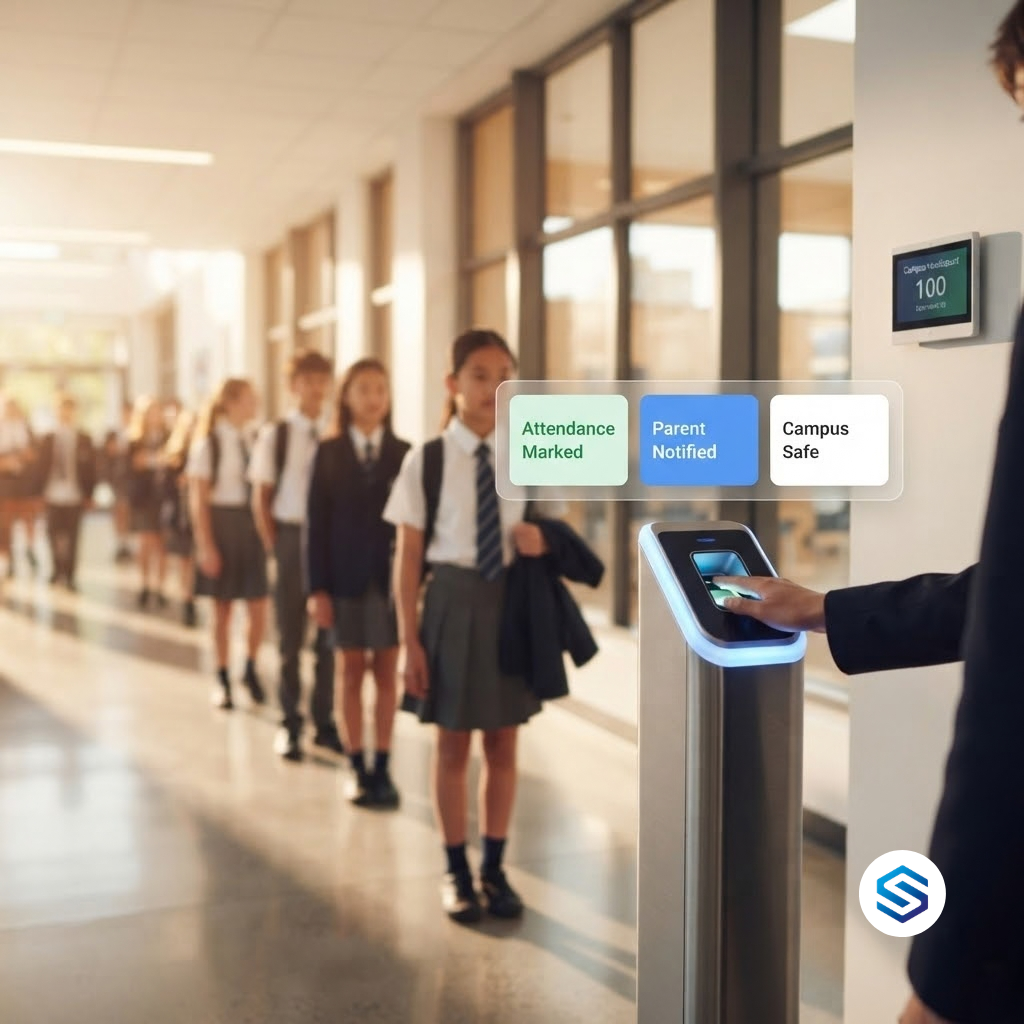
A complete school attendance solution is not a device at the gate. It is a chain of events that begins when a student scans their fingerprint at the entrance and ends with verified attendance records in the school management system, a notification in the parent’s phone, and a real-time update to the campus safety dashboard. Most schools have one part of this chain. Very few have all of it working together automatically.
The manual alternative is a familiar picture. A teacher calls the register at the start of each period. Students answer their names. The teacher marks the register on paper or in a spreadsheet. At the end of the day, an administrative staff member manually reconciles the period registers to produce a daily attendance record. If a student was present for morning registration but left campus at lunchtime, that departure is usually not captured at all.
A student does not arrive at school. No one calls the parent because the absence is not confirmed until the morning register is collected and checked by the office, which takes between 45 minutes and two hours depending on the school’s process. By the time the parent is notified, the child has been unaccounted for most of the morning. In a safeguarding incident, those hours matter enormously.
What a complete solution actually requires
A complete biometric attendance solution for a school has three connected layers working together. The first layer captures the event: a student scans their fingerprint or face at a gate terminal and the system records the exact time, the student’s identity, and which gate they used. The second layer distributes the information: the school management system updates the attendance record in real time, and the parent receives a notification immediately. The third layer monitors the pattern: the safety dashboard shows who is on campus, who is absent, and who has departed early, updated continuously throughout the school day.
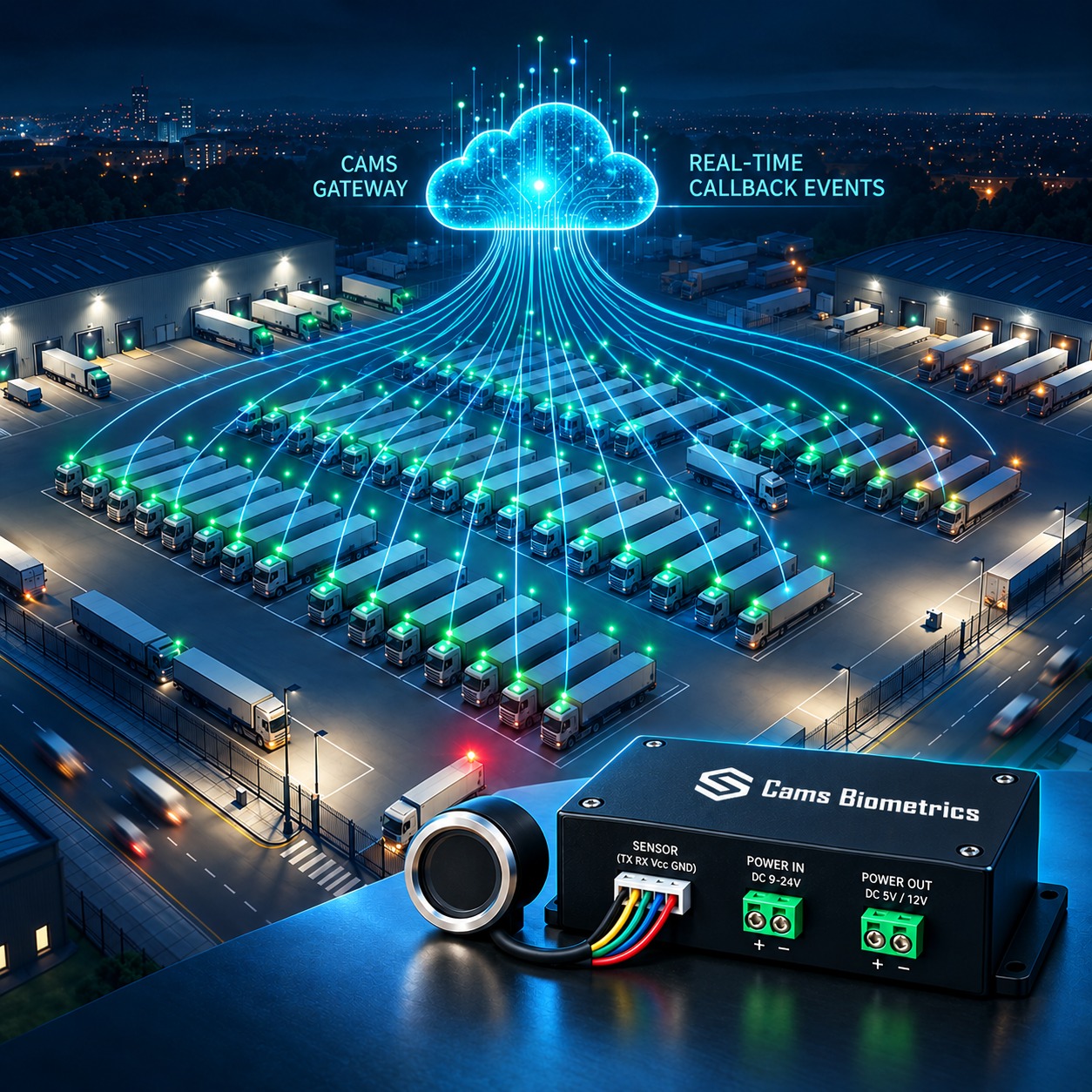
Every gate scan on a Cams-connected device triggers a real-time Callback API event delivered to your school management system. Your SMS uses the student ID in the payload to mark attendance and trigger the configured parent notification, whether that is an SMS message, an email, or a push notification through the school app. If a student does not scan by the configured arrival window, the absence is detected automatically and the notification chain fires without any staff action. The same payload that marks attendance also updates the safety dashboard with a live campus headcount at every gate location.
Fedena, Classter, Edumerge: School Management System Integrations
Schools do not run on generic enterprise software. They run on school management systems built specifically for educational institutions: platforms like Fedena, Classter, Edumerge, SchoolMint, iSAMS, and dozens of others. These platforms manage student records, class schedules, fee collection, academic reports, and parent communication. They are the operational core of a modern school administration.
The problem is that almost none of them have a native biometric attendance integration. They have attendance modules, but those modules expect attendance data to be entered manually by a teacher or imported from a CSV file at the end of the day. A biometric device captures an event the moment it happens, in a JSON payload, over an HTTPS connection. The school management system expects a spreadsheet column. The two systems exist side by side without communicating.
A school installs biometric terminals at every entrance gate. The devices work perfectly and record every student arrival accurately. At the end of each day, an administrative staff member exports the attendance data from the device management software, reformats it into the column structure that Fedena expects, and uploads it manually. The biometric system is generating accurate data in real time but the school management system receives it 8 hours later as a batch file. The real-time capability of the hardware is wasted entirely on a manual data entry process.
How school management system integration actually works
A school management system integration through Cams Gateway does not require the SMS to have a native biometric module. It requires only that the SMS can receive an HTTP POST request with a JSON body, which every modern SIS platform supports through its API or webhook configuration.
{
  "RealTime": {
    "OperationID": "9nu1wak5616p",
    "LabelName": "Main Entrance Gate A",
    "SerialNumber": "ZHM11xxxxxxxx",
    "PunchLog": {
      "Type": "CheckIn",
      "InputType": "Fingerprint",
      "UserId": "20847",
      "LogTime": "2026-08-01 07:52:14 GMT +0530"
    },
    "AuthToken": "COJJ7eiIPBGUfmIQPvh2PJWWDLX7OuKs",
    "Time": "2026-08-01 02:22:14 GMT +0000"
  }
}
The UserId field carries the student ID exactly as it exists in your school management system. The LabelName identifies which gate the student used. The LogTime is the exact moment of scan. Your SMS receives this event, matches the student ID to the student record, marks attendance for the correct period, and triggers the configured parent notification, all without any staff involvement.
Cams Gateway acts as the bridge between your biometric hardware and your school management system. You configure your SMS webhook URL in the Gateway portal. Every student scan triggers a real-time Callback to that URL with the structured JSON payload above. Your SMS developer maps the payload fields to the attendance record fields once, and the integration runs automatically for every scan from every gate on every device from that point forward. No CSV exports. No end-of-day uploads. No manual reconciliation. Attendance data is in your SMS the moment each student scans.
Campus-Wide Biometric Deployment: From K-12 to University
The physical scale of an educational institution determines the complexity of a biometric deployment in ways that no office deployment ever encounters. A primary school may need three gates and one device each. A secondary school with boarding facilities needs entry gates, dormitory access points, library terminals, and canteen terminals. A university with 20 academic buildings, three residential campuses, a sports complex, and a hospital wing needs a coordinated deployment across dozens of locations that must present a unified attendance picture to the central administration.
The challenge scales in two dimensions simultaneously: the number of devices increases with the size of the institution, and the variety of use cases increases with the age and independence of the students. A primary school needs gate attendance. A university needs class-level attendance, dormitory curfew tracking, library access logs, and examination hall verification all running through the same system.
A university installs biometric devices at main entrance gates but the academic buildings, library, and residential halls each run their own separate attendance or access system with no connection to the central student information system. The registrar’s office has gate attendance data. The library has its own access log. The residential office has a separate curfew register. No one has a complete picture of student campus presence and the data cannot be unified without manual extraction from three separate systems.
The deployment architecture for different institution sizes
How new students are enrolled at scale
At the start of each academic year, a university may need to provision thousands of new students across hundreds of devices simultaneously. Using the Cams RESTful API, the student records from the SIS are pushed to the relevant device groups automatically. A student enrolled in the engineering faculty is provisioned to the engineering block devices. A student in university accommodation is provisioned to the residential hall devices. A student with library access is provisioned to the library terminal.
When the same student transfers faculty or changes accommodation, the RESTful API updates their access rights across all relevant devices simultaneously. No one walks to a device and edits a user record manually. The SIS triggers the API and the Gateway propagates the change.
Cams Gateway supports every scale of educational deployment through a single account structure. Devices are organised into groups mirroring the institution’s physical layout. All 15 plus supported brands work through the same API, meaning a university that has ZKTeco at some gates and Suprema at others does not need two separate systems. The Callback API delivers every attendance event with the LabelName identifying the exact location, giving the central SIS the location context it needs to assign the attendance record to the correct class, building, or residential unit. The RESTful API handles bulk student enrolment, access level changes, and year-end offboarding without any manual device interaction.
How Schools Use Biometric Attendance for Student Safety
Student safety is the highest-stakes use case for biometric attendance in education. Every other benefit, accurate registers, less administrative work, parent convenience, is secondary to the question of whether the school knows where every student is at any given moment. When a safeguarding incident occurs, whether it is an unexplained absence, an early departure, or an unauthorised visitor on campus, the speed and accuracy of the information available to staff determines the outcome.
Manual attendance systems create a fundamental safety gap: the school cannot know who is missing until someone checks the register, and registers are checked at fixed points in the day. A student who leaves campus at 10am may not be identified as missing until the 1pm period register is completed and the absence is reported to the office. That is a three-hour window where no one knows a child is not where they should be.
A secondary school conducts a fire drill. The fire safety officer needs a complete headcount of every student and staff member on campus within three minutes. With a manual attendance system, the officer is relying on printed class lists that were last updated at morning registration. Any student who arrived late, any student who left early, and any student who swapped a free period location is not reflected in those lists. The headcount takes 18 minutes and produces a number that no one is confident in.
Safeguarding relies on period registers that are up to four hours old. Unknown departures create gaps. Emergency headcounts use static lists. Absent student notifications take 45 minutes or more from arrival window close. Unauthorised exits are invisible unless observed by a staff member physically present at the gate.
Every gate entry and exit is timestamped and recorded the moment it happens. The campus safety dashboard shows a live count of who is on site right now. Emergency headcount is a real-time query, not a paper count. Absent student alerts fire automatically. Early departures are recorded the moment the student exits.
Early departure and late arrival tracking
Most biometric school deployments focus on morning arrival. A complete safety implementation tracks all four events: morning arrival, early departure during the school day, afternoon exit at the end of day, and late arrival after the registration window has closed. Each of these events generates a separate Callback payload with its own timestamp and LabelName, giving the school management system a complete chronological record of each student’s campus presence throughout the day.
For any student on any given day, the school can see the exact time they entered campus, which gate they used, whether they left the building before the end of school, and whether they re-entered after leaving. If a student scans out at 11:45am without a recorded authorised absence, the SMS can be configured to trigger an immediate alert to the designated safeguarding lead and an automatic notification to the parent. The entire process is automatic and takes seconds, not hours.
Visitor and contractor management
Student safety also requires knowing who else is on campus. Visitors and contractors who have not been processed through the school’s safeguarding procedures should not have access to areas where students are present. A biometric access control system connected to Cams Gateway can restrict gate access to enrolled students and authorised staff, with visitor badges managed through the RESTful API for temporary access that expires automatically at the end of the visit window.
Every gate event captured by Cams Gateway feeds the live campus presence picture simultaneously. The Callback API delivers entry and exit events to the safeguarding dashboard in real time. Absence alerts fire automatically when a student does not scan within the configured arrival window. Early departure events trigger immediate notifications to the safeguarding lead and the parent. Emergency headcount pulls the current on-campus count from the live data, not from a paper list. Visitor access is managed through the RESTful API with time-limited credentials that the Gateway revokes automatically when the visit window expires.
Case Study: International School Network Unified 50 Campuses
The problems this network faced before unification
- Three device brands, three separate management systems: ZKTeco devices at the older campuses, Hikvision face recognition terminals at the newer campuses, and Suprema devices at the premium campuses ran through three completely separate management platforms. The central office could not access attendance data from any of them without contacting the local IT administrator at each campus.
- No unified student enrolment: When a student transferred from one campus to another, their biometric enrolment had to be manually recreated at the destination campus. There was no mechanism to carry the student record across the network.
- Parent notifications inconsistent across campuses: Some campuses had automated parent notification systems. Others relied on phone calls from the school office. The parent experience of the same school group varied completely depending on which campus their child attended.
- Emergency headcount impossible at group level: During a network-wide safety exercise, the group’s operations director could not determine the current on-campus population for any campus without calling each principal directly. A consolidated headcount for the entire network was not achievable in real time.
- Reporting required manual consolidation: Monthly attendance reports for the central office required an administrator at each campus to export their local data and send it to the central team, who then manually merged 50 spreadsheets into a consolidated report. This process took three working days each month.
How the unification was structured
All 50 campuses were connected to a single Cams Biometric Gateway account under the central school group. Devices were organised into campus-level device groups, with each campus further subdivided into gate groups matching the physical layout of that campus. ZKTeco, Hikvision, and Suprema devices all connected through the same Gateway account and all exposed through the same Callback and RESTful API surface.
The central school group’s student information system was configured as the primary Callback endpoint for the entire network. Every attendance event from every campus arrived at the central SIS in real time, with the campus identified by the LabelName in the payload. Campus-level instances of the school management system received the same events through secondary Callback URLs configured per campus group.
The outcomes after unification
- Consolidated attendance reporting eliminated three days of manual work monthly: The central SIS now receives attendance data from all 50 campuses in real time. Monthly consolidated reports are generated automatically from the live data. The three-day manual consolidation process was eliminated entirely.
- Student transfers across campuses completed in minutes: When a student transfers from one campus to another, the central SIS triggers a single RESTful API call to the Gateway. The student’s access record is removed from the origin campus devices and added to the destination campus devices simultaneously. No local IT administrator involvement is required at either campus.
- Parent notification standardised across all 50 campuses: Every campus now generates parent notifications through the same mechanism: the Callback event from the Gateway triggers the central notification service, which sends the parent alert regardless of which campus the child attends. The parent experience is identical across the network.
- Group-level emergency headcount available in real time: The operations director can now see the current on-campus population of every campus simultaneously through the central SIS dashboard. A network-wide safety headcount is a live query, not a series of phone calls.
- Three device brands managed through one platform: The central IT team manages the entire 50-campus network from a single Gateway account without needing to know which device brand is installed at any given campus. All brands behave identically from the management and integration perspective.
The unification worked because Cams Gateway normalises all device events into the same Callback payload format regardless of brand. The central SIS team built one integration, not three. The campus-level device groups gave the central team visibility and control without removing the local administrator’s ability to manage their own campus devices. And the RESTful API gave the central student records system the ability to push enrolment changes across all campuses through one call, making the network operate as a unified system rather than 50 independent schools.
Conclusion: Education Deserves Infrastructure Designed for Education
The five problems covered in this article are not unique to any one school or country. They are the standard operational reality of educational institutions at every level, from a primary school managing 400 students to an international group managing 28,000. Manual registers, disconnected school management systems, campus safety gaps, inconsistent parent notifications, and fragmented multi-campus data are problems that affect the quality of education, the safety of students, and the workload of every teacher and administrator who has to compensate for systems that were not designed to work together.
The architecture that solves these problems is not a new concept in other sectors. Healthcare, banking, and manufacturing have all moved to real-time event-driven data flows where information is captured once, at source, and distributed instantly to every system that needs it. Education is applying the same principle to student attendance, and the results in institutions that have made the transition are consistent: less administrative overhead, faster safeguarding responses, better parent communication, and a data foundation that supports the management decisions schools need to make.
Cams Biometrics Gateway is built for educational deployments at every scale. It connects to biometric devices from ZKTeco, Hikvision, Suprema, Anviz, eSSL, Realtime, and 10 more brands through a single unified API. The Callback API delivers real-time attendance events to Fedena, Classter, Edumerge, and any other school management system that accepts a webhook. The RESTful API handles student enrolment, access provisioning, and year-end offboarding without manual device interaction. AES-256 encryption protects every student attendance record in transit. And a single Gateway account can span 50 campuses across six countries, exactly as the case study above demonstrates. Explore the full capability at CamsBiometrics.com about your institution’s specific requirements.