 Cams Support Hub
Fingerprint or Face Recognition: Choosing the Right Input for Each Location
On this page 11 sections
How fingerprint and face recognition work, in plain termsFingerprint vs face recognition, head to headChoosing between fingerprint and face recognition for each locationFive questions that decide any entranceUsing both, and letting the data tell you what worksEnrolment, privacy, and testing before rolloutEnrol for the real conditionsExplain it, and respect people's choicesTest before you roll outFrequently Asked QuestionsConclusion: choose per door, then let the data decideFingerprint vs face recognition is usually argued as if one of them must win. In practice, the right answer depends on the door. A fingerprint reader that works perfectly at head office can frustrate a factory gate full of workers with dusty hands, and a face terminal that is ideal in a hospital can struggle at a site entrance facing the afternoon sun. This guide explains how each method works, compares them on the factors that matter day to day, and gives a location-by-location guide so you can choose the right input for every entrance.
01 · THE BASICS
How fingerprint and face recognition work, in plain terms
Both methods do the same job: they compare the person in front of the device with a stored template and decide whether they match. A template is a mathematical summary of the features the device measures, not a stored photograph of a finger or a face. The difference is in what they measure and how the person has to behave.
|
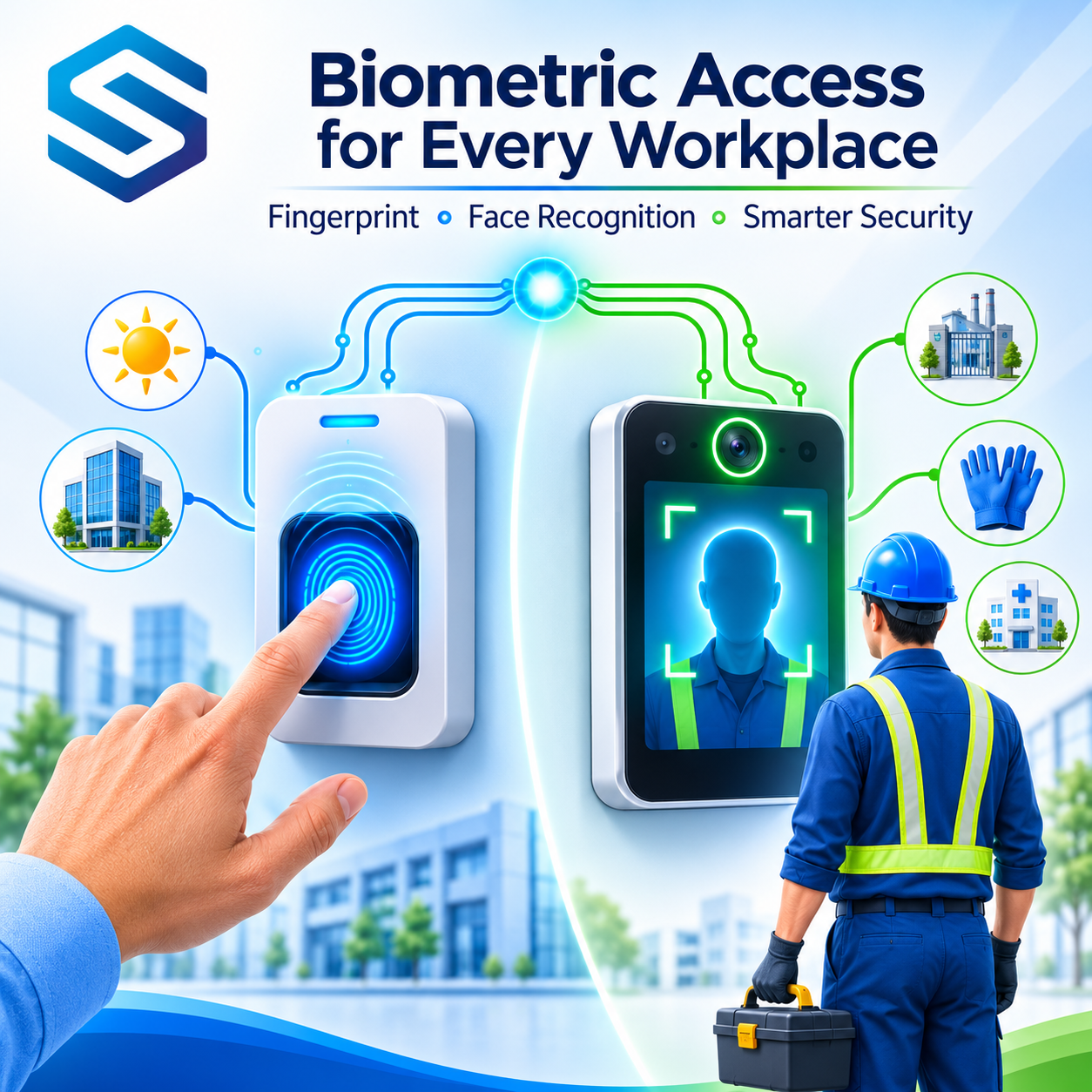
FINGERPRINT Like a key in a lock The person places a finger on a sensor, and the device reads the ridge pattern. It needs deliberate contact, a reasonably clean and dry finger, and a moment of stillness. In return, it is familiar to almost everyone and works in any lighting. |
FACE RECOGNITION Like a colleague recognising you The person looks at the device, and a camera measures facial features. Nothing is touched, and hands can be full or gloved. In return, it is more sensitive to how the face is presented: lighting, angle, and anything covering the face. |
Keep that picture in mind and most location decisions become obvious. Fingerprint depends on the condition of the hands. Face depends on the conditions around the face.
02 · HEAD TO HEAD
Fingerprint vs face recognition, head to head
Here is how the two compare on the practical factors that come up again and again. None of these are lab measurements. They are the everyday trade-offs to weigh for each site.
| Factor | Fingerprint | Face recognition |
| Contact | Touches a shared sensor | Contactless |
| Gloves | Must be removed | Not a problem |
| Dirty, wet, or worn fingers | Can cause repeated failed attempts | Not a problem |
| Helmets, masks, face coverings | Not a problem | Can reduce matching; test with real conditions |
| Strong sunlight or backlight | Not a problem | Can affect the camera; positioning matters |
| Darkness | Not a problem | Depends on the device's own illumination; test at night |
| Busy shift changes | Each person stops and places a finger | Usually smoother, as people need only look at the device |
| Hands full (tools, trays, bags) | Something must be put down | Not a problem |
| Familiarity | Very familiar to most people | Familiar from phones, but some people feel it is more intrusive |
| Enrolment | In person, at a device | In person, and on some setups from a photo sent remotely |
|
The short version Fingerprint struggles when hands are the problem. Face struggles when the face or the light is the problem. Choose based on which of those your location has more of. |
03 · LOCATION GUIDE
Choosing between fingerprint and face recognition for each location
The table below applies those trade-offs to common entrances. Treat it as a starting point, then confirm with a test at the real location.
| Location | Suggested input | Why |
| Office reception | Fingerprint Face | Clean hands, steady light, modest queues. Either works well; choose on preference and budget. |
| Factory gate at shift change | Face | Large groups arrive together, and hands may be dusty or oily from the previous shift. |
| Food processing or cleanroom area | Face | Gloves and hygiene rules make touching a sensor impractical. |
| Construction site gate | Either, test both | Dusty, worn fingers favour face; hard hats and outdoor sun can challenge it. Test at the actual gate. |
| Hospital ward or theatre | Face | Gloved staff and infection control favour contactless verification. |
| Outdoor gate facing the sun | Fingerprint | Strong backlight can affect a camera. If face is preferred, shade the device or change its angle. |
| Cold store or freezer room | Face | Heavy gloves are worn, and cold or dry fingers can be harder to read. |
| Retail back door | Fingerprint Face | Small staff numbers and short queues. Either suits; consider what staff are carrying. |
| School or college entrance | Face | Many students arrive within minutes, so contactless verification keeps the queue moving. |
| Security patrol checkpoint | Fingerprint | Often outdoors and at night, with one person at a time, so lighting matters less with fingerprint. |
| Site where face coverings are common | Fingerprint | Masks, veils, or protective face wear can reduce face matching. |
General guidance only. Results depend on the specific device, firmware, and conditions, so always test with real people at the real location.
For deeper industry detail, see our guides on biometric attendance in manufacturing and retail and hospitality.
04 · DECISION PATH
Five questions that decide any entrance
For a location not covered above, walk through these five questions in order. The first strong answer usually decides it.
| 1 | Do people wear gloves, or have their hands full, at this entrance? | If yes: Lean to Face |
| 2 | Are fingers often dirty, wet, cold, or worn from manual work? | If yes: Lean to Face |
| 3 | Do people wear helmets, masks, or face coverings when they arrive? | If yes: Lean to Fingerprint |
| 4 | Does the device position face strong sunlight, or is it dark at night? | If yes: Lean to Fingerprint, or reposition a face device and test |
| 5 | Do many people arrive at once, such as at a shift change? | If yes: Lean to Face |
If the answers pull in different directions, for example a construction gate with dusty hands and hard hats in bright sun, that is a sign to use a device that supports both methods, or to test both before deciding.
05 · USING BOTH
Using both, and letting the data tell you what works
Many sites do not have to choose once and for all. A device that supports both fingerprint and face lets each person use whichever works best for them, and gives you a fallback when one method has a bad day, such as a cut finger or a new pair of safety glasses.
Better still, the attendance data itself tells you how each location is performing. With Cams Biometrics Gateway, every successful verification is pushed to your software in real time through the Callback API, and each one records which method was used in the InputType field:
{
  "RealTime": {
    "OperationID": "9nu1wak5616p",
    "LabelName": "Burj Khalifa",
    "SerialNumber": "ZHM11xxxxxxxx",
    "PunchLog": {
      "Type": "CheckOut",
      "Temperature": "36.8",
      "FaceMask": false,
      "InputType": "Fingerprint",
      "UserId": "2",
      "LogTime": "2020-09-17 07:48:22 GMT +0530"
    },
    "AuthToken": "COJJ7eiIPBGUfmIQPvh2PJWWDLX7OuKs",
    "Time": "2020-09-17 04:19:03 GMT +0000"
  }
}
|
Your server replies with HTTP 200 and { "status": "done" }. InputType shows the method used; LabelName shows which device.
Group punches by LabelName and InputType and patterns appear quickly. If the factory gate device is set up for face but most people end up using fingerprint, something about the face setup is not working there, perhaps the angle or the light. If one site has many more attempts per person than the others, it is worth a visit. Your software does this analysis; the device and Gateway simply deliver the data.
|
A note on FaceMask The documented callback also includes a FaceMask field. On devices that support mask detection, it can show whether a person was wearing a mask when they verified, which helps explain face matching results at sites where masks are common. Check support for your device model. |
06 · ENROLMENT AND TRUST
Enrolment, privacy, and testing before rollout
Enrol for the real conditions
Most matching problems start at enrolment. For fingerprint, enrol when fingers are clean and dry, and where the device allows it, enrol more than one finger so there is a backup if one is injured. For face, enrol in lighting similar to where the device will be used, with the person looking straight at the camera, and without hats or glasses that they would not normally wear.
For face devices, some setups can add a user with a photo sent from your software, rather than enrolling everyone in person. Cams provides the AddUserWithUserPhoto operation through its RESTful API, where the Data field carries a Base64-encoded JPEG:
{
  "Add": {
    "User": { "UserID": "100", "FirstName": "Manu", "LastName": "Mona", "UserType": "USER" },
    "Template": [{ "Type": "UserPhoto", "UserID": "100", "Data": "/9j/4AAQSkZJRgABAQAAAQABAAD..." }]
  },
  "OperationID": "1jxpjeoasu8wl",
  "AuthToken": "COJJ7eiiPBGUfmIQPvh2PJWWDLX7OuKs",
  "Time": "2020-09-17 11:09:09 GMT +0530"
}
|
The device answers { "Status": "done", "OperationID": "1jxpjeoasu8wl", "StatusCode": 0 }. Whether a photo alone is enough for face matching depends on the device, so confirm before relying on it.
Explain it, and respect people's choices
Some people are comfortable placing a finger on a reader but uneasy about a camera, and some feel the opposite. Explain in plain words what is stored, that it is a template rather than a picture, who can access it, and that it is deleted when they leave. The DeleteUser operation removes a user and all their biometric templates from the device. Where someone cannot or will not enrol, a card or PIN can serve as a fallback.
Test before you roll out
No table can replace a test. Put one device at the real entrance for a week or two, with the real people, at the real times of day, including the busiest shift change and the darkest evening. Watch the InputType data and ask users how it felt. Hardware and firmware also differ between models, so confirm with the Cams team which features your chosen device supports.
Frequently Asked Questions
|
Fingerprint vs face recognition: which is better? Neither is better everywhere. Fingerprint suits locations with clean hands and difficult lighting. Face recognition suits locations with gloves, dirty hands, hygiene rules, or busy shift changes. Choose for each entrance, and test on site. |
|
Does face recognition work with masks or helmets? Face coverings and protective headwear can reduce matching, depending on the device and how much of the face is hidden. Test with the coverings people actually wear, or choose fingerprint where face coverings are common. |
|
Does fingerprint work for workers with worn or dirty fingers? It can struggle. Manual work, cement, oil, and dry skin can all make fingerprints harder to read. Face recognition is often a better fit at those entrances, or a device that supports both. |
|
Can one device support both fingerprint and face? Many devices support both, letting each person use whichever works for them. The InputType field in each callback shows which method was used, so you can see how each location is performing. |
|
Is face data stored as a photo? Biometric devices store a template, a mathematical summary of measured features, rather than relying on a picture for matching. Ask your vendor exactly what is stored and where, and make sure users are removed with their templates when they leave. |
Conclusion: choose per door, then let the data decide
The fingerprint vs face recognition debate has no single winner, because entrances are not all the same. Fingerprint is dependable where hands are clean and light is difficult. Face recognition shines where hands are gloved, dirty, or full, and where many people arrive at once. The best results come from choosing per location, enrolling for real conditions, and watching the data to see what actually works.
Cams Biometrics Gateway makes that possible across a mixed estate. It connects fingerprint and face devices from 15+ brands to your software through one API, with no SDK installed in your infrastructure. The Callback API delivers every verification in real time, including the InputType that shows how each site is performing, and the RESTful API lets your software enrol and remove users on every device.
To explore further, visit CamsBiometrics.com, check which fingerprint and face devices are verified for Native Push at developer.camsbiometrics.com, and if your developers want to start reporting on InputType by location, begin with the AI Code Generator Prompts, which produce a working callback receiver and REST client in your chosen language.