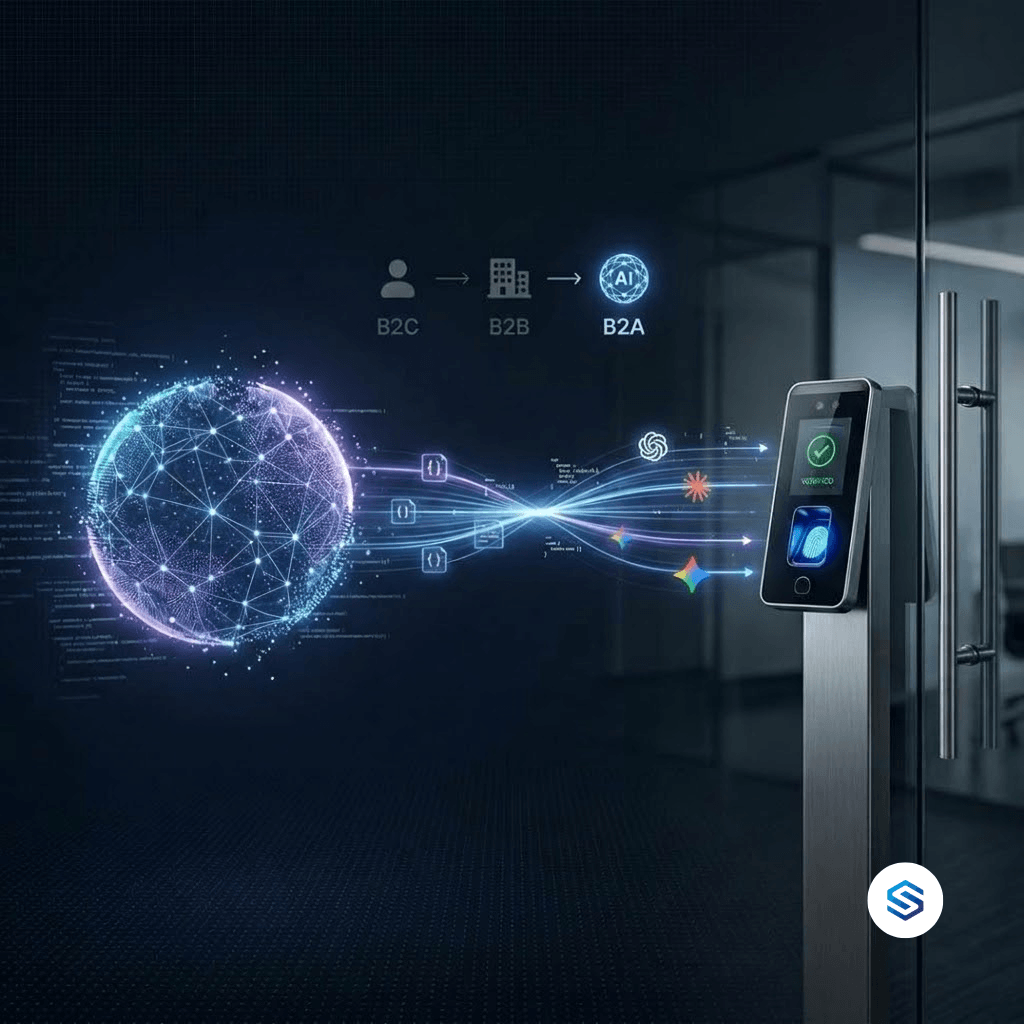
For decades, businesses have sold to two kinds of customers: consumers (B2C) and other businesses (B2B). A third kind of customer has now arrived, and it does not use screens, click buttons, or read brochures. It is the AI agent. AI agents built on Claude, Gemini, and ChatGPT are starting to carry out real work on behalf of people, and to do that work they need systems they can talk to directly. Cams Biometrics calls this shift B2A, Business-to-AI. This article explains what B2A means, why it matters most for systems that touch the physical world, and what a B2A-ready biometric platform looks like in practice.
01 · The Evolution
From B2C to B2B to B2A
Every major business model is defined by who the customer is and how they interact with what you offer. In B2C, the customer is a person, and the interface is a shop, a website, or an app. In B2B, the customer is another organisation, and the interface is a sales team, a contract, and often an integration between systems. In B2A, the customer is an AI agent acting on behalf of a person or a business, and the interface is an API it can understand and call by itself.
| B2C | B2B | B2A | |
|---|---|---|---|
| Who the customer is | A person | An organisation | An AI agent acting for a person or business |
| How they interact | Screens, apps, stores | Sales teams, contracts, integrations | APIs and protocols such as MCP |
| What they value | Ease, price, experience | Reliability, support, ROI | Clear structure, predictable responses, machine-readable access |
| What blocks them | Poor experience | Poor fit or poor service | No API, proprietary SDKs, screen-only interfaces |
B2A does not replace B2C or B2B. People and organisations are still the ones who benefit. What changes is who does the work. Increasingly, a person will tell an AI agent what they want, and the agent will go and do it, by talking directly to the systems involved. A business that only offers a screen for humans to click is invisible to that agent.
|
In B2B, you sell to a company. In B2A, you are chosen by the AI that works for that company. If the AI cannot use your system, the company will eventually stop using it too. |
02 · A Different Kind of User
Why AI Agents Are a New Kind of Customer
An AI agent is not a chatbot that answers questions. It is software that can take actions: look up information, update records, and trigger operations in other systems, based on instructions given in plain language. When an HR manager says “give the new warehouse supervisor access from Monday,” an agent can work out which systems are involved and carry out the steps.
That makes AI agents a genuinely different kind of user, with different needs from people.
|
What a human user needs A clear screen layout Buttons, menus, and forms Training and onboarding Visual confirmation that something worked Tolerance for small inconsistencies Help pages written for people |
What an AI agent needs A documented API it can call directly Structured requests and responses, usually JSON A description of what each operation does A machine-readable confirmation or error Predictable, consistent behaviour every time A standard way to discover available tools, such as MCP |
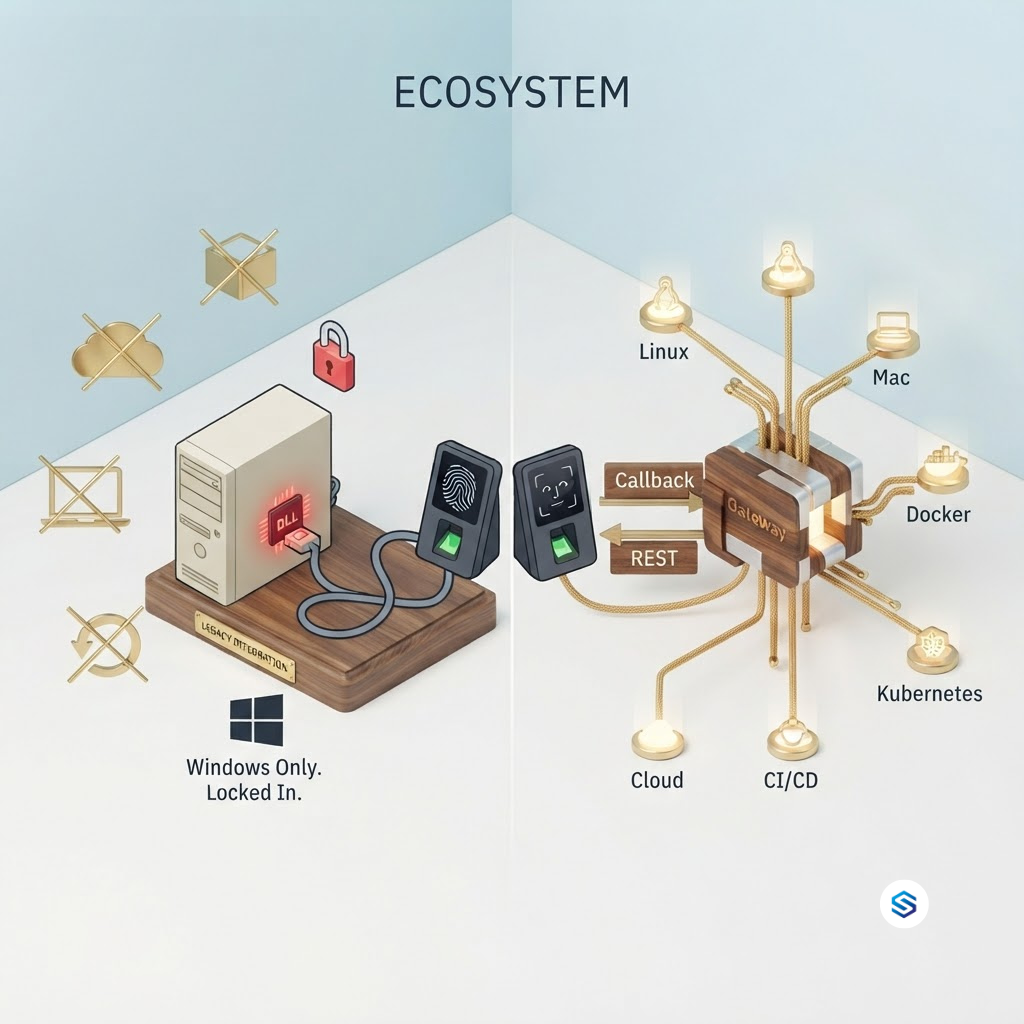
A system can be excellent for humans and completely unusable for AI agents. A biometric device managed through Windows desktop software, for example, may be easy for a trained administrator to use. But an AI agent cannot click through that software. If there is no API, the agent simply cannot help.
03 · The B2A Requirements
What AI Agents Need From a System
For a system to be B2A-ready, an AI agent must be able to find it, understand it, call it, and trust what comes back. In practice, that comes down to a short list of requirements.
| Requirement | Why AI agents need it | What fails without it |
|---|---|---|
| An API, not just a screen | Agents act through calls, not clicks | The agent cannot reach the system at all |
| Standard formats like JSON over HTTPS | Agents read structured data reliably | Proprietary binary formats are unreadable |
| MCP support | Lets agents discover and use tools in a standard way | Every connection becomes a custom project |
| Clear, consistent responses | Agents decide next steps from the response | Ambiguous results cause wrong actions |
| Authentication | Only authorised agents should act | Uncontrolled access to sensitive operations |
| Logging | People need to see what the agent did | No accountability for automated actions |
What MCP is, in plain terms
The Model Context Protocol (MCP) is an open standard that lets AI agents connect to external tools and data in a consistent way. Think of it as a universal adapter: instead of every AI needing a custom connection to every system, a system exposes its capabilities once through an MCP server, and any MCP-compatible agent can understand what it can do and use it. MCP is supported across the major AI platforms, including Claude, and is increasingly used with ChatGPT and Gemini.
|
The simplest B2A test Ask this about any system your business depends on: could an AI agent, given the right permissions, carry out a routine task in this system without a human clicking anything? If the answer is no, that system is not yet B2A-ready, regardless of how modern its screens look. |
04 · The Bridge to the Physical World
Why Biometrics Is Where B2A Matters Most
Most of what AI agents do today happens entirely in the digital world: emails, documents, spreadsheets, and databases. But businesses also run in the physical world. People arrive at buildings, enter restricted rooms, start shifts, and leave sites. An AI agent cannot see any of this on its own. It has no way to know whether a person is actually present, or to let someone through a door.
Biometric systems are the bridge. They are where the physical world becomes verified digital data: this person was here, at this time, at this door. That makes biometrics one of the most valuable systems an AI agent can connect to, and one of the most frustrating when it cannot.
| What a person might ask an AI agent | What the agent needs from the biometric system |
|---|---|
| Who from the night shift has not checked in yet? | Live attendance events it can query |
| Add Priya to the warehouse devices from Monday. | An operation to add a user to specific devices |
| Remove access for everyone who left this month. | An operation to delete users across devices |
| Sync all staff from the head office device to the two new sites. | An operation to resend users across a device group |
| Show me late arrivals at the Dubai site this week. | Verified punch logs with site labels and timestamps |
Today, most biometric systems cannot do any of this for an AI agent. They were built around proprietary SDKs, desktop software, and binary protocols designed long before AI agents existed. The hardware works. It simply has no way to talk to the newest and fastest-growing kind of user.
|
Humans stay in charge B2A does not mean AI agents make security decisions on their own. In a well-designed setup, a person gives the instruction, the agent carries it out through an authenticated API, and every action is recorded. The agent removes the manual work. It does not remove human responsibility. |
05 · The Cams Approach
What a B2A Biometric Platform Looks Like
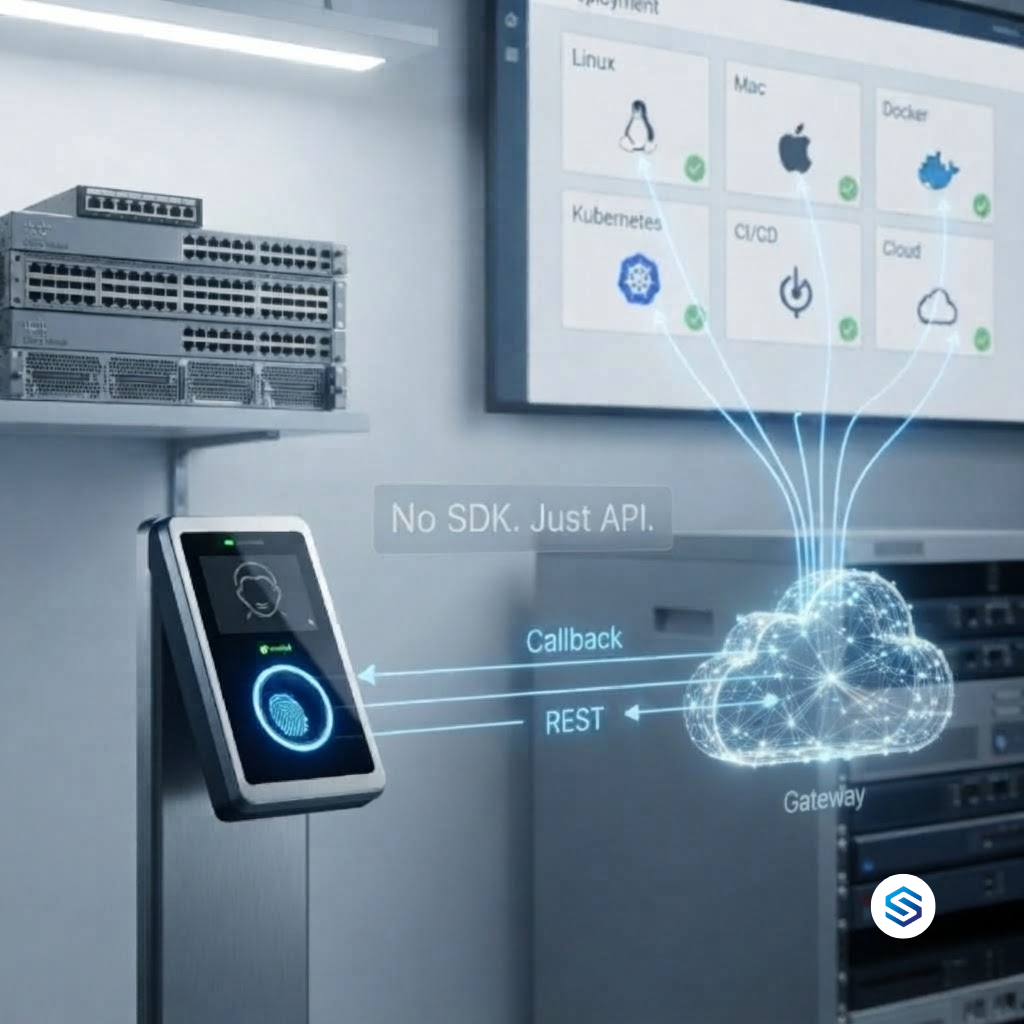
Cams Biometrics built its Gateway around the B2A idea. Cams describes it as the first B2A biometric platform: a layer that sits between physical biometric devices and the software, automation tools, and AI agents that need to work with them.
| B2A requirement | How Cams Gateway meets it |
|---|---|
| An API, not just a screen | 38 biometric operations available through API |
| Standard formats | All communication is JSON over HTTP/HTTPS |
| MCP support | Native MCP integration for Claude, Gemini, and ChatGPT |
| Real-time events | The Callback API pushes verified scans to your systems with zero latency |
| Actions on devices | The RESTful API accepts commands such as adding or removing users, typically in around 15 seconds |
| Authentication and security | Auth token validation with optional AES-256 encryption |
| Logging | Data transaction logging inside the Gateway’s protocol engine |
| Works with existing hardware | 15+ device brands, with no SDK installation required |
A B2A interaction, step by step
Here is what a typical B2A request looks like. An employee asks HR for access to a new site. HR passes the instruction to an AI agent. The agent uses the Cams Gateway to carry it out.
|
|
|
|
|
|
|
Behind that conversation, the agent sends a standard, structured request to the Gateway, exactly the same request any other software would send.
|
RESTful API, AddUserWithUserPhoto, request sent by the AI agent (Server to Device) {
"Add": {
"User": { "UserID": "100", "FirstName": "Manu", "LastName": "Mona", "UserType": "USER" },
"Template": [{ "Type": "UserPhoto", "UserID": "100", "Data": "/9j/4AAQSkZJRgABAQAAAQABAAD..." }]
},
"OperationID": "1jxpjeoasu8wl",
"AuthToken": "COJJ7eiiPBGUfmIQPvh2PJWWDLX7OuKs",
"Time": "2020-09-17 11:09:09 GMT +0530"
}
|
This operation, AddUserWithUserPhoto, registers the user together with a profile photo that is stored on the device. The Data field carries the photo as a Base64-encoded JPEG, shortened here for readability. The UserID inside the Template matches the UserID of the user, so the device links the photo to the right person.
|
RESTful API, response the AI agent reads {
"Status": "done",
"OperationID": "1jxpjeoasu8wl",
"StatusCode": 0
}
|
The agent reads Status and StatusCode to confirm the operation succeeded, then reports back in plain language. No screen was opened, no desktop software was used, and no one walked to a device.
|
Why this matters beyond AI A platform built for AI agents is also, by definition, easy for every other kind of software to use. The same Callback and RESTful APIs that serve Claude or ChatGPT also serve your HRMS, your ERP, and automation tools like n8n, Make, and Zapier. B2A readiness is not a separate feature. It is what good integration looks like when the newest kind of user is taken seriously. |
Frequently Asked Questions
|
Is B2A just another name for having an API? An API is the foundation, but B2A is broader. It means designing a system with AI agents as a real user: structured responses, clear operations, standard discovery through MCP, authentication, and logging. Many systems have some kind of API but are still difficult for an AI agent to use reliably. |
|
Does B2A mean AI will control our doors and attendance on its own? No. In a sensible B2A setup, people give instructions and set the rules. The AI agent carries out approved tasks through authenticated access, and its actions are logged. The goal is to remove repetitive manual work, not human oversight. |
|
Which AI platforms can work with Cams Gateway? Cams Gateway provides native MCP integration for Claude, Gemini, and ChatGPT. Because the Gateway also uses standard JSON over HTTP/HTTPS, any AI platform or agent framework that can make API calls can work with it. |
|
Do we need new biometric hardware to become B2A-ready? Usually not. Cams devices and devices verified at developer.camsbiometrics.com connect via Native Push with full API support. Non-verified devices connect through a Hybrid Push mode you choose. Some features depend on the device model and firmware, so confirm your hardware with the Cams team. |
|
Is this only useful for large enterprises? No. A small business with a few devices benefits just as much from being able to ask an AI agent to add a new employee or check today’s attendance. B2A removes manual work at any scale. |
Conclusion: The Next Customer Does Not Use a Screen
B2C taught businesses to design for people. B2B taught them to design for organisations. B2A asks them to design for the AI agents that people and organisations now rely on to get work done. The businesses whose systems an AI agent can understand and use will be the ones that get chosen, recommended, and kept.
For biometric systems, the stakes are especially high. Biometrics is where the physical world becomes verified data, and AI agents have no other way to know who is actually present. A biometric system that cannot talk to AI agents leaves that bridge closed.
Cams Biometrics Gateway opens it. With native MCP integration, 38 operations available through standard JSON over HTTP/HTTPS, a Callback API for real-time events, a RESTful API for device actions, and support for more than 15 device brands, it lets Claude, Gemini, ChatGPT, and any other software work with your existing biometric hardware. Auth token validation, optional AES-256 encryption, and data transaction logging keep every action secure and accountable. Explore the platform at CamsBiometrics.com, read the API documentation at developer.camsbiometrics.com, or talk to our team about making your biometric system B2A-ready.