Resolving Missing Data Problems in Your ERP System

When experiencing missing data in your ERP system, it’s essential to initiate a thorough investigation with the help of your ERP provider. The provider can access detailed system logs and settings that are crucial for diagnosing the root cause of the data issues. This approach ensures that any systemic or technical anomalies within the ERP…

Read More
API License Transfer from biometric machines

Moving API License Between Biometric Devices

Understanding Device Migration in Cams Biometrics Platform When working with biometric infrastructure, hardware failures are an inevitable reality. Understanding how to properly migrate your API license from a damaged device to a replacement unit is crucial for maintaining business continuity while ensuring compliance with the platform’s technical requirements. Technical Prerequisites for Migration Device Status Requirements…

Read More

Market Report: Global Biometrics Industry Projected to Surpass $150 Billion by 2030

Market Report: Global Biometrics Industry Projected to Surpass $150 Billion by 2030 A new comprehensive analysis by Grand View Research indicates a massive surge in the adoption of biometric technologies, driven by government initiatives, consumer electronics, and a shift toward contactless authentication. Global Market Overview The global biometric technology landscape is on the verge of…

Read More
Data Security and Storage: What Information is Stored in How It is Safe

Understanding Cams Biometric Data Storage & Security

Quick Summary – What Can Be Stored in the Machine For better understanding, here’s what information can be stored in Cams Biometric machines: Data Security and Privacy Fingerprint Data Protection Your fingerprint data is completely secure with Cams Biometric machines: Face Recognition Security Face data is protected through advanced security measures: RFID Card Security Card-based…

Read More

Comprehensive User Guide for API Configuration with Biometric Machines and Admin Tools – A First Time Setup Guide

Setting up the API integration with your biometric machine for the first time is a crucial step to ensure seamless communication between your device and your server. This guide provides a comprehensive, step-by-step walkthrough to configure the server endpoint, link your biometric machine to the API, and validate the data flow.  Whether you’re a developer…

Read More
How to Lock Biometric Machine Settings: Admin Guide to Prevent Unauthorized Access

How to Lock Biometric Machine Settings: Admin Guide to Prevent Unauthorized Access

Biometric machines are used to record employee attendance—but did you know that anyone can access the settings if the machine is not protected? This guide explains how to lock your biometric device menu so that only authorized admins can access it—while everyone else can still mark their attendance as usual. This feature is supported in almost all major brands, including: 🔐 What…

Read More

Next-Gen Remote Biometric Device Management Using AI Assistants

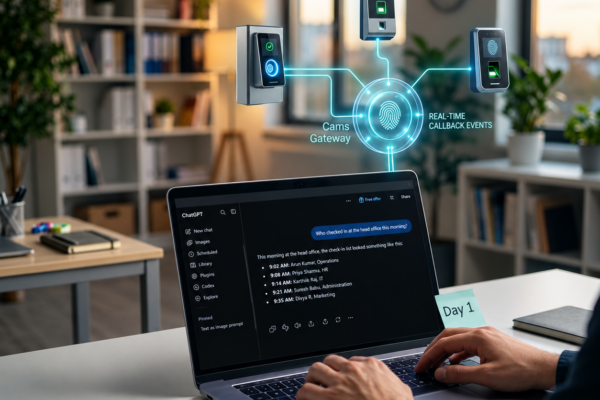
Managing 50, 100, or 500 biometric devices has always been a dashboard marathon – login, scroll, filter, check logs, repeat. For partners handling multiple client accounts, it’s even worse. That changes today. With our new MCP (Model Context Protocol) integration, clients and partners can now monitor devices from anywhere using any AI assistant, without even…

Read More

Optimizing Power Supply for Biometric Devices: A Comprehensive Guide to Preventing Restarts

When experiencing issues with a biometric device that restarts repeatedly, it is important to first assess the power supply, as it is a common culprit. The power adapter used must meet specific current ratings to ensure stable operation of the device. For standard attendance machines, a 12V-2A adapter is typically recommended, which provides sufficient power…

Read More

Understanding the Importance of DHCP Configuration in Biometric Devices

Enabling DHCP (Dynamic Host Configuration Protocol) in the device plays a crucial role in simplifying network configuration processes. When DHCP is enabled, the device automatically receives essential network parameters, including an IP address, subnet mask, gateway, and DNS server address, without requiring manual intervention. Enabling DHCP offers several benefits, primarily revolving around convenience and efficiency….

Read More
RSS
Pinterest
fb-share-icon
LinkedIn
LinkedIn
Share
Instagram
Telegram
WhatsApp
Reddit
Copy link
URL has been copied successfully!