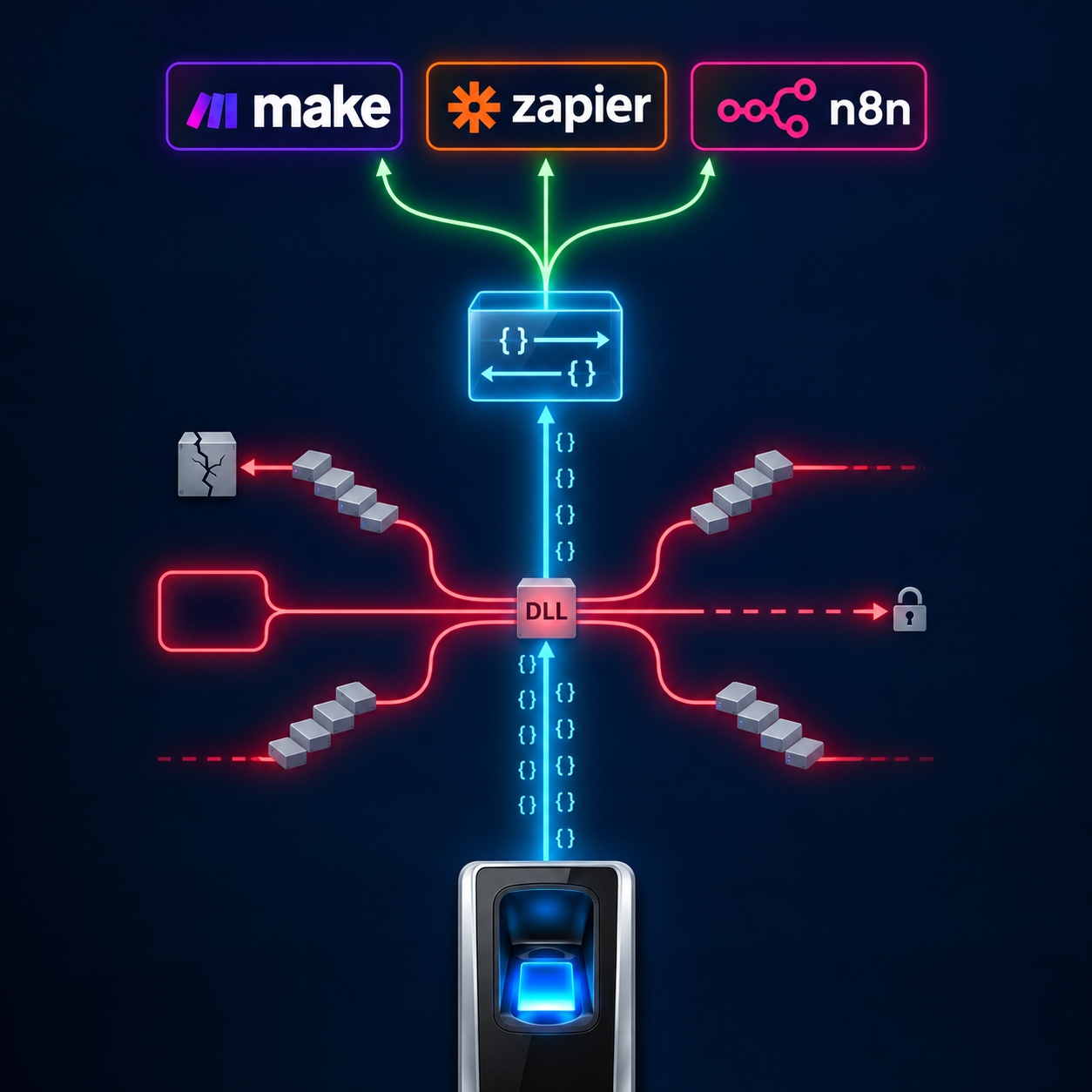
Zapier, Make, and n8n are the three automation platforms teams most often consider when they want to connect systems without building everything from scratch. Most comparisons judge them on general business tasks like moving form entries into a CRM. Biometric workflows are different. Every fingerprint scan is a real-time event, volumes add up quickly, the data is personal, and the integration has to work in two directions. This guide compares Make, Zapier, and n8n specifically for biometric attendance and access control workflows, explains how each one connects to Cams Biometrics Gateway, and helps you choose the right fit for your team.
01 · What Makes Biometrics a Special Case
Why Biometric Workflows Are Different
A typical automation runs a few times a day: a new lead arrives, a form is submitted, an invoice is paid. Biometric workflow automation behaves very differently, and four characteristics matter more than anything else when choosing a platform.
| Characteristic | What it means | Why it matters for your platform choice |
|---|---|---|
| Every scan is an event | Each check-in and check-out triggers the workflow | The platform must receive events reliably, all day, in real time |
| Volume adds up fast | Hundreds of employees scanning twice a day, every working day | Pricing models based on runs, tasks, or operations can grow quickly |
| The data is personal | Names, IDs, times, and locations of real people | Where the platform processes data matters for privacy and compliance |
| It runs in two directions | Events come in from devices, and commands go out to them | The platform must both receive webhooks and call APIs |
To see how quickly volume grows, take a simple example. An organisation with 500 employees, each scanning in and out once a day, over 22 working days, generates 22,000 attendance events a month. If every event triggers one workflow run, that is 22,000 runs before you add any other automation. A platform that is inexpensive for a few hundred runs a month can look very different at this scale.
|
One more requirement specific to Cams When Cams Gateway sends a Callback event to your workflow, your endpoint must reply with a specific acknowledgement: { “status”: “done” }. That means the platform you choose should let you control the response it sends back to an incoming webhook. As you will see below, this is one of the clearest differences between the three platforms. |
02 · Zapier, Make, and n8n
The Three Platforms in Plain Terms
All three platforms let you connect apps and build automated workflows without writing a full application. They differ in who they are designed for, how they charge, and how much control they give you.
|
Zapier Simplest to start Built for non-technical users, with a step-by-step builder One of the largest libraries of ready-made app connections Workflows are called Zaps, built from triggers and actions Incoming webhooks are available through Webhooks by Zapier on paid plans Fully cloud-hosted, so data is processed on Zapier’s infrastructure Pricing is based on the number of tasks your Zaps perform |
|
Make Most visual Formerly known as Integromat, with a drag-and-drop visual canvas Strong at complex data mapping, branching, and loops Workflows are called scenarios, built from connected modules Custom webhooks plus a Webhook Response module to control the reply Cloud-hosted, so data is processed on Make’s infrastructure Pricing is based on the number of operations your scenarios use |
|
n8n Most control Built for technical teams, with a node-based visual editor Can be self-hosted on your own servers or used as n8n Cloud Code nodes let you add JavaScript or Python where needed Webhook node plus a Respond to Webhook node to control the reply Self-hosting keeps biometric data inside your own infrastructure Self-hosted use has no per-run charge; n8n Cloud is priced by executions |
|
Pricing changes often All three platforms update their plans and limits regularly. Use the pricing descriptions here to understand how each platform charges, then check the current plans on each vendor’s website and estimate your own monthly event volume before deciding. |
03 · The Comparison
Head-to-Head: Make vs Zapier vs n8n for Biometrics
Here is how the three platforms compare on the criteria that matter specifically for biometric attendance and access workflows. Green means a strong fit, amber means it works with some trade-offs, and red means you are likely to hit limitations.
| For biometric workflows | Zapier | Make | n8n |
|---|---|---|---|
| Receiving Cams Callback events | Yes, via Webhooks by Zapier | Yes, via custom webhooks | Yes, via the Webhook node |
| Returning the required done response | Limited control over the webhook reply | Yes, with the Webhook Response module | Yes, with Respond to Webhook |
| Calling the Cams RESTful API | Yes, via webhook or HTTP actions | Yes, via the HTTP module | Yes, via the HTTP Request node |
| Cost at high scan volumes | Can grow quickly with tasks | Moderate, grows with operations | Low when self-hosted |
| Keeping data in your own infrastructure | Cloud only | Cloud only | Yes, when self-hosted |
| Ease for non-technical teams | Easiest | Moderate | Needs technical skills |
| Complex logic and data shaping | Basic to moderate | Strong | Strongest, with code nodes |
| Ready-made app connections | Largest library | Large library | Smaller, but HTTP covers the gaps |
The deciding factor most comparisons miss
For general automation, Zapier’s simplicity and huge app library often make it the obvious first choice. For biometric workflows connected to Cams Gateway, the ability to control the webhook response changes the picture. Make and n8n both let you send back the exact { “status”: “done” } acknowledgement the Gateway expects. Zapier’s incoming webhooks return a standard reply that you cannot fully customise.
If you want to use Zapier anyway, a common approach is to place a small relay in front of it: a lightweight endpoint, such as a serverless function, that receives the Cams Callback, replies with the done status, and then forwards the event to Zapier. This works, but it adds one more component to build and maintain. Check with the Cams team how your Gateway setup handles webhook responses before choosing this route.
|
For most automations, the best platform is the one your team finds easiest. For biometric workflows, it is the one that can receive every event, acknowledge it correctly, and still be affordable at thousands of scans a month. |
04 · Building the Connection
How Each Platform Connects to Cams Gateway
Whichever platform you choose, the connection to Cams Biometrics Gateway follows the same pattern. There are two directions, and each uses a standard building block that all three platforms support.
| Direction | What happens | Zapier | Make | n8n |
|---|---|---|---|---|
| Device to workflow | Cams Gateway pushes a Callback event when someone scans | Catch Hook trigger | Custom webhook trigger | Webhook node |
| Acknowledge the event | Your workflow replies with the done status | Needs a relay | Webhook Response module | Respond to Webhook node |
| Workflow to device | Your workflow sends a command, such as adding a user | Webhook or HTTP action | HTTP module | HTTP Request node |
Step 1: Receive the Callback event
Create an incoming webhook in your platform and copy its URL. Set that URL as the Callback URL for your devices in the Cams Gateway. Every verified scan will now arrive at your workflow in this format:
|
Callback API, request your workflow receives from the Gateway {
"RealTime": {
"OperationID": "9nu1wak5616p",
"LabelName": "Burj Khalifa",
"SerialNumber": "ZHM11xxxxxxxx",
"PunchLog": {
"Type": "CheckOut",
"Temperature": "36.8",
"FaceMask": false,
"InputType": "Fingerprint",
"UserId": "2",
"LogTime": "2020-09-17 07:48:22 GMT +0530"
},
"AuthToken": "COJJ7eiIPBGUfmIQPvh2PJWWDLX7OuKs",
"Time": "2020-09-17 04:19:03 GMT +0000"
}
}
|
Step 2: Reply with the acknowledgement
Immediately after receiving the event, your workflow should send this response back to the Gateway. In Make, use a Webhook Response module. In n8n, use a Respond to Webhook node. Return it early in the workflow, before any slower steps, so the Gateway receives the acknowledgement quickly.
|
Callback API, response your workflow must return { "status": "done" }
|
Step 3: Use the event in your workflow
Once acknowledged, the event data is yours to use. Read UserId to identify the person, Type for check-in or check-out, LogTime for the verified time, and LabelName for the site or door. Your workflow then decides what to do: record it in a spreadsheet or HRMS, post a message to a team channel, or compare it against a shift schedule.
Step 4: Send commands back to devices
To manage devices from a workflow, use your platform’s HTTP request block to call the Cams RESTful API. For example, when a new employee is added in your HR system, the workflow can register them on the biometric devices automatically:
|
RESTful API, request your workflow sends to add a user {
"Add": {
"User": {
"UserID": "1",
"FirstName": "Manu",
"LastName": "Mona",
"UserType": "User"
}
},
"OperationID": "1jxpjeoasu8wl",
"AuthToken": "COJJ7eiIPBGUfmIQPvh2PJWWDLX7OuKs",
"Time": "2020-09-17 11:09:09 GMT +0530"
}
|
|
Your workflow makes the decisions Cams Gateway delivers verified scan events and carries out the device commands you send. Late arrival notices, Slack messages, overtime flags, and daily summaries are all created by your workflow, based on the rules you build in Zapier, Make, or n8n. The Gateway provides reliable, verified data. Your automation decides what to do with it. |
05 · Making the Decision
Which One Should You Choose?
There is no single winner. The right automation platform for biometric workflows depends on your team’s skills, your scan volume, and how strictly you need to control where data is processed.
| If your situation is | Consider | Why |
|---|---|---|
| Small team, low scan volume, no developers | Make | Visual, approachable, and handles the done response without extra components |
| You already use Zapier for everything else | Zapier with a relay | Keeps your automation in one place, at the cost of one extra component |
| Hundreds or thousands of employees | n8n, self-hosted | No per-run charges, so costs stay predictable as scans grow |
| Strict data residency or privacy rules | n8n, self-hosted | Biometric attendance data stays on your own servers |
| Complex logic across shifts, sites, and systems | Make or n8n | Both handle branching, loops, and data shaping well |
| You have developers and want full flexibility | n8n | Code nodes, self-hosting, and full control over every step |
Five biometric workflows to start with
| Workflow | Trigger | What it does |
|---|---|---|
| Late arrival notice | Callback event after shift start | Posts a message to the team lead’s channel |
| New starter setup | New employee created in HR system | Calls the RESTful API to add the user to devices |
| Same-day offboarding | Employee marked as leaving | Calls the RESTful API to remove the user from all devices |
| Daily attendance summary | Scheduled each evening | Compiles the day’s events into an email for managers |
| Attendance log to spreadsheet | Every Callback event | Adds a row to a shared sheet for simple reporting |
Frequently Asked Questions
|
Can I use Zapier with Cams Biometrics Gateway? Yes, but you need to account for the acknowledgement. Cams Gateway expects your endpoint to reply with a done status, and Zapier’s incoming webhooks return their own standard reply. A small relay in front of Zapier solves this. Confirm with the Cams team how your setup handles webhook responses before you build. |
|
Is n8n free? n8n can be self-hosted under its fair-code licence without per-run charges, which is why it suits high scan volumes. You still pay for the server it runs on, and n8n Cloud is a paid hosted option. Check n8n’s current licence terms for your use case. |
|
Which platform is best for a small business? For a small business without developers, Make is often the best balance. It is visual and approachable, and it can return the done response directly. Zapier is even simpler to learn, but needs a relay for the Callback acknowledgement. |
|
Do these platforms store biometric templates? No. Callback events contain attendance details such as who scanned, when, where, and how, not fingerprint templates. They are still personal data, so apply your privacy obligations under GDPR, CCPA/CPRA, LGPD, PDPA, and local law, and review each platform’s data processing terms. |
|
Do I need to replace my biometric devices to automate them? Usually not. Cams devices and devices verified at developer.camsbiometrics.com connect via Native Push with full API support. Non-verified devices connect through a Hybrid Push mode you choose. Some features depend on the device model and firmware, so confirm your hardware with the Cams team. |
Conclusion: Pick the Platform, Keep the Gateway
Zapier, Make, and n8n are all capable automation platforms, and each has a clear place. Zapier is the easiest to start with. Make offers the best balance of visual simplicity and control. n8n gives technical teams the most flexibility, the best economics at high volume, and the option to keep data in their own infrastructure. For biometric workflows, the deciding questions are how many scans you process, who will build the workflows, and where your data needs to stay.
Whichever you choose, the hard part is not the automation platform. It is getting reliable, verified data out of biometric devices in a format any platform can use, and sending commands back to them. That is the problem Cams solves.
Cams Biometrics Gateway connects biometric devices from more than 15 brands to Zapier, Make, n8n, and any other platform that speaks JSON over HTTP/HTTPS. The Callback API pushes every verified scan to your workflow in real time, and the RESTful API lets your workflows add, remove, and sync users across devices. There is no SDK to install, optional AES-256 encryption is available, and native MCP integration means the same devices can also work with Claude, Gemini, and ChatGPT. Explore the API at CamsBiometrics.com, read the documentation at developer.camsbiometrics.com, or talk to our team about automating your biometric workflows.