


Every biometric integration has to answer one basic question: how does a scan at the door become a record in your system? There are two ways to do it. Your server can keep asking the device whether anything new has happened, which is polling. Or the system can tell your server the moment something happens, which is a webhook. For biometric attendance and access data, the choice between webhooks and polling affects how fresh your data is, how much load you put on devices and networks, and how reliable your records are. This guide explains both approaches in plain terms, shows why webhooks are the better default for biometric data, covers how to build a reliable webhook receiver, and explains where polling still has a place.
01 · Pull vs Push
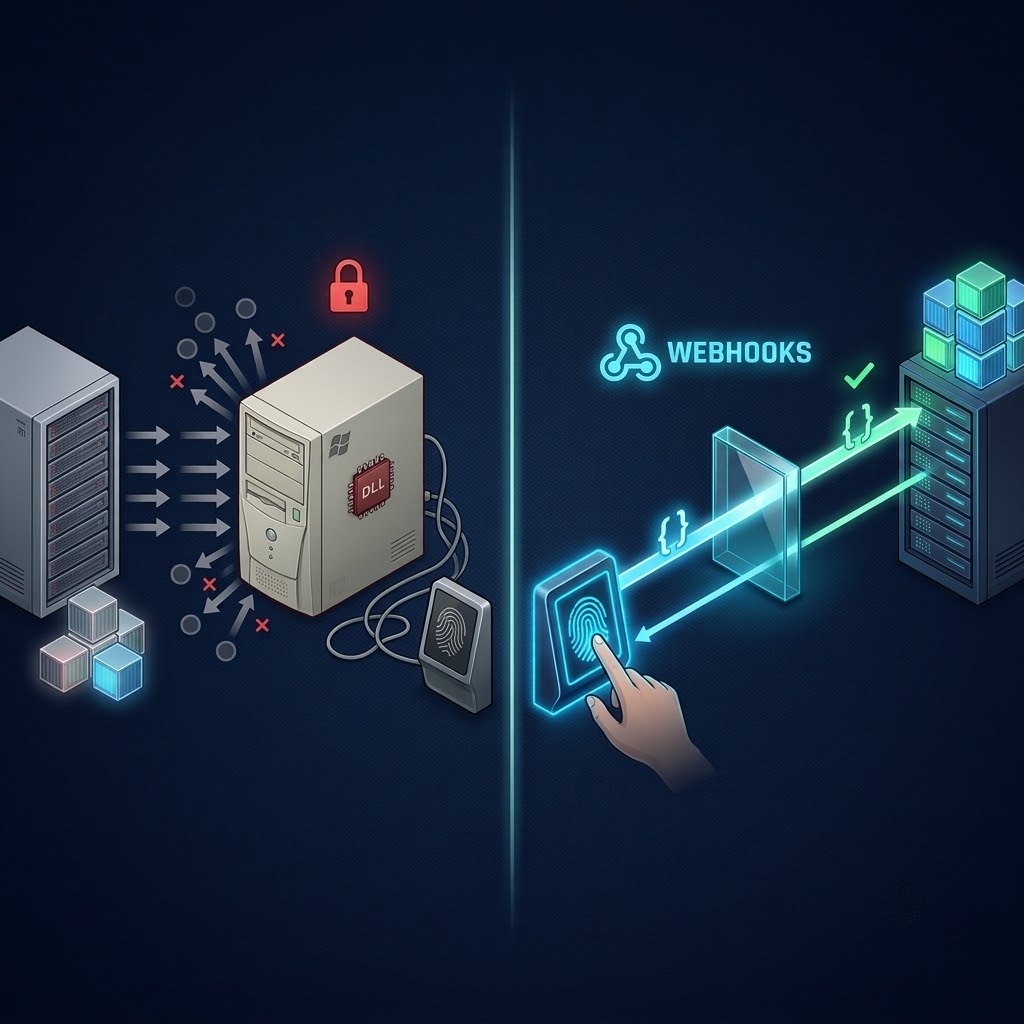
Two Ways Data Can Travel
Imagine you are waiting for an important parcel. You could walk to the front door every five minutes to check whether it has arrived. Or you could wait for the doorbell to ring. Both get you the parcel. One wastes a lot of trips and still leaves you up to five minutes late. The other tells you the moment it arrives.
That is the difference between polling and webhooks.
Polling: your server keeps asking
|
Your server Asks: any new scans since last time? |
→ |
Device or system Replies: nothing new |
→ |
Wait Sleep for the polling interval |
→ |
Repeat Ask again, and again, all day |
Webhook: the system tells your server
|
Employee scans A verified fingerprint, face, or card scan |
→ |
Gateway Sends the event to your webhook URL immediately |
→ |
Your server Receives the event and replies done |
→ |
Done No waiting and no wasted requests |
| Polling | Webhooks | |
|---|---|---|
| Who starts the conversation | Your server | The system with the data |
| When data arrives | At the next poll, up to one full interval late | Immediately after the scan |
| Requests when nothing happens | Continuous, most of them empty | None |
| Load on devices and network | Constant, regardless of activity | Only when there is something to send |
| Complexity for you | Tracking what you have already fetched | Receiving and acknowledging events |
02 · The Hidden Costs
Why Polling Struggles With Biometric Data
Polling works for data that changes slowly or where a delay does not matter. Biometric attendance and access data is the opposite. It is generated in sharp bursts at shift start and end, it is quiet most of the rest of the time, and it is often needed immediately.
The delay is built in
With polling, the worst-case delay always equals your polling interval. A scan that happens one second after a poll waits for the entire interval before your server sees it.
| Polling interval | Worst-case delay before your system knows | Good enough for |
|---|---|---|
| Every 24 hours | Up to a full day | Monthly payroll only |
| Every hour | Up to 60 minutes | Daily reports |
| Every 5 minutes | Up to 5 minutes | Most dashboards, not alerts |
| Every minute | Up to 60 seconds | Near real time, at a high request cost |
| Webhook | No polling delay | Live dashboards, notifications, and automations |
Most requests are wasted
To get closer to real time, you poll more often. But most of those requests return nothing. Polling one device every minute means 1,440 requests per device per day. Across 50 devices, that is 72,000 requests a day, most of them asking a question whose answer is “nothing new.” Every one of those requests uses network capacity and device processing time.
Keeping track gets fragile
A polling integration has to remember what it has already fetched, usually by storing the time or position of the last record it saw. If that marker is wrong, because of a restart, a clock difference between server and device, or records stored while a device was offline, the integration either misses scans or imports them twice. These problems are quiet and often only surface during a payroll dispute.
It gets harder with every site
With one device, polling is manageable. With dozens of devices across several sites and brands, each with its own connection, its own interval, and its own last-fetched marker, polling becomes a scheduling and monitoring job of its own.
|
Polling asks the same question thousands of times a day to catch the few moments that matter. Webhooks only speak when something has actually happened. |
03 · Push Delivery With Cams
How Biometric Webhooks Work
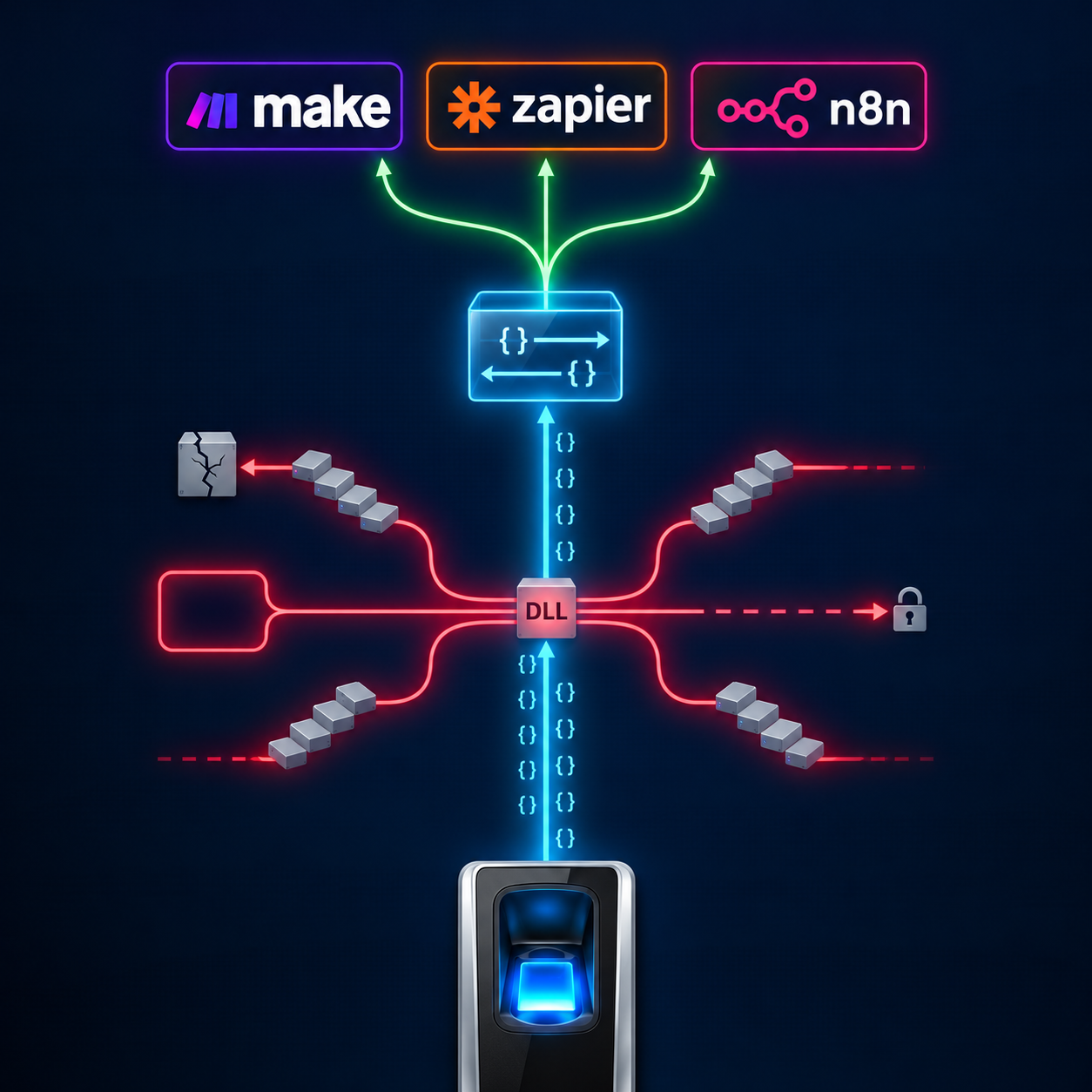
With Cams Biometrics Gateway, webhook delivery is called the Callback API. You give the Gateway a URL on your server, and every verified scan is sent to that URL as it happens. Callback events are delivered with zero latency for devices on Native Push.
What your server receives
|
Callback API, request sent to your webhook URL by the Gateway {
"RealTime": {
"OperationID": "9nu1wak5616p",
"LabelName": "Burj Khalifa",
"SerialNumber": "ZHM11xxxxxxxx",
"PunchLog": {
"Type": "CheckOut",
"Temperature": "36.8",
"FaceMask": false,
"InputType": "Fingerprint",
"UserId": "2",
"LogTime": "2020-09-17 07:48:22 GMT +0530"
},
"AuthToken": "COJJ7eiIPBGUfmIQPvh2PJWWDLX7OuKs",
"Time": "2020-09-17 04:19:03 GMT +0000"
}
}
|
| Field | What it tells your server |
|---|---|
| OperationID | A unique reference for this event |
| LabelName | The name of the site or door the device is assigned to |
| SerialNumber | The specific device that recorded the scan |
| Type | Whether it was a check-in or check-out |
| InputType | How the person verified: fingerprint, face, card, PIN, and so on |
| UserId | Who scanned, matching the ID in your HR system |
| LogTime | When the scan happened on the device, with its time zone offset |
| AuthToken | The token your server uses to confirm the request is genuine |
| Time | The timestamp of the message itself, in GMT |
What your server must send back
Once your server has received the event, it replies with a short acknowledgement. This tells the Gateway the event arrived safely.
|
Callback API, response your webhook must return { "status": "done" }
|
|
Push, even when the device cannot Not every device can push data on its own. Some older or non-verified devices only store attendance in a local database or file. With Cams Hybrid Push, the Gateway can read from that database (DB Pull) or watch that file (File Processing), and still deliver new attendance records to your Callback URL. Your server gets push delivery either way, even if the device underneath would normally need to be polled. |
04 · Best Practices
Building a Reliable Webhook Receiver
A webhook receiver is simple to build, but a few practices make the difference between one that works in testing and one that works every day for years.
| Practice | What to do | Why it matters |
|---|---|---|
| Acknowledge first | Reply with the done status as soon as the event is received, then do slower work afterwards | Keeps the Gateway’s request short, even if your downstream systems are slow |
| Queue the work | Put each received event on a queue or in a table, and process it separately | Handles bursts at shift start without dropping events |
| Validate the AuthToken | Check the token in every request before trusting the data | Stops anyone else from posting fake attendance to your URL |
| Use HTTPS | Expose your webhook only over HTTPS, with optional AES-256 encryption from the Gateway | Attendance data is personal data and must be protected in transit |
| Make it idempotent | Use OperationID to detect and ignore events you have already processed | A repeated delivery never becomes a duplicate attendance record |
| Trust LogTime for attendance | Record attendance using LogTime, not the time your server received the event | Events stored during an outage arrive later but keep their true scan time |
| Sort by LogTime | Order events by LogTime before calculating hours | Buffered events can arrive out of order after a connection drop |
| Log everything | Keep a record of every event received and every response sent | Makes troubleshooting and audits straightforward |
|
Plan for bursts, not averages A site with 300 employees may receive almost nothing for most of the day, then 300 events in ten minutes at shift change. Design your receiver for that peak. Acknowledging quickly and queuing the work is the simplest way to handle it. |
Where the webhook can live
Your webhook needs a public HTTPS address that the Gateway can reach. That can be an endpoint in your own application, a small cloud function, or an incoming webhook in an automation tool such as n8n or Make. Your devices themselves do not need a public IP. Sites behind firewalls can connect to the Gateway through the Hybrid Connector, which works over an outbound connection.
|
Your system decides what happens next The Gateway delivers verified events and waits for your acknowledgement. What happens after that, such as writing to your HRMS, updating a dashboard, sending a late arrival notice, or starting a workflow, is decided by your own software and rules. |
05 · Using Both Together
Where Polling Still Has a Place
Webhooks should be the default for live biometric data. But fetching data on request still has useful, specific jobs. The strongest integrations use webhooks for real-time delivery and occasional on-demand fetches for checking and recovery.
| Situation | Best approach | Why |
|---|---|---|
| Live attendance, dashboards, notifications | Webhooks (Callback API) | Data arrives the moment a scan happens |
| Your server was offline for a period | Fetch logs on demand | Fill any gap and confirm nothing was missed |
| Nightly or weekly reconciliation | Fetch logs on a schedule | Compare against what webhooks delivered, as a safety net |
| Setting up a new integration | Fetch historical logs once | Import existing history before webhooks take over |
| Auditing a specific period | Fetch logs for that period | Produce a complete record for review |
For these jobs, the Cams RESTful API includes operations to load logs from devices. Used occasionally and on purpose, fetching logs complements webhooks rather than competing with them. The difference is intent: you fetch when you have a reason, instead of asking every minute just in case.
Frequently Asked Questions
|
Is polling ever better than webhooks for biometric data? Polling can be simpler when your system cannot expose any public endpoint at all, or for one-off historical imports. For ongoing attendance and access data, webhooks are faster, lighter on devices and networks, and easier to scale across sites. |
|
What happens to scans if my webhook server is down? If your webhook server is down, attendance data will be stored in the Cams queue. Once your server is back online, the queued records will be pushed automatically to your server. The queue automatically restarts once every 3 hours, and you can also manually restart it anytime from the Cams Portal. This ensures that attendance records are not lost due to temporary server downtime. |
|
Do my biometric devices need a public IP for webhooks to work? No. Your webhook URL needs to be reachable by the Gateway, but your devices do not. Sites without a public IP can connect through the Hybrid Connector, which uses an outbound connection. |
|
Can I receive webhooks in n8n, Make, or Zapier? Yes. Any tool that can receive an incoming webhook can receive Cams Callback events. n8n and Make can also return the required done acknowledgement directly. Zapier may need a small relay in front of it to send that reply. |
|
Why do LogTime and Time differ in the payload? LogTime is when the person actually scanned, recorded with the device’s time zone offset. Time is the timestamp of the message itself, in GMT. If a device was offline, the message can be sent well after the scan. Always use LogTime for attendance. |
Conclusion: Let the Doorbell Ring
Polling made sense when biometric devices could only be read on request and nobody expected attendance data to be live. Today, HR dashboards, payroll systems, automation tools, and AI assistants all work best with data the moment it exists. Asking a device the same question thousands of times a day is a slow, wasteful way to get there.
Webhooks turn every verified scan into an event your systems receive immediately, with no wasted requests and no fragile tracking of what was already fetched. Keep on-demand log fetching for what it does best, filling gaps and checking completeness, and let webhooks carry everything else.
Cams Biometrics Gateway is built around push delivery. Its Callback API sends every verified scan to your webhook in real time, from devices across more than 15 brands, in one consistent JSON format. Hybrid Push modes deliver push events even from devices that cannot push on their own, and the RESTful API provides on-demand operations such as loading logs for reconciliation. All communication runs over HTTP/HTTPS with auth token validation and optional AES-256 encryption. Explore the platform at CamsBiometrics.com and read the full Callback API documentation at developer.camsbiometrics.com.