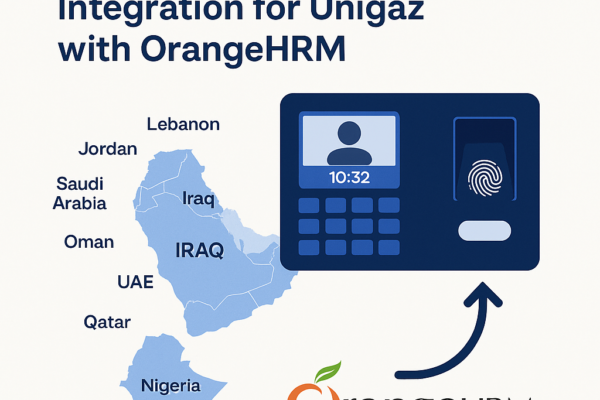



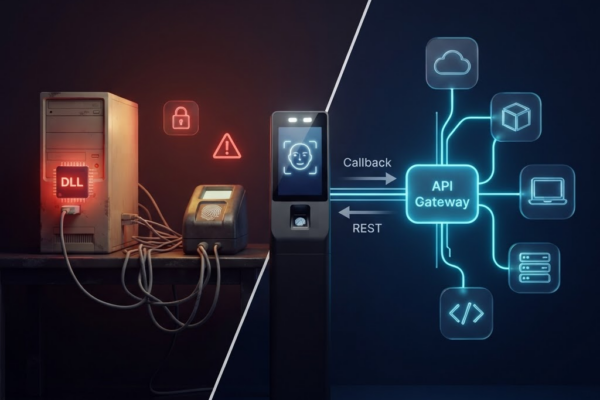
A 1080x1080 square cover image for the YouTube short, showing a split-screen perspective. One side shows the user’s view with the device, and the other side shows the internal facial recognition interface, matching the video content.

Unlock Smarter Attendance with Cams Hawking F38+: The Biometric Gateway for Every Device & Location

Face recognition. Fingerprint scanning. Real-time sync. One powerful device, built for the modern workforce. Attendance management has long been a pain point for HR and operations teams – from buddy punching and manual timesheets to clunky standalone devices that don’t talk to your core systems. The Cams Hawking F38+, powered by the Cams Biometric Gateway, is built…

Read More
A modern biometric fingerprint scanner used for employee time and attendance management

Your Biometric Device Manufacturer Dropped Support? You’re Not Stuck, Here’s What to Do

Thousands of businesses rely on fingerprint scanners, face recognition terminals, and access control hardware that will hit end-of-life this year. When your manufacturer walks away, your attendance records, door access, and workforce data don’t have to be left behind. Here’s your practical roadmap. What “Discontinued Support” Means for Your Biometric System When a biometric device…

Read More
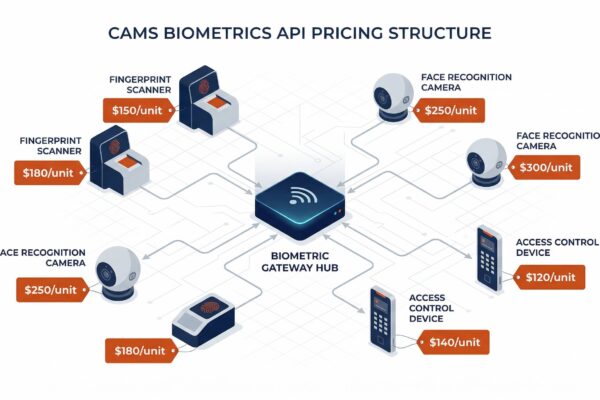
Cams Biometrics Product Portfolio

Complete Product Category & Line Overview

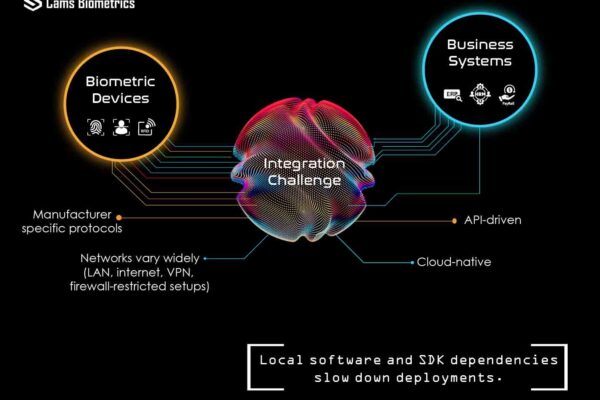
Company Overview Cams Biometrics is a prominent Indian company specializing in cutting-edge biometric attendance and access control solutions. They provide advanced systems for time attendance, access control, visitor management, and more, leveraging state-of-the-art biometric technologies like fingerprint, facial recognition, and iris recognition. Key Differentiator: Cams is the only provider offering a pure web API integration…

Read More

Cams Device Menu Guide: Understanding Common Settings, Errors & Configuration

This guide is designed for end users, technicians, and IT admins using Cams biometric attendance systems. It covers commonly encountered messages, how to access key device menus, and which features you can configure directly on the device. Each section explains what the feature or error means, how it behaves, and how to adjust it all…

Read More
API License Transfer from biometric machines

Moving API License Between Biometric Devices

Understanding Device Migration in Cams Biometrics Platform When working with biometric infrastructure, hardware failures are an inevitable reality. Understanding how to properly migrate your API license from a damaged device to a replacement unit is crucial for maintaining business continuity while ensuring compliance with the platform’s technical requirements. Technical Prerequisites for Migration Device Status Requirements…

Read More
How to Lock Biometric Machine Settings: Admin Guide to Prevent Unauthorized Access

How to Lock Biometric Machine Settings: Admin Guide to Prevent Unauthorized Access

Biometric machines are used to record employee attendance—but did you know that anyone can access the settings if the machine is not protected? This guide explains how to lock your biometric device menu so that only authorized admins can access it—while everyone else can still mark their attendance as usual. This feature is supported in almost all major brands, including: 🔐 What…

Read More
A close-up view of the Cams Biometrics Hawking F38+ biometric gateway device, highlighting its facial recognition sensors, fingerprint scanner, and the "Attendance That Keeps Up" messaging on a vibrant display.

AI-Powered Biometric Access Control: How Cams Device Is Redefining Workforce Management?

One touch. Instant trust. Your identity, verified in seconds, and synced to your HR system automatically. “What if your attendance system could verify identity, push punch data to your HR software, and eliminate manual exports, all in real time, with a single touch?” Modern workplaces demand more than a swipe card or a PIN. They…

Read More
Data Security and Storage: What Information is Stored in How It is Safe

Understanding Cams Biometric Data Storage & Security

Quick Summary – What Can Be Stored in the Machine For better understanding, here’s what information can be stored in Cams Biometric machines: Data Security and Privacy Fingerprint Data Protection Your fingerprint data is completely secure with Cams Biometric machines: Face Recognition Security Face data is protected through advanced security measures: RFID Card Security Card-based…

Read More
Recovering Admin Rights on Biometric Machines: What to Do When You're Locked Out

Recovering Admin Rights on Biometric Machines: What to Do When You’re Locked Out

It’s not uncommon—an admin leaves the company, or no one remembers which user has admin rights on your biometric attendance machine. Now, you’re locked out of the menu and can’t manage users or settings. Giving attendance still works, but you can’t add/remove users or change any device settings. Recovering admin access can be easy or…

Read More
RSS
Pinterest
fb-share-icon
LinkedIn
LinkedIn
Share
Instagram
Telegram
WhatsApp
Reddit
Copy link
URL has been copied successfully!