 Cams Support Hub
The Total Cost of Ownership of a Biometric System Over Five Years
On this page 14 sections
Biometric system cost: why the device price is only the tip of the icebergThe seven cost categories, and when each one landsIntegration: the cost that keeps growingSDK integration versus API integrationAn illustrative look at maintenance hoursRunning costs: the hours nobody budgets forThe arithmetic of small tasksChange costs: discontinued models, lock-in, and growthAn illustrative early replacementKeeping existing devices: a real saving, with a trade-offBuilding your own five-year biometric system cost worksheetFive habits that lower biometric system costFrequently Asked QuestionsConclusion: the cheapest device is rarely the cheapest systemWhen businesses compare biometric systems, they usually compare one number: the price per device. It is the easiest number to find and the least useful one to decide on. The real biometric system cost is spread across five years of integration work, admin time, replacements, and changes nobody planned for. This guide breaks the total cost of ownership into its parts, shows when each one lands, and gives you a worksheet to calculate your own, using your own figures rather than anyone's marketing.
|
About the numbers in this article There are no prices in this guide, because prices vary by country, supplier, and order size, and quoted averages are rarely honest. Instead, the examples use hours and device counts as plain, illustrative arithmetic. Multiply them by your own rates to see what they mean for your business. |
01 · THE PROBLEM
Biometric system cost: why the device price is only the tip of the iceberg
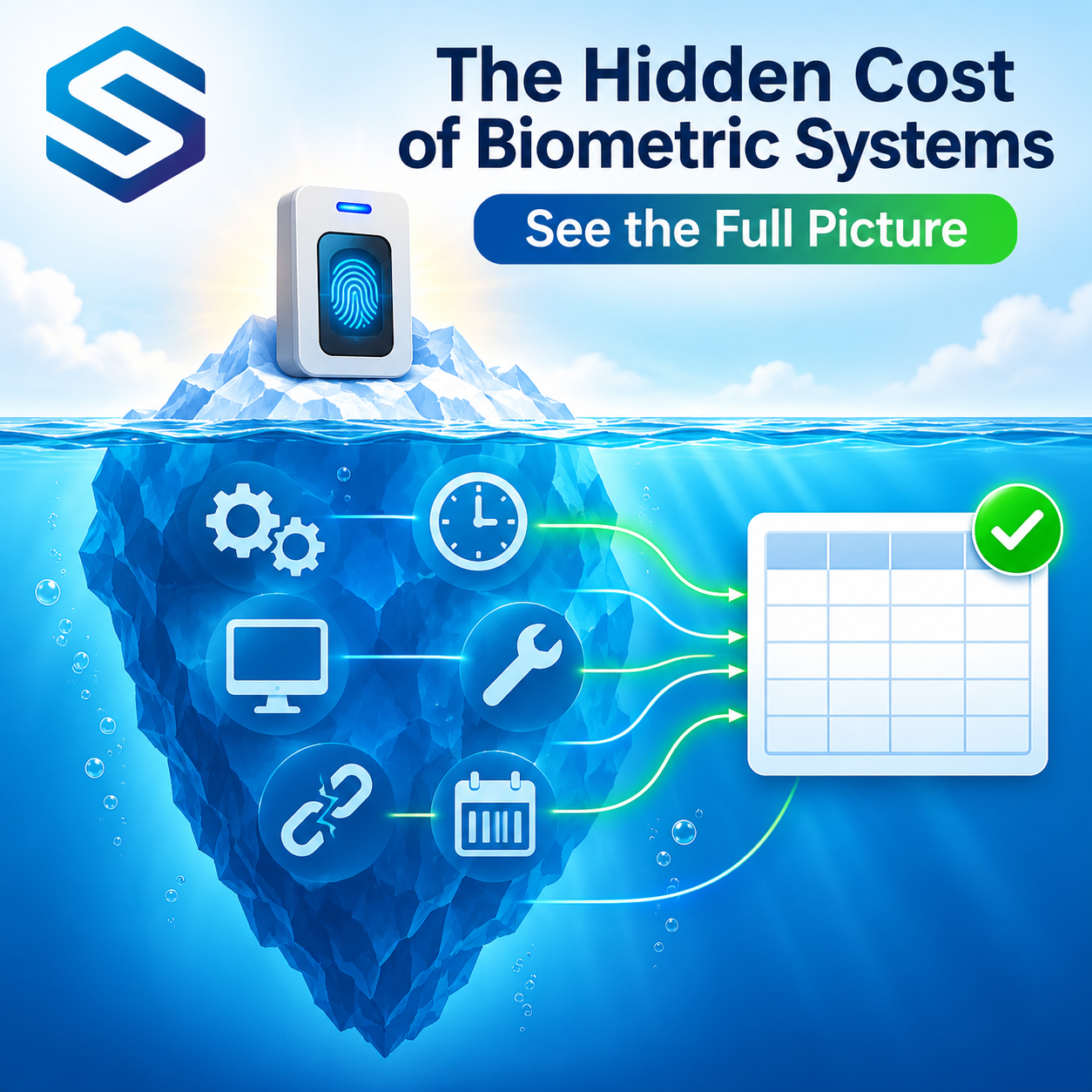
An iceberg is a good picture of biometric system cost. The part above the water, the price on the quote, is real and easy to see. The part below the water is larger, harder to see, and it is the part that sinks budgets.
|
|
|
|
ABOVE THE WATERLINE: on the quote Devices · Installation · Software licence or subscription |
|
|
BELOW THE WATERLINE: rarely on the quote Integration with HR, payroll, or ERP · Maintaining that integration |
|
|
Admin time: exports, corrections, user changes · On-site PCs and their upkeep |
|
|
Early replacement of discontinued models · Lock-in when you want to change or grow |
The deeper the layer, the less visible it is when you buy, and the longer it keeps costing.
None of the hidden costs are unusual. They are simply the costs of a device that has to work with the rest of your business for five years. The good news is that most of them are decided at the moment of purchase, which means they can be reduced by asking the right questions before you sign.
02 · COST CATEGORIES
The seven cost categories, and when each one lands
A complete biometric system cost breaks down into seven categories. Some are paid once, some every year, and some arrive as surprises in year three or four.
| Category | What it includes | When it lands | Who usually feels it |
| 1. Hardware | Devices, mounts, power, any on-site computers | Year 0, plus replacements | Finance |
| 2. Installation and enrolment | Fitting, cabling, network setup, and staff time to enrol every person | Year 0, then for every new joiner | Facilities and HR |
| 3. Software | Attendance software licences or subscriptions, and any gateway or platform fees | Year 0 and every year | Finance |
| 4. Integration | Connecting devices to HR, payroll, ERP, or access software, and keeping that connection working | Year 0, then every year as systems update | IT |
| 5. Running and admin | Exports, corrections, user changes, chasing missing punches, support calls | Every week, for five years | HR and payroll |
| 6. Maintenance and support | Firmware updates, repairs, on-site PCs, vendor support contracts | Every year | IT |
| 7. Change and exit | Replacing discontinued models, adding new brands, switching vendors | Unplanned, often year 3 to 5 | Everyone |
Categories 1 to 3 are on the quote. Categories 4 to 7 are where the five-year difference between two systems usually lives.
03 · INTEGRATION
Integration: the cost that keeps growing
A biometric device that cannot talk to your HR or payroll software is just a clock. Getting data out and sending user changes back in is integration, and it is often the single most underestimated part of biometric system cost.
SDK integration versus API integration
Many devices offer only an SDK, a software library your developers must install and build around, often tied to one programming language, one operating system, and one vendor. The work does not end at launch. Every time Windows updates, the SDK changes, or your HR software releases a new version, someone has to check that the integration still works.
An open web API changes the shape of that cost. Your software sends and receives standard JSON over HTTPS, with no vendor library inside your infrastructure. There is still work to do, but it is the same kind of work your developers already do for every other web service.
| Integration cost driver | SDK-based | Open API-based |
| Initial build | Developers learn a vendor-specific library | Developers use standard web requests |
| On-site computer | Often needs a Windows PC running the SDK | Usually none |
| Operating system updates | Can break the integration | Not affected |
| Adding a second brand | A second SDK and a second integration | Same API, if the platform supports the brand |
| Staff turnover in IT | Knowledge of the SDK leaves with the developer | Standard skills, easier to hand over |
An illustrative look at maintenance hours
Suppose an SDK integration needs 5 days of developer time each year to keep working through updates and fixes. Over five years, that is 5 × 5 = 25 developer days, before any new features. If the business adds a second device brand in year 2 with its own SDK, and that needs the same upkeep for the remaining four years, add 5 × 4 = 20 more days. Multiply by your own day rate. (Illustrative arithmetic, not survey data.)
For more on why SDK dependency becomes expensive, see why Windows-only SDKs hold businesses back.
04 · RUNNING COSTS
Running costs: the hours nobody budgets for
Running costs are made of small tasks that feel too minor to count: exporting a file every Monday, fixing a missed punch, adding a new starter at the device, removing a leaver. Individually they take minutes. Together, over five years, they take weeks.
| Weekly task | With manual exports and device-side changes | With real-time data and remote commands |
| Getting attendance into payroll | Download, clean, and import a file | Each punch arrives as it happens |
| Adding a new starter | Visit the device or open the vendor software | Sent from the HR system |
| Removing a leaver | Remember to do it at every device | Sent from the HR system to every device |
| Finding a missing punch | Check the device log by hand | Visible in the software the same day |
The arithmetic of small tasks
Take an illustrative business where one person spends 2 hours a week on attendance exports, corrections, and device user changes. Over a year, that is 2 × 52 = 104 hours. Over five years, it is 520 hours, roughly 13 working weeks of one person's time spent moving data that could move itself. Now consider a business with five sites where each site manager spends 1 hour a week on the same tasks: 5 × 1 × 52 × 5 = 1,300 hours over five years. (Illustrative arithmetic. Use your own figures.)
| One person, 2 h/week |
|
||
| Five sites, 1 h/week each |
|
Illustrative five-year totals, drawn to scale.
There is also the cost of what slips through. A leaver who keeps access for a week, or a payroll run built on an incomplete export, does not appear as a line in any budget, but both cost money and trust. Systems that push each verification in real time and accept user changes from your own software shrink both the hours and the gaps.
|
Where alerts come from In a well-connected system, your HR or payroll software flags missing punches, late arrivals, and leavers who still have access, using the data the devices push to it. The alert logic sits in your software, which is why getting the data there automatically matters so much. |
05 · CHANGE COSTS
Change costs: discontinued models, lock-in, and growth
The most expensive moments in a biometric system's life are rarely planned. They arrive when something changes: the manufacturer drops a model, the business opens new sites with a different brand, or the company wants to move to new HR software.
| Change | What it can cost in a closed system | What reduces the cost |
| Manufacturer discontinues the model or SDK | Working devices replaced early because nothing will talk to them | An integration route that does not rely only on the manufacturer's software |
| New sites use a different brand | A second integration and a second admin process | A platform that supports several brands through one API |
| Switching HR or payroll software | Rebuilding the device integration from scratch | Devices connected through an API your new software can also use |
| Rapid growth in sites or staff | More on-site PCs, more manual work per site | Central management and remote user changes |
An illustrative early replacement
Imagine a business with 10 sites and 2 devices per site: 10 × 2 = 20 devices. If the model is discontinued in year 3 and the business has to replace every unit to keep its integration working, that is 20 devices bought two years earlier than planned, plus installation and re-enrolment of every person. (Illustrative arithmetic.) Our article on what to do when a manufacturer discontinues support covers the alternatives.
Keeping existing devices: a real saving, with a trade-off
Keeping devices you already own is often the biggest single saving available. Cams Biometrics Gateway connects devices from 15+ brands. Cams devices and devices verified at developer.camsbiometrics.com connect via Native Push, while non-verified devices connect through a Hybrid Push mode that you choose to suit your environment. Be honest about the trade-off when you do the sums:
| Connection | Attendance data | Remote user changes | TCO effect |
| Native Push | Real time | Full support | Lowest running cost |
| Hybrid Push, Device SDK | Real time | Supported within the SDK's limits | Low running cost; confirm limits |
| Hybrid Push, DB Pull or File | Attendance only | Not supported | Saves hardware, but user changes stay manual |
An old device kept on DB Pull may save its replacement cost, but every starter and leaver still needs a manual change at that device. Put those hours into the worksheet before deciding. Our guide to upgrading old attendance machines without replacing them explains the options.
06 · YOUR WORKSHEET
Building your own five-year biometric system cost worksheet
Use the worksheet below with your own figures. Fill in each year, then total across. Compare two or three options side by side, and you will often find that the cheapest device is not the cheapest system.
| Cost category | Y0 | Y1 | Y2 | Y3 | Y4 | Y5 | Total |
| Hardware (devices, mounts, on-site PCs) | |||||||
| Installation and enrolment time | |||||||
| Software licences or subscriptions | |||||||
| Integration build | |||||||
| Integration maintenance | |||||||
| Admin time (hours × your rate) | |||||||
| Maintenance and support | |||||||
| Replacements and change | |||||||
| Total |
Year 0 is the purchase and setup year. Years 1 to 5 are the running years.
Five habits that lower biometric system cost
| 1 | Ask the integration questions first. Open API, real-time push, and remote commands decide most of categories 4 and 5. Our biometric device buying guide lists the questions. |
| 2 | Count hours, not just invoices. Admin time is real cost even when it never appears on a supplier invoice. |
| 3 | Plan for change. Assume at least one model, brand, or software change in five years, and check what it would cost. |
| 4 | Keep what you can, honestly. Keep existing devices where the connection mode still supports what you need, and count the manual work where it does not. |
| 5 | Pilot before you scale. A small pilot reveals integration and running costs before they are multiplied across every site. |
Frequently Asked Questions
|
What does biometric system cost include besides the devices? Installation and enrolment, software licences or subscriptions, integration with HR or payroll, maintaining that integration, admin time, maintenance and support, and the cost of replacing or changing devices over the system's life. |
|
Why is integration such a large part of the total cost? Because it is not a one-off. SDK-based integrations need ongoing developer time as operating systems, SDKs, and business software change. Open API integrations still need care, but use standard skills and avoid vendor libraries in your infrastructure. |
|
Is it cheaper to keep our existing biometric devices? Often, yes, if they can connect in a mode that supports what you need. Devices on attendance-only modes save hardware cost but leave user changes manual, so include those hours when you compare. |
|
How do I calculate admin time in a TCO? Estimate the hours spent each week on exports, corrections, and user changes, multiply by 52 for a year and by 5 for the full period, then multiply by the hourly cost of the people doing it. |
|
Over how many years should we calculate TCO? Five years is a sensible period for most businesses, because it covers at least one cycle of software updates, staff turnover, and the chance of a model being discontinued. |
Conclusion: the cheapest device is rarely the cheapest system
The price per device is the visible tip of biometric system cost. Below it sit integration, admin hours, maintenance, and the cost of change, and over five years they usually outweigh the hardware. The businesses that keep total cost down are the ones that ask how data leaves the device, how their software controls it, and what happens when something changes, before they buy.
Cams Biometrics Gateway is designed to shrink the hidden layers. It connects devices from 15+ brands, including many you may already own, to your business software through one API, with no SDK installed in your infrastructure and no Windows PC required for Native Push devices. The Callback API pushes every verification in real time, the RESTful API lets your HR software add and remove users on every device, and it supports both static and dynamic IP.
To explore further, visit CamsBiometrics.com, check whether your existing devices are verified for Native Push at developer.camsbiometrics.com, and if you want to estimate integration effort for your own team, try the AI Code Generator Prompts, which produce a working callback receiver and REST client in your chosen language.