
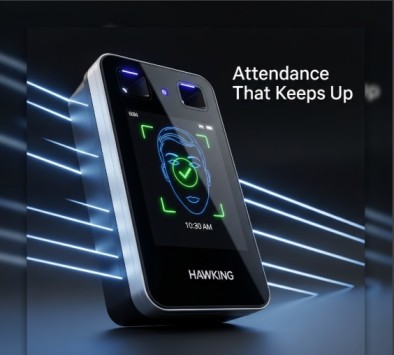
Cams Hawking F38+ Face and Fingerprint Attendance Terminal
Features and specs of the Cams Hawking F38+ face and fingerprint terminal, and how it connects to HR and ERP systems through the Cams Biometric Gateway.




Features and specs of the Cams Hawking F38+ face and fingerprint terminal, and how it connects to HR and ERP systems through the Cams Biometric Gateway.

If a biometric device loses its time after a restart, the internal CR1220 3V button cell battery likely needs replacing. Here is what to do.

Learn what a callback URL (webhook) is, how to create and secure an endpoint that accepts HTTP POST requests, and how to test it with Postman or cURL.

Biometric device showing offline despite a stable internet connection? Learn how to tell a network problem from a device fault and what to check first.
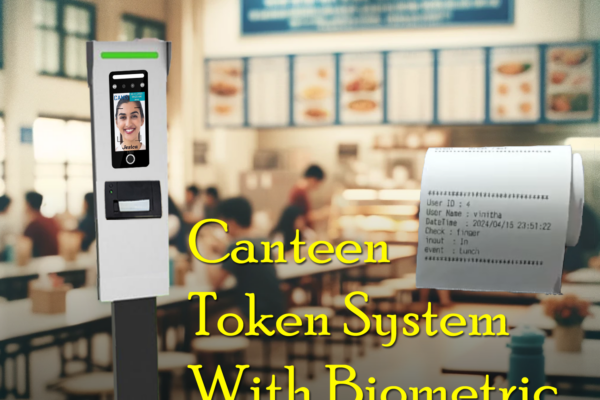
How the Cams Biometrics Web API links CAN10 canteen machines to a server in real time for food selection, token generation and user access control.

How the Cams GymBio34 terminal and its REST API automate gym membership access: remote enrollment, subscription dates, time windows and disabling users.
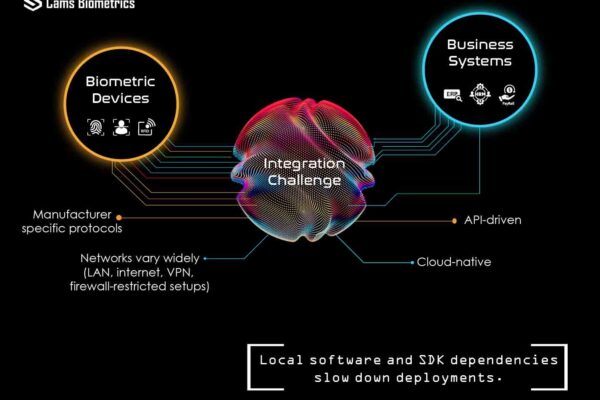
Why connecting biometric devices to HR, payroll and ERP is harder than choosing hardware, and how a gateway-based, API-driven approach simplifies it.

Why proprietary SDKs, static IPs and binary payloads make biometric systems unusable by AI agents, and what a JSON, REST and MCP-based API changes.
The $50,000 Compatibility Crisis You spent $50,000 on ZKTeco devices… and now your software vendor says they’re “incompatible.” Do you really need to replace everything? Many HR and IT teams get stuck here. The hardware works perfectly, but it is offline, siloed, and unable to connect with modern cloud or ERP systems. The devices accurately…
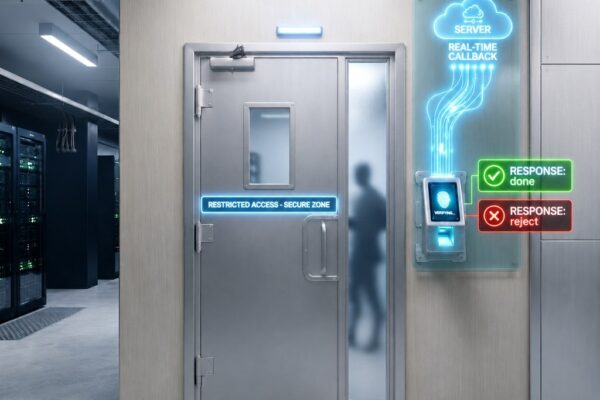
How a restricted room enforced one-person-at-a-time entry: the device verifies identity and your software approves or rejects each punch via callback.














