

Why AI Agents Silently Reject Biometric APIs
Why proprietary SDKs, static IPs and binary payloads make biometric systems unusable by AI agents, and what a JSON, REST and MCP-based API changes.






Why proprietary SDKs, static IPs and binary payloads make biometric systems unusable by AI agents, and what a JSON, REST and MCP-based API changes.

How the Cams Biometrics Gateway adds real-time dashboards, payroll sync and multi-site reporting to existing attendance terminals without new hardware.

Explains Native Push and Hybrid Push, API Activation, Hybrid Push Setup and API License options, and when platform integration charges apply.
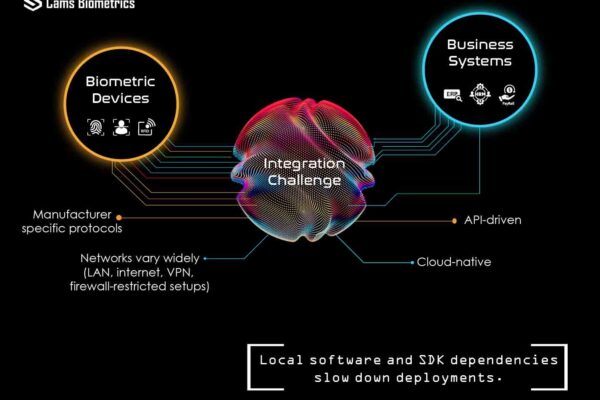
Why connecting biometric devices to HR, payroll and ERP is harder than choosing hardware, and how a gateway-based, API-driven approach simplifies it.
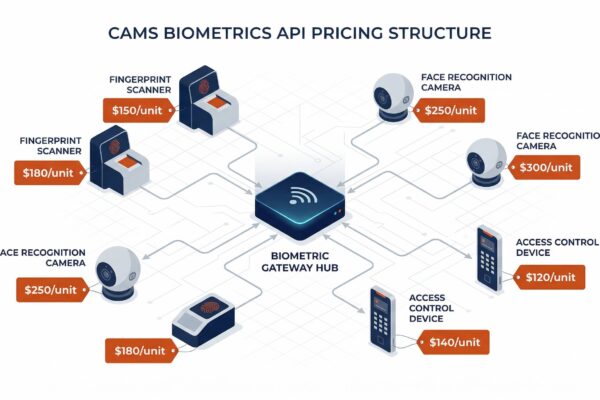
How Cams Biometrics API charges apply per device: activation, yearly license, protocol update, hybrid connector, software integration, and renewal rules.

How two-way API communication pushes employee data to devices at other branches, so staff moving between campuses need no biometric re-enrollment.

Step-by-step first-time setup: prerequisites, the Device Status dashboard, callback URL, auth token and direction settings, and checking the data flow.

Compares the Cams Biometric API with SDK-based and other biometric integration methods: real-time push, two-way user management, and no port forwarding.
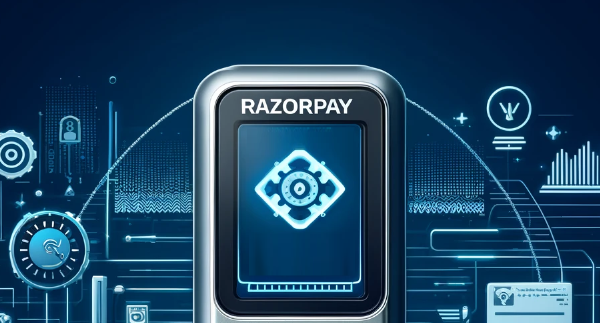
Steps to connect a biometric device to Razorpay, for Cams Biometrics devices and existing devices such as ZKTeco, using the Cams Biometrics API.

Steps to diagnose missing data in your ERP: involve your ERP provider, then record a test attendance entry and check it on the Device Status page.














